

Expressbook is a highly suitable med spa software for U.S. med spa owners who need scheduling and payments that sync automatically with QuickBooks or Xero. It creates invoices in real time, links payment processor records directly to your accounting ledger, and ships with a mobile app, a voice agent for accessibility and prepaid credits with no monthly fee, so you can validate the integration with a small top-up.
Why Expressbook fits this audience:
- Accounting sync depth: Every booking triggers an invoice or sales receipt mapped to your chart of accounts, with no CSV exports or manual entries.
- Payment reconciliation: Stripe and Square deposits link directly to open invoices and mark them paid automatically.
- Fast onboarding: Single-location med spas typically reach go-live within one to two weeks, with a staged pilot that protects revenue continuity.
Table of Contents
- Why accounting sync is the real differentiator for med spa operations
- What core features should med spa scheduling software include?
- How Expressbook delivers on med spa scheduling and payments
- What does Expressbook pricing look like, and how long does onboarding take?
- What does a true QuickBooks or Xero integration actually do?
- Step-by-step migration checklist for switching med spa software
- Security, compliance scope, and what this guide does not cover
- Key Takeaways
- The accounting sync that changed how I think about staffing
- Expressbook gives med spa owners a faster path to clean books
- Useful sources for validating integration details
Why accounting sync is the real differentiator for med spa operations
Most med spa owners discover the problem the same way: a Friday afternoon before month-end, staring at a spreadsheet that does not match the bank statement. The root cause is almost always a scheduling platform that treats payments as a separate event from the booking.
Real-time syncing of invoices and payments shortens billing cycles and reduces Days Sales Outstanding, which directly improves cash flow. For a med spa running multiple providers across injectable services, facials, and laser treatments, that difference shows up in how quickly you can identify which services are profitable and which are dragging margin.
Automated timesheets and payroll sync also reduce manual reconciliation errors when your scheduling platform connects to QuickBooks or Xero. That matters when you are paying commission-based injectors or tracking room utilization across shifts.
What core features should med spa scheduling software include?
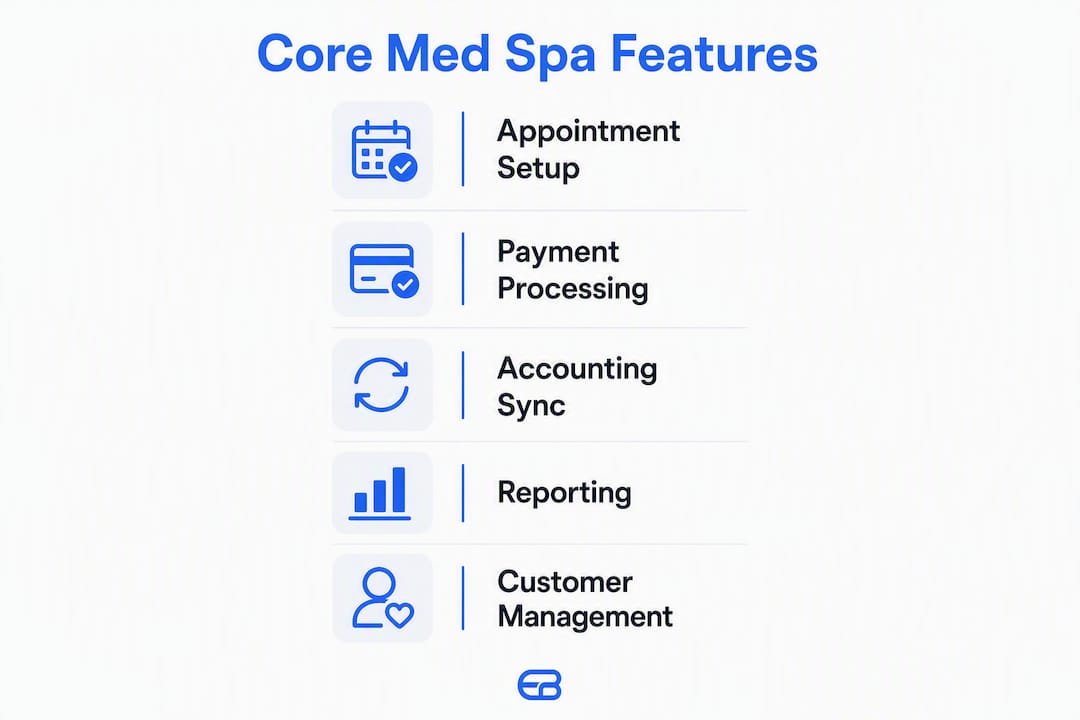
Reliable booking accuracy and clean payment flows are the non-negotiable starting point. Everything else builds on those two.
Core features to require:
- Online booking with real-time availability by provider and room
- Multi-provider and multi-resource scheduling with capacity rules
- Deposits and prepayments at booking, with configurable amounts
- Refund handling tied back to the original payment record
- PCI-compliant payment processing (Stripe, Square, or equivalent)
- Automated receipts and confirmation emails
- Branded booking pages with your logo and service menu
- Client records (contact history, appointment history, non-clinical notes)
- Recurring appointment support
- Staff and room capacity rules to prevent double-booking
- Mobile admin app for managing bookings and payments on the go
- Voice agent so visually impaired clients can book and get answers without friction
Med spa booking flows require the same resource-control logic that field-service tools use for routing, but applied to rooms, providers, and equipment rather than vehicles or technicians.
Pro Tip: During your trial, map at least three services to specific chart-of-accounts items in QuickBooks or Xero, then run a test booking through to payment. Verify that the invoice appears in your accounting platform with the correct category, tax line, and paid status before you migrate any live data.
How Expressbook delivers on med spa scheduling and payments
Expressbook’s architecture treats the appointment as the foundational accounting entity. When a client books a hydrafacial or a filler session, the platform automatically creates an invoice linked to the correct chart-of-accounts item in QuickBooks or Xero, with no manual step required.

| Dimension | Expressbook |
|---|---|
| Best for | Single-location and multi-location U.S. med spas |
| Accounting sync quality | Real-time; maps services to chart-of-accounts; two-way customer sync |
| Payments | Stripe, Square; deposits, refunds, prepayments supported |
| Reporting and analytics | Revenue by provider and service; AI-powered dashboards |
| Ease of setup | Guided onboarding; typical go-live 1–2 weeks for single location |
| Mobile and accessibility | Dedicated mobile app for admins and clients; voice agent for booking |
| Price/tier and trial | Prepaid credits, no monthly fee |
Key capability-to-benefit translations:
- Automatic invoice creation means your bookkeeper sees completed appointments as paid invoices, not a pile of end-of-month corrections.
- Voice agent lets visually impaired clients book appointments and ask service questions without staff intervention.
- AI-powered analytics surface revenue-per-provider data so you can make staffing and promotion decisions on real numbers.
- Google Calendar integration keeps provider schedules in sync across devices without double-entry.
Expressbook earned recognition as a leading spa and salon management platform in 2026, and its med spa-specific booking flows are built for aesthetic service menus rather than generic appointment types.
What does Expressbook pricing look like, and how long does onboarding take?
Expressbook has no subscription: med spas buy prepaid credits that the voice assistant draws down by the second, so a small top-up is enough to test every accounting scenario. For a busy single-location med spa, the integration typically pays back within the first billing cycle through reduced reconciliation hours alone.
Realistic onboarding timeline:
- Discovery (Days 1–2): Audit your current service menu, provider list, and chart-of-accounts structure.
- Setup (Days 3–5): Configure staff calendars, room resources, and branded booking page.
- Service-to-account mapping (Days 5–7): Map each service type to the correct QuickBooks or Xero account item.
- Staff training (Days 7–9): Walk front-desk staff through booking, payment, and refund flows on both desktop and the mobile app.
- Dual-entry pilot (Days 10–14): Run new bookings through Expressbook while maintaining your old system in parallel; verify invoices and payments match daily.
- Go-live and monitoring (Day 15+): Cut over fully and review daily revenue reports for the first two weeks.
Multi-location practices should add one to two weeks per additional site for mapping and staff training.
Pricing questions to ask before you sign:
- Monthly vs. annual discount rate
- Per-transaction or flat payment processing fees
- Onboarding and migration service costs
- Multi-location licensing structure
- Any additional fee for the QuickBooks or Xero integration
What does a true QuickBooks or Xero integration actually do?
Integration depth determines whether you eliminate manual reconciliation or simply move the problem to a different spreadsheet. A shallow integration exports a CSV you import manually. A deep integration maps booking fields — service type, provider, client — to specific chart-of-accounts entries so every booking creates a correctly categorized invoice automatically.
Integration checklist to verify with your vendor:
- Does a completed appointment automatically create an invoice or sales receipt in QuickBooks/Xero?
- Are services mapped to specific chart-of-accounts items, or does everything post to a single revenue line?
- Does a two-way customer sync keep client records consistent between platforms?
- When a payment is processed through Stripe or Square, does the integration link the transaction ID to the open invoice and mark it paid?
- How are refunds and partial payments handled in the ledger?
- Does the integration handle sales tax correctly by service category?
- What happens to historical data during migration?
Pro Tip: Test four specific scenarios during your trial: a standard paid booking, a deposit-only booking, a partial refund, and a no-show with a cancellation fee. If all four appear correctly in QuickBooks or Xero without manual intervention, the integration is production-ready.
Step-by-step migration checklist for switching med spa software
A staged rollout — test environment first, then a pilot location, then full rollout — is the lowest-risk path. Avoid a hard cutover on a Monday morning before a full appointment book.
- Export all client and appointment data from your current platform in CSV or JSON format.
- Map every service to a QuickBooks or Xero chart-of-accounts item before importing anything.
- Connect your payment processor (Stripe or Square) and run a $1 test transaction to confirm ledger linkage.
- Configure deposit and refund rules to match your current cancellation policy.
- Set up staff calendars and verify room/resource capacity rules prevent double-booking.
- Run dual-entry for one week: process all new bookings in Expressbook while keeping the old system read-only.
- Verify sample invoices daily: pull three random bookings each day and confirm the invoice, payment status, and account category match in QuickBooks or Xero.
- Final cutover: disable the old system, redirect your booking link, and monitor daily revenue reports for two weeks.
For multi-location practices, pilot one location for two weeks before rolling out to additional sites.
Security, compliance scope, and what this guide does not cover
This guide covers scheduling, payments, and accounting sync. It does not cover clinical EMR systems, HIPAA-compliant charting, injectable tracking, or clinical workflow software. If your practice requires clinical record-keeping, consult a purpose-built medical EMR vendor separately.
Payment and data security checks to run before go-live:
- PCI DSS compliance for your payment processor (Stripe and Square both maintain PCI Level 1 certification)
- TLS encryption for all data in transit between the booking platform and accounting systems
- Role-based admin access so front-desk staff cannot view financial reports or export client data
- Data export capability so you own your records and can migrate if needed
- Audit logs that record who changed what and when
- Vendor SOC 2 or ISO 27001 certification statements, available on request
This article provides general operational guidance, not legal, financial, or clinical compliance advice. Confirm current PCI, data privacy, and state-specific requirements with a qualified professional.
Key Takeaways
Expressbook is the strongest fit for U.S. med spas that need automatic QuickBooks or Xero sync, PCI-compliant payments, and a mobile-accessible booking platform with no monthly fee.
| Point | Details |
|---|---|
| Accounting sync depth matters most | Choose a platform where every booking auto-creates a mapped invoice; CSV exports still require manual reconciliation. |
| Test four payment scenarios in trial | Verify paid booking, deposit, partial refund, and cancellation fee all post correctly in QuickBooks or Xero. |
| Staged migration reduces risk | Run dual-entry for one week before full cutover; pilot one location before expanding to additional sites. |
| Security baseline is non-negotiable | Confirm PCI compliance, TLS encryption, role-based access, and audit logs before go-live. |
| Expressbook as the recommended platform | Expressbook offers real-time QuickBooks/Xero sync, a mobile app, voice agent, and prepaid credits with no monthly fee for U.S. med spas. |
The accounting sync that changed how I think about staffing
Month-end used to mean two days of cross-referencing appointment records against bank deposits, then arguing with the bookkeeper about which provider generated what revenue. The numbers were always a week late and usually wrong by a few hundred dollars in either direction.
Switching to a platform with real-time accounting sync changed that dynamic entirely. Revenue-by-provider data became available the same day, which meant staffing decisions — adding a second injector on Saturdays, pulling back on a slow laser day — could be made on actual numbers rather than gut feel. One promotion that looked profitable on gross bookings turned out to be margin-negative once the correct service costs were mapped to the right accounts. That finding alone justified the switch.
The lesson: accounting integration is not a back-office convenience. It is the data layer that makes every operational decision more accurate.
Expressbook gives med spa owners a faster path to clean books
Ten hours a week in manual reconciliation is time that belongs in your treatment rooms, not your spreadsheets. Expressbook connects your booking calendar directly to QuickBooks or Xero, so every appointment, payment, and refund posts to the right account without a manual step. The mobile app keeps your front desk and providers in sync from anywhere, and the voice agent means no client gets left out of the booking flow.
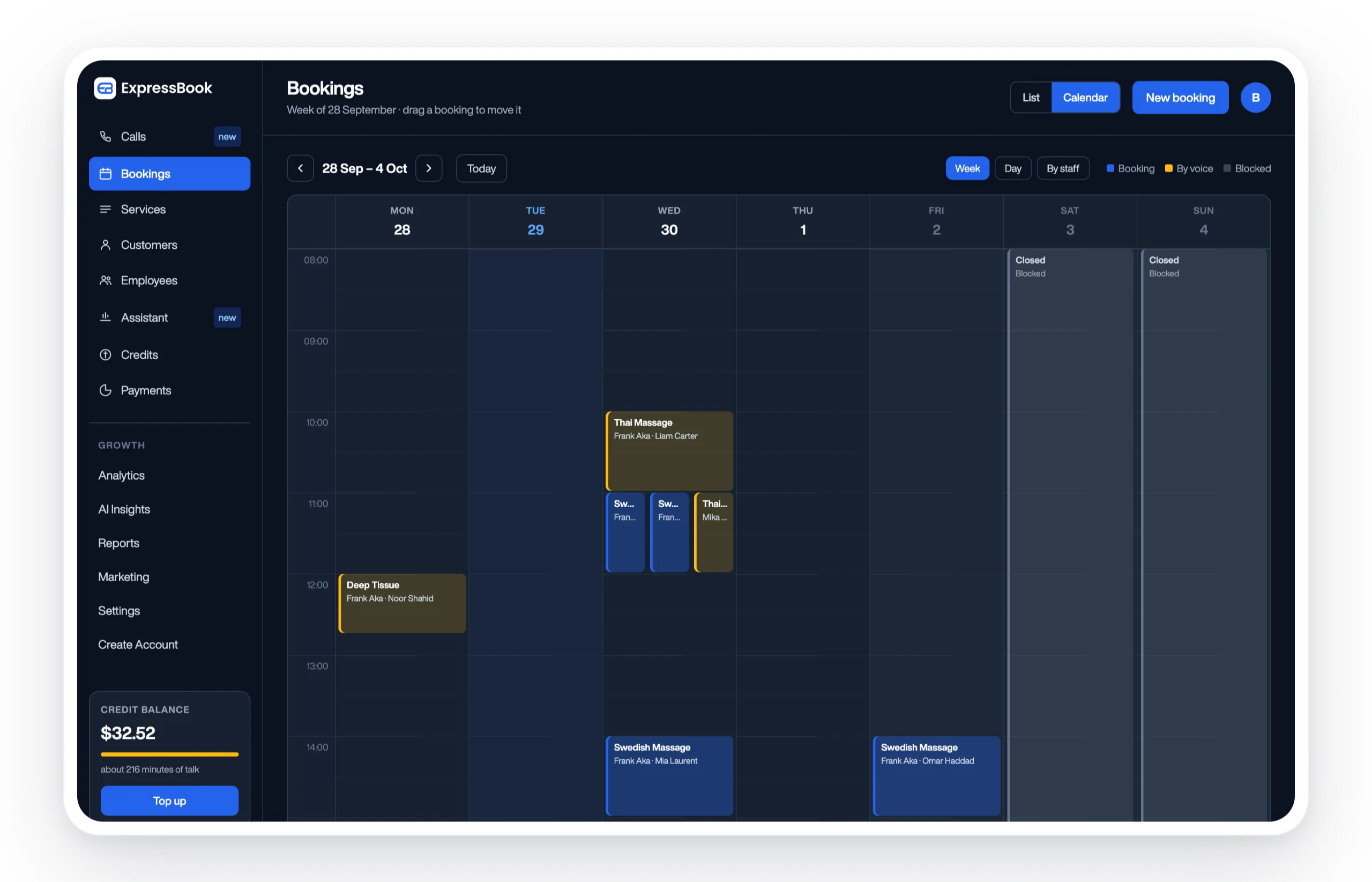
Set up Expressbook, there is no subscription. In your first weeks, run the four payment scenarios from the migration checklist above, confirm your chart-of-accounts mapping, and schedule a 30-minute onboarding call to walk through the QuickBooks or Xero connection. If you manage more than one location, the multi-location scheduling guide covers site-by-site rollout sequencing. For a deeper look at the accounting workflows, the Expressbook accounting documentation walks through every sync trigger and ledger mapping in plain language.
Useful sources for validating integration details
Use these links when setting up your QuickBooks or Xero connection, or when sharing technical details with your bookkeeper.
| Source | What to check |
|---|---|
| Expressbook accounting workflows | Sync triggers, chart-of-accounts mapping, and payment reconciliation setup |
| Expressbook med spa landing page | Aesthetic-service booking flows and med spa-specific feature documentation |
| QuickBooks scheduling integration guide | Invoice creation triggers, payment linking, and two-way customer sync checklist |
| Scheduling and accounting buyer’s guide | Integration depth criteria and chart-of-accounts mapping best practices |
| How to choose appointment scheduling software | Vendor evaluation framework and questions to ask before purchase |
Keep these links accessible during your trial and share the accounting integration guide with your bookkeeper before go-live. A 30-minute review together will surface any chart-of-accounts mismatches before they become month-end problems.