

Require a deposit at booking to cut no-shows and secure part of your fee before the appointment ever happens. The first step is enabling deposit collection inside your scheduling software and pairing it with a visible policy checkbox that clients must actively confirm.
Most service businesses land on one of two formats:
- Percentage-based deposits, typically 20% to 50% of the service price, work well for higher-ticket appointments like color services, massage packages, or medical consultations.
- Flat-fee deposits of $25 to $50 fit lower-cost, shorter appointments where a percentage would feel negligible.
Once you pick a format, the immediate next action is simple: turn on the deposit requirement in your booking flow and add explicit policy language with a checkbox, not a buried link nobody reads.
Key Takeaways
Requiring an active checkbox acknowledgment at booking, backed by a clear percentage or flat-fee policy, is what makes a deposit both effective at cutting no-shows and defensible in a chargeback.
| Point | Details |
|---|---|
| Set the right deposit format | Use 20% to 50% for high-value services or a flat $25 to $50 fee for lower-cost appointments. |
| Separate deposits from prepayments | Label deposits as forfeitable security and prepayments as advance payment toward the final bill. |
| Require active acknowledgment | Use a mandatory checkbox at booking, not passive disclosure, to make forfeiture enforceable. |
| Document every touchpoint | Keep timestamped confirmations and reminders sent 48 to 72 hours before the appointment. |
| Use Expressbook to automate enforcement | Expressbook attaches policy text to receipts, syncs deposits to QuickBooks and Xero, and runs on prepaid credits with no monthly fee. |
Table of Contents
- What Is a Booking Deposit vs. a Prepayment?
- How to Set Up Deposit Collection in Your Booking Flow
- Collecting the Remainder at Checkout
- Refunds, Cancellations, and Forfeiture Rules That Hold Up
- Sample Deposit Policy Language and Where to Put It
- Documentation and Tools That Make Deposits Enforceable
- Try Deposit Collection Risk-Free With Expressbook
- Sources
What Is a Booking Deposit vs. a Prepayment?
A deposit and a prepayment sound interchangeable, but they behave differently on your books and in a dispute. A deposit secures a client’s commitment to show up, and it can be forfeited if they don’t. A prepayment is money paid ahead of time that gets applied directly to the final invoice, with far less room to withhold it if the deal falls through.
That distinction shapes three things:
- Refund rules: deposits often carry conditional refund terms; prepayments usually don’t.
- Insolvency and creditor ranking: how a payment is labeled can affect a customer’s standing if your business closes or faces claims, since prepayments and deposits sit differently in that hierarchy.
- Customer expectation: clients read “deposit” as skin in the game; they read “prepayment” as an early bill.
Event holds, high-value bookings like bridal packages, and one-off medical procedures usually call for a true deposit. Subscriptions and memberships tend to work better as prepayments, since the client is paying toward services they’ll definitely use. Getting this label right up front, not after your first dispute, is what separates a policy that holds up from one that gets picked apart in a chargeback.
How to Set Up Deposit Collection in Your Booking Flow
Setting up deposit collection is mostly a configuration exercise, but the details determine whether your policy is enforceable or just decorative. Here’s the sequence that works:
- Connect a payment provider. Deposits only function once card processing is active inside your scheduler. Confirm that payments are enabled before you touch deposit settings.
- Choose percentage or flat amount. Decide this per service category rather than business wide. A $25 flat fee suits a haircut; a 30% deposit makes more sense for a four-hour spa package.
- Apply the rule selectively. Not every service needs a deposit. Reserve it for higher-value, higher no-show-risk appointments.
- Add a mandatory checkbox. The client must actively agree to the policy at the moment of booking, not scroll past it. This single step is what platforms like LegalClarity point to as the strongest evidence in a chargeback fight.
- Attach the policy text to receipts and confirmations. Don’t let the terms exist only on the booking page.
- Test both web and mobile. Confirm the checkbox timestamp logs correctly on a phone booking, not just a desktop one, since that’s where most last-minute bookings happen.
Pro Tip: Book a test appointment yourself on your phone, cancel it late, and see whether your system actually applies the forfeiture rule automatically. If it doesn’t, your policy exists on paper but not in practice.
If your scheduling platform doesn’t separate mobile and web deposit flows, you’re relying on manual enforcement, which rarely survives a client’s bank dispute.
Collecting the Remainder at Checkout
The deposit is only half the transaction. How you collect the rest matters just as much for cash flow and client trust.
Two workflows dominate:
- Card-on-file, charge-at-completion: you hold the card details from booking and charge the balance automatically when the service ends. This fits recurring clients and higher-trust relationships.
- Charge-at-checkout: the client pays the remainder manually at the point of service, which fits walk-heavy businesses or first-time clients where you’d rather not store payment data unnecessarily.
Whichever model you use, automate the reminder before the charge hits, not after. A same-day notification that final payment is coming avoids the “I didn’t know you’d charge my card” complaint, which is one of the fastest routes to a chargeback.
Build in retry logic for failed cards. A single failed attempt shouldn’t trigger a service refusal. Instead, hold the booking, reauthorize the card once, and send a short, polite message asking the client to update their payment method within 24 hours before you escalate.
Refunds, Cancellations, and Forfeiture Rules That Hold Up
Most defensible deposit policies use a 48 to 72 hour cancellation window. Cancel inside that window, and the client gets a full or partial refund. Cancel after it, or simply no-show, and the deposit is forfeited.
The policy needs to run both directions. If your business cancels or reschedules, the client is owed a refund, full stop, and your policy language should say so explicitly. A one-sided policy that only protects your business invites disputes and, in some states, runs into consumer protection rules around unreasonable or excessive fees.
When a forfeiture gets challenged, you need a paper trail:
- Timestamped checkbox acknowledgment from the original booking
- Confirmation email showing the policy text
- Reminder message sent 48 to 72 hours before the appointment
- A record of the cancellation or no-show itself
Businesses can legally charge appointment deposits and cancellation fees, but the amount has to stay reasonable under state consumer protection law, and vague or inflated fees are the fastest way to lose a dispute.
Sample Deposit Policy Language and Where to Put It
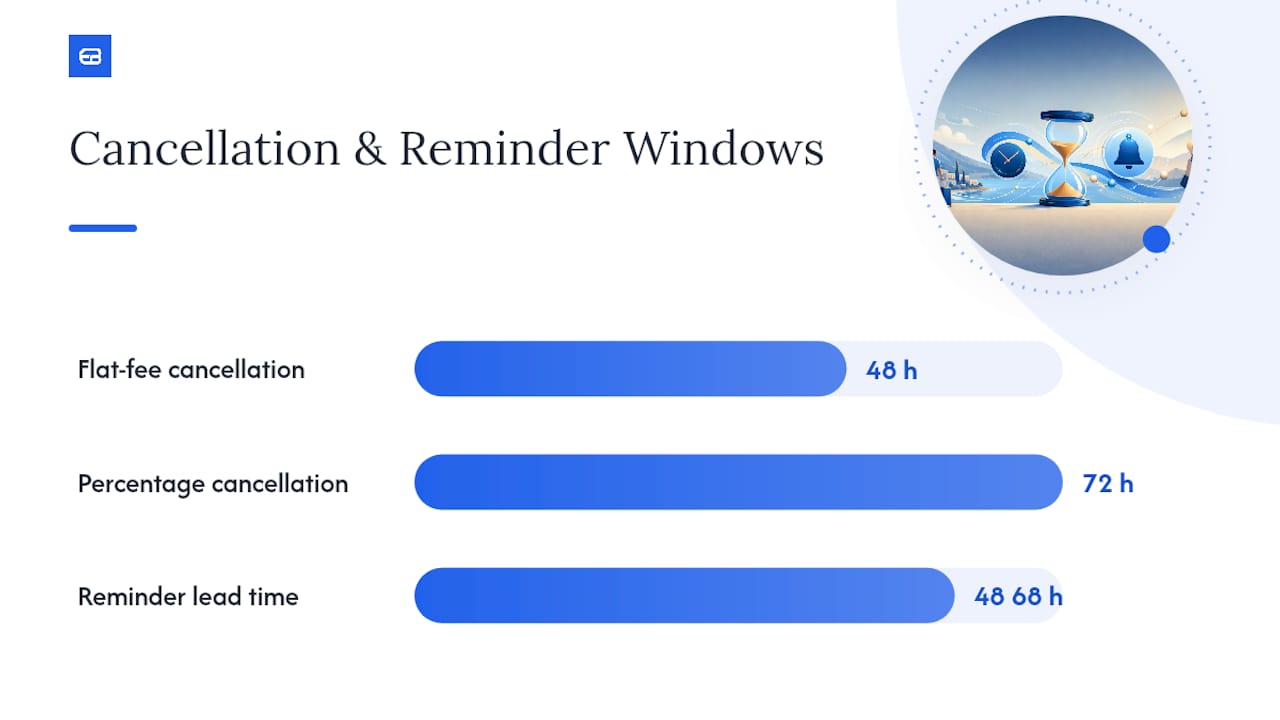
A defensible policy has five components: the deposit amount rule, how it applies to the final bill, the cancellation window, the forfeiture terms, and what happens if you cancel. Skip any one of these and you leave a gap a client can exploit in a dispute.
Two adaptable templates:
- Flat-fee version (short, low-cost services): “A $30 deposit is required to confirm this appointment. It will be applied to your final invoice. Cancellations made less than 48 hours before your appointment forfeit the deposit. If we cancel or reschedule, your deposit is fully refunded.”
- Percentage version (higher-cost services): “A 25% deposit of the total service price secures your booking and applies toward your final balance. Cancellations within 72 hours of your appointment are non-refundable. No-shows forfeit the full deposit. If Expressbook services are canceled by us, the deposit is refunded in full.”
The policy text means little sitting alone on a booking page. It has to appear where the client can’t avoid it: on the booking page itself, inside a mandatory checkbox, in the confirmation email, and again in the 48 to 72 hour reminder. Repetition across three touchpoints is what separates a policy that survives a chargeback from one that gets reversed, and using dental appointment reminders that actually cut no-shows is an effective way to automate these reminders.
Adapt the wording to your service, but keep all five components intact every time you rewrite it.
Documentation and Tools That Make Deposits Enforceable
A deposit policy is only as strong as the proof you can produce when a client disputes it. Requiring an active checkbox acknowledgment, not a passive “by booking you agree” line, and keeping a timestamped log of that agreement is the single strongest piece of evidence you can hand a card processor during a dispute.
Put the terms in three places: the booking page, the confirmation message, and the reminder. For phone bookings, read the key terms aloud and note that you did.
Expressbook builds several of these safeguards directly into the booking flow: configurable deposit settings by service, automated receipts that carry your full policy text, and two-way sync with QuickBooks and Xero so deposits reconcile against revenue without manual entry. The dedicated mobile app lets admins issue refunds or review forfeiture cases from anywhere, and a built-in voice agent lets visually impaired clients book appointments and ask policy questions without needing to navigate a screen.

Pro Tip: Keep a simple folder, digital or otherwise, with screenshots of the booking confirmation, the checkbox timestamp, and the reminder message for any disputed deposit. Assembling this after the fact under deadline pressure is far harder than saving it as you go.
When Deposits Actually Make Sense
Deposits earn their keep on high-risk, high-value, one-off bookings, think bridal parties, initial medical consults, or anything with real prep cost if the client skips. For low-cost recurring visits, like a standing weekly appointment, a deposit often adds friction without reducing risk. Test amounts and cancellation windows on one service category at a time before rolling changes out everywhere.
— serge
Try Deposit Collection Risk-Free With Expressbook
Expressbook is built to remove the guesswork from deposit enforcement, not just process a payment. The platform lets you collect deposits at booking, attach your exact policy text to every receipt, and sync those payments straight to QuickBooks or Xero so your books close without manual reconciliation. Refunds and forfeiture decisions can be managed right from the mobile admin app, wherever you happen to be.
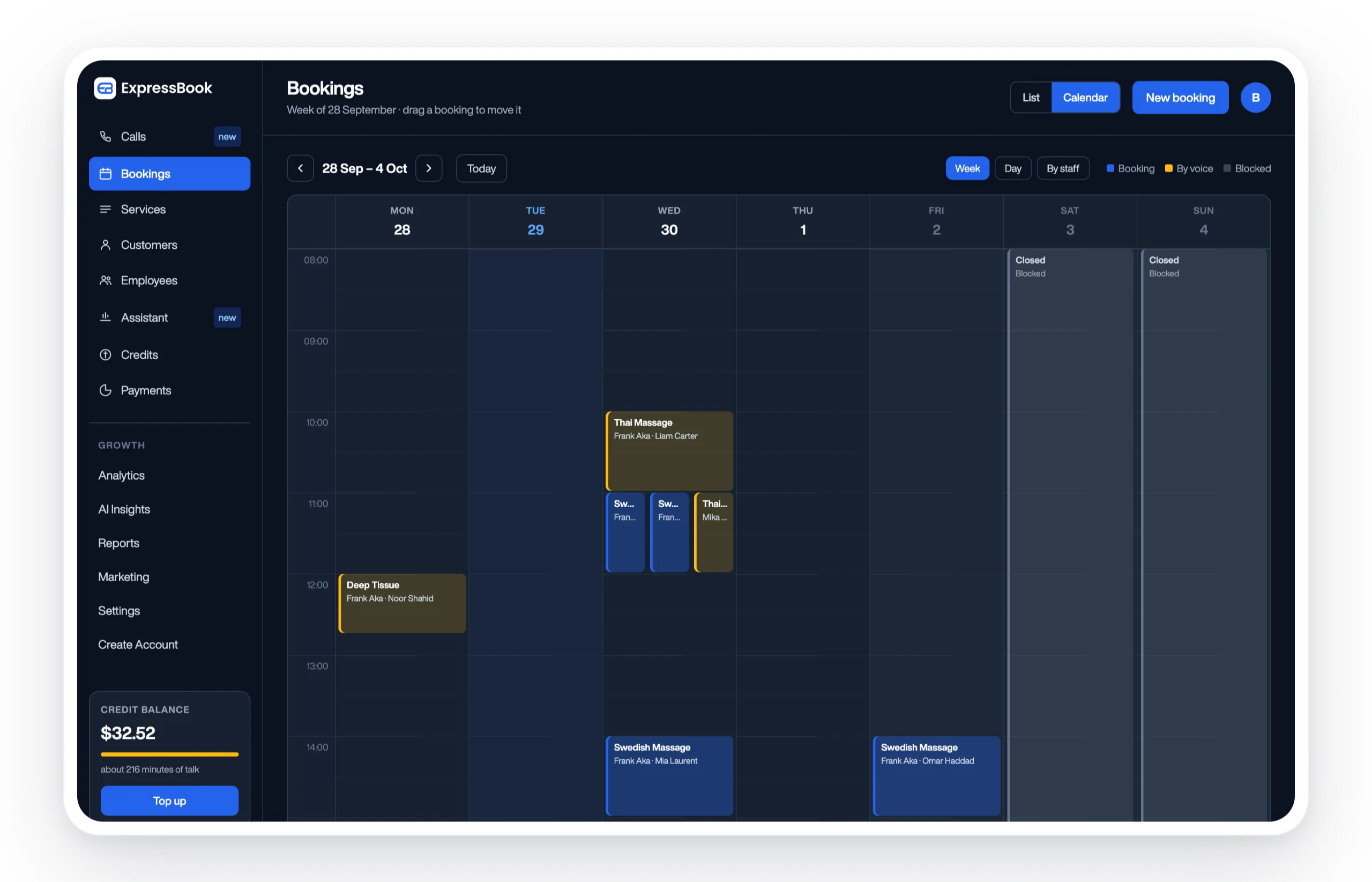
Accessibility is built in too: the voice agent lets clients who are visually impaired book appointments and ask policy questions without ever touching a screen. If you’re ready to see whether a percentage or flat-fee deposit fits your business better, Expressbook has no subscription, so a small credit top-up is enough to run a full booking and refund test path on real appointments. Set up your deposit workflow for beauty and aesthetic services or explore the health practice booking tools to see the policy fields in action before you commit to anything.
Sources
- What Is Prepayment? Benefits, Risks and Accounting | Stripe
- Salon deposit policy example: sample language and key clauses – LegalClarity
- Can businesses charge appointment deposits and cancellation fees? – FindLaw
- What Is Prepayment? Definition, Types, and Potential Penalties – Investopedia