

For most U.S. tattoo studios, Expressbook is the recommended pick. It combines tattoo-specific scheduling workflows, automated deposit handling, native mobile apps for artists and admins, QuickBooks/Xero sync, and a voice agent for accessible booking — all in one platform rather than a patchwork of disconnected tools.
Here is how the main solution categories stack up at a glance:
| Category | Best For | One-Line Rationale |
|---|---|---|
| Expressbook (recommended) | Single-location and growing multi-artist studios | Tattoo-specific workflows, deposit automation, accounting sync, mobile app, and voice agent in one system |
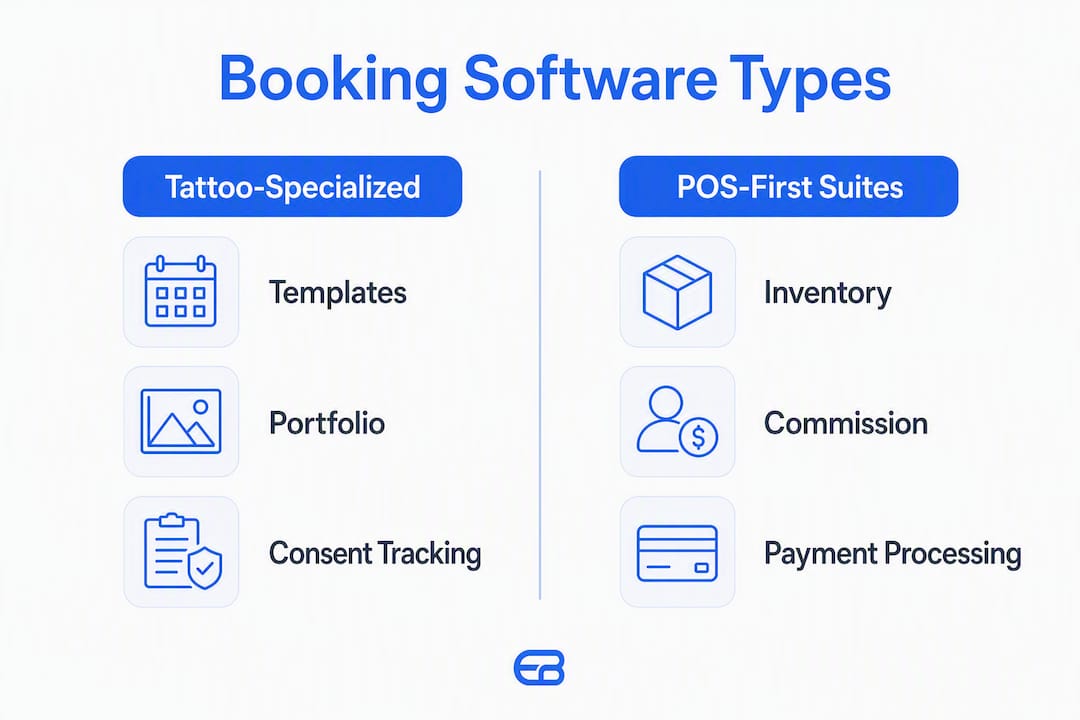
| Tattoo-specialized all-in-one platforms | Studios needing prebuilt tattoo templates and consent tracking out of the box | Purpose-built for the trade with portfolio and CRM features baked in |
| POS-first salon suites | Studios with retail product sales and complex commission structures | Strong inventory, POS, and staff pay management; booking is secondary |
| Lightweight self-service schedulers | Solo artists who want fast, low-cost client self-booking | Minimal setup, low price, but limited deposit and intake features |
| Enterprise / multi-location platforms | Group studios or chains scaling across multiple locations | Centralized reporting and multi-site management at the cost of complexity |
Table of Contents
- How does tattoo appointment booking software compare across key features?
- What features does tattoo booking software actually need?
- Which booking platform fits your tattoo studio’s needs?
- How do you choose the right scheduling software for your studio?
- What does tattoo booking software actually cost?
- Why Expressbook is the recommended pick for most U.S. tattoo studios
- Key Takeaways
- Running bookings in a busy tattoo studio
- Expressbook is worth testing before you commit to anything else
How does tattoo appointment booking software compare across key features?
The table below maps critical capabilities across each solution category. Use it to identify which category fits your studio’s operational needs, then read the per-category cards in the next section for detail.
| Feature | Expressbook | Tattoo-specialized all-in-one | POS-first salon suites | Lightweight schedulers | Enterprise / multi-location |
|---|---|---|---|---|---|
| Best for | Single to multi-artist studios | Tattoo-only studios | Retail-heavy studios | Solo artists | Multi-location chains |
| Pricing model | Prepaid credits | Tiered subscription | Tiered + POS fees | Flat low-cost or free tier | Per-location or enterprise contract |
| Deposits & payment holds | Automated | Automated | Automated | Manual or limited | Automated |
| Intake forms & digital waivers | Yes | Yes (tattoo-specific) | Partial | Limited | Yes |
| Multi-artist scheduling | Yes | Yes | Yes | No | Yes |
| Calendar sync & mobile app | Google Calendar, iCal; native mobile app | Varies | Varies | Google Calendar; limited app | Yes |
| POS / commission / inventory | Yes | Partial | Full POS | No | Yes |
| QuickBooks / Xero integration | Yes (real-time sync) | Rarely | Rarely | No | Varies |
| SMS / email reminders | Automated | Automated | Automated | Basic | Automated |
| Reporting & analytics | AI-powered analytics | Basic | Advanced POS reporting | Minimal | Enterprise-grade |
| Free trial | No subscription | Varies | 14 days | Free tier or 14 days | Demo only |
Expressbook’s real-time accounting sync with QuickBooks and Xero is the column that most competitors leave blank or qualify with “limited.” For studios that reconcile artist commissions and supply costs monthly, that gap compounds quickly.
What features does tattoo booking software actually need?
Not every scheduling tool is built for the specific demands of a tattoo studio. The features below are the ones that materially change day-to-day operations and protect revenue.
- Automated deposits and payment holds. A deposit workflow that charges the client at booking, holds the funds, and applies them to the final invoice removes the single biggest source of no-shows. Without automation, artists chase deposits manually.
- Digital intake forms, waivers, and consent tracking. Tattoo studios collect health disclosures, allergy information, and legal consent before every session. A platform that stores signed waivers against the client record eliminates paper filing and creates an auditable trail.
- Multi-artist and resource scheduling. Overlapping consult slots, shared equipment, and private rooms all need independent calendars that prevent double-booking. Solo artists can skip this; studios with two or more artists cannot.
- Portfolio and social booking integration. Clients book from Instagram and studio websites. A booking link that embeds directly in an Instagram bio or website widget captures that intent without redirecting clients through a third-party page.
- Automated SMS and email reminders. Automated reminders reduce no-shows and keep clients informed about prep instructions, deposit confirmations, and aftercare. Two-way messaging lets clients confirm or reschedule without calling.
- PCI-compliant payment processing. Any platform handling card data for deposits must meet PCI DSS standards. Confirm this explicitly during demos — vague “secure payments” language is not the same as documented PCI compliance.
- POS, inventory, and commission handling. Studios that sell aftercare products or split revenue across artists need commission tracking and inventory management built into the same system, not a separate app.
- QuickBooks and Xero integrations. Real-time financial sync eliminates manual data entry and reduces end-of-month reconciliation errors. This is the feature most studios undervalue until they spend three hours reconciling a busy Saturday.
- Calendar sync (Google Calendar, iCal). Artists manage personal and professional schedules across devices. A platform that syncs bidirectionally with Google Calendar prevents scheduling conflicts without requiring artists to live inside the booking app.
- Native mobile app for artists and admins. A mobile app lets artists check their schedule, update availability, and process payments on-site. A web-only tool creates friction for artists who are not at a desk.
- Accessibility features. Expressbook’s voice agent lets visually impaired clients book appointments and get answers to business questions — a feature most platforms in this category do not offer.
- Onboarding and migration support. Moving client histories, photos, consent forms, and notes from one system to another is where most platform switches go wrong.
Pro Tip: During any vendor demo, request a live walkthrough of the deposit workflow — from client booking to funds appearing in your account — and ask the vendor to migrate one real client record (with photos and notes) during your trial. Those two tests expose more gaps than any feature checklist.
Which booking platform fits your tattoo studio’s needs?
Expressbook
Expressbook is built for tattoo and piercing studios specifically, with prebuilt intake templates, deposit automation, and a scheduling architecture that handles consult slots and multi-artist calendars. Its QuickBooks and Xero sync runs in real time, which means commission splits and supply costs flow directly into your accounting software without manual exports. The native mobile app covers both artist-facing schedule management and admin-level booking controls. A voice agent handles accessible booking for visually impaired clients and can answer common studio questions automatically.
Strengths for tattoo studios:
- Tattoo and piercing vertical with prebuilt intake and consent templates
- Real-time QuickBooks/Xero sync reduces reconciliation work
- Automated deposit workflows and payment handling
- Native mobile app for artists and admins
- Voice agent for accessible client booking
- AI-powered analytics and reporting
- No subscription: prepaid credits
Limitations to test with a small credit top-up:
- Confirm that your specific payment processor is supported before committing
- Verify that multi-location reporting meets your needs if you operate more than one site
Expressbook positions itself as a single system that replaces the disconnected stack of booking app, payment tool, CRM, and accounting export — functioning like a fractional business manager for small and mid-size studios.
Tattoo-specialized all-in-one platforms
Platforms in this category, including tools like Tattoo Studio Pro, InkDesk, and Misfit Tattoo, are built from the ground up for the tattoo trade and often include features like AI stencil generation to streamline custom stencil creation. They typically ship with consent form templates, portfolio galleries, and client CRM fields designed around tattoo-specific data (placement, size, style, reference images). The tradeoff is that accounting integrations are often absent or limited, and multi-location support is rarely a priority.

Strengths: Prebuilt tattoo templates, portfolio management, consent tracking.
Limitations: Weak or no QuickBooks/Xero sync, limited POS features, variable mobile app quality.
Tools like Venue Ink sit in a similar space, focusing on how scheduling software transforms tattoo studio day-to-day operations through purpose-built booking flows. Worth evaluating if tattoo-specific CRM fields are your top priority and accounting integration is not.
POS-first salon suites
Vagaro and GlossGenius are the most widely used platforms in this category among U.S. service studios. Both offer solid appointment scheduling, but their core architecture is built around POS, inventory, and staff commission management. Vagaro supports multi-location management and has a broad integration library; GlossGenius is cleaner and faster to set up but is designed primarily for solo or small-team operators.

Neither platform offers native QuickBooks or Xero sync as a standard feature, which matters if your studio reconciles artist pay against booking revenue monthly. Square Appointments also belongs here: it integrates tightly with the Square POS ecosystem and is a practical choice for studios already using Square hardware, though its tattoo-specific intake features are limited.
Strengths: Strong POS, inventory, and commission tracking; established payment processing.
Limitations: Tattoo-specific intake forms require customization; accounting sync is typically manual export.
Lightweight self-service schedulers
Calendly, Lunacal, and Porter fall into this category. They prioritize fast client self-booking over studio-side controls. Setup takes hours rather than days, and pricing is low. The tradeoff is significant for tattoo studios: deposit automation is limited or absent, intake forms are generic, and multi-artist scheduling is either unavailable or requires workarounds.
Lunacal markets specifically to tattoo studios and has received positive reviews for its clean booking interface. Calendly is the most widely recognized name in this category but was designed for meeting scheduling, not service-based deposits and waivers.
Strengths: Fast setup, low cost, clean client-facing booking experience.
Limitations: No native deposit automation, limited intake/waiver support, not built for multi-artist studios.
Enterprise / multi-location platforms
Studios operating three or more locations, or group studios with centralized ownership, need a platform that consolidates reporting across sites, manages resource allocation at scale, and supports role-based access for managers versus artists. Most enterprise-tier platforms offer these features but require longer onboarding, higher per-location pricing, and dedicated implementation support.
Expressbook’s multi-location scheduling capabilities make it a viable option for studios planning growth without committing to an enterprise contract. For studios already at five-plus locations, a dedicated enterprise platform may offer more granular controls.
Strengths: Centralized multi-site reporting, role-based access, advanced resource allocation.
Limitations: Higher cost, longer onboarding, often requires a sales process rather than self-serve signup.
Note on tools with limited public profiles: Porter and Misfit Tattoo have limited publicly available feature documentation. Both appear in tattoo artist community discussions as booking options, but neither publishes detailed integration or pricing information. Evaluate them directly if they come up in your research, but verify deposit and intake capabilities before committing.
How do you choose the right scheduling software for your studio?
Work through this checklist before your first vendor demo. It separates must-haves from nice-to-haves and surfaces the questions that predict a painful onboarding.
Must-have checklist:
- Automated deposit collection at the time of booking (not a manual invoice step)
- Digital intake forms and signed waiver storage linked to the client record
- Multi-artist calendars with independent availability controls (if you have more than one artist)
- PCI-compliant payment processing with documented compliance, not just “secure payments” language
- Automated SMS and email reminders with customizable timing
- Native mobile app for artist schedule management and on-site check-ins
- Calendar sync with Google Calendar or iCal
- Clear data migration path for client histories, photos, and consent forms
Nice-to-have:
- QuickBooks or Xero real-time sync (becomes a must-have if you reconcile monthly)
- Instagram and website booking widget integration
- POS and inventory management (required if you sell retail products)
- AI-powered analytics and revenue reporting
- Voice agent or accessibility booking channel
- Portfolio gallery linked to the booking page
Demo questions to ask every vendor:
- Walk me through a deposit workflow from client booking to funds in my account. How long does that take?
- What happens to a deposit if a client cancels inside the cancellation window?
- Can you migrate one client record with photos, notes, and consent forms during my trial? How long does that take?
- How does staff commission calculation work, and does it sync to QuickBooks or Xero?
- What is your expected downtime during migration, and how do you handle bookings during that window?
- What are your customer support hours? Do you cover evenings and weekends?
- Does your mobile app support admin-level controls, or is it view-only for artists?
Red flags to watch for:
- No clear deposit workflow or a deposit process that requires manual steps
- Vague migration policy (“we’ll help you figure it out”) with no documented process
- Hidden per-transaction fees on top of the monthly subscription
- No native mobile app, or a mobile app that only shows the calendar without booking controls
- “Secure payments” language without explicit PCI DSS compliance documentation
- Support limited to business hours when your studio operates evenings and weekends
For a broader comparison of scheduling platforms and how to evaluate them, the appointment scheduling software guide covers vendor selection criteria in detail.
What does tattoo booking software actually cost?
Pricing in this category varies significantly based on the number of artists, POS features, multi-location support, and whether accounting integrations are included. The table below shows typical pricing shapes by category.
| Category | Starting monthly price | Billing model | Deposit processing fees | Free trial | Onboarding time |
|---|---|---|---|---|---|
| Expressbook | Prepaid credits, no monthly fee | Credits drawn down by talk time | Standard payment processing rates | No subscription | 1–7 days (self-serve); 2–4 weeks (guided) |
| Tattoo-specialized all-in-one | Varies by platform | Per-artist or flat | Varies | 14 days | 1–2 weeks |
| POS-first salon suites | $24/month | Per-location or per-user | ~3% + fixed fee | 14 days | 1–2 weeks |
| Lightweight schedulers | Free to $15/month | Flat or per-seat | Not included natively | Free tier or 14 days | 1–3 days |
| Enterprise / multi-location | Custom pricing | Per-location contract | Negotiated | Demo only | 4–12 weeks |
Three factors drive sticker price more than any other: the number of artists on the account, whether POS and inventory are included, and whether accounting integrations (QuickBooks/Xero) are native or require a third-party connector. A studio paying for a separate accounting connector, a separate POS tool, and a separate reminder service often spends more than a single integrated platform would cost.
Expressbook has no subscription at all, unlike the 14-day trials most competitors offer before monthly billing. A small credit top-up is enough to run a full deposit cycle, complete a client migration, and test the QuickBooks sync through at least one reconciliation period.
Realistic onboarding timelines:
- Solo artist, self-serve setup: 1–7 days
- Small studio (2–4 artists) with guided onboarding and client migration: 2–6 weeks
- Multi-location studio with full data migration and staff training: 4–12 weeks
Data migration gaps are the most common hidden cost of switching platforms. If a system cannot import client histories with photos and notes intact, studios often spend weeks rebuilding CRM records manually. Test this during the trial before you commit.
Why Expressbook is the recommended pick for most U.S. tattoo studios
Most tattoo studios do not need an enterprise platform. They need a system that handles deposits reliably, keeps client records organized, prevents double-bookings across artists, and does not require a separate accounting export at the end of every month. Expressbook is built to cover all of that in one place.
Feature highlights that matter for tattoo studios:
- Tattoo and piercing vertical. Expressbook ships with scheduling templates and intake options designed specifically for tattoo and piercing workflows — not adapted from a generic salon template.
- Automated reminders — SMS and email reminders fire automatically at configurable intervals, reducing no-shows without requiring manual follow-up from the front desk.
Expressbook functions like a fractional business manager for tattoo studios: it handles the administrative layer — deposits, reminders, commission tracking, and accounting sync — so artists can focus on the work rather than the paperwork.
For studios evaluating whether to migrate from a current tool, the practical test is straightforward: export one client record with photos, consent forms, and notes from your existing system, then import it into Expressbook with a small credit top-up. Measure how long it takes and whether artist notes map correctly to the new CRM. That single test tells you more than any feature comparison chart.
Key Takeaways
Expressbook is the strongest fit for most U.S. tattoo studios because it combines tattoo-specific scheduling, automated deposits, real-time accounting sync, and a native mobile app in a single platform with no subscription — test everything on a small credit top-up.
| Point | Details |
|---|---|
| Recommended pick | Expressbook covers deposits, intake, multi-artist scheduling, and QuickBooks/Xero sync in one system. |
| Highest-priority demo test | Request a live deposit walkthrough and migrate one client record with photos during the trial. |
| Fastest no-show reduction | Enable automated SMS and email reminders immediately after setup — no additional cost or configuration required. |
| Trial advantage | Expressbook has no subscription, so studios can test a full reconciliation cycle with a small credit top-up. |
| Expressbook’s edge | Real-time accounting sync and a voice agent for accessible booking set it apart from most tattoo-specific and general scheduling tools. |
Running bookings in a busy tattoo studio
Picture a Thursday with four artists booked solid, two consultation slots in the afternoon, and a walk-in inquiry coming through Instagram. Without the right software, that day involves manual deposit confirmations, paper waivers, a shared wall calendar that two artists have already written over, and an end-of-day commission calculation done on a phone calculator.
With a platform like Expressbook, the deposit is collected at the time of booking, the intake form arrives in the client’s inbox before they walk in, and each artist’s calendar updates in real time on their phone. The consultation slots sit on a separate calendar that does not block service time. When the day ends, commission splits are already logged against each completed appointment, and the data has synced to QuickBooks without anyone touching an export file.
End-of-month reconciliation is where the difference becomes most visible. Studios running a manual process or a disconnected stack of tools often spend several hours cross-referencing booking records, payment receipts, and artist pay sheets. A platform with real-time accounting sync compresses that to a review step rather than a rebuild.
Expressbook is worth testing before you commit to anything else
Ten hours a week is a reasonable estimate of the administrative time a well-configured booking platform can recover for a busy studio. Deposit chasing, manual reminder calls, paper waiver filing, and end-of-month reconciliation all shrink when the right system handles them automatically.
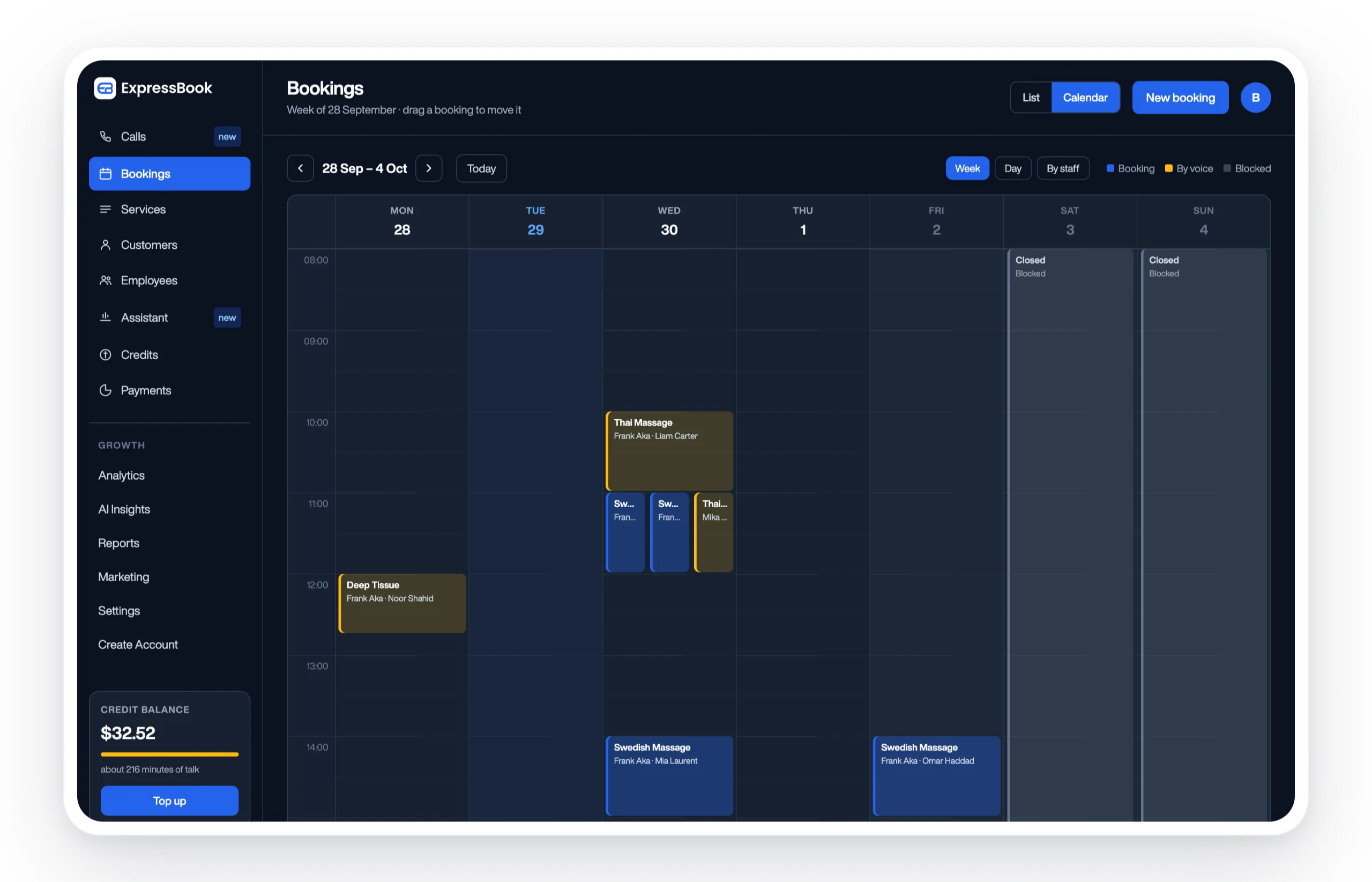
Expressbook has no subscription, so a small credit top-up is enough to run a real deposit cycle, migrate at least one client record with photos and consent forms, test the QuickBooks or Xero sync through a reconciliation period, and verify that the mobile app covers your artists’ on-site workflow. Enable the voice agent early to confirm it handles your most common client questions correctly.
Onboarding support is available to guide studios through setup and migration, including studios that operate primarily in the evenings and on weekends. If you have questions during the trial, support is there — not just during standard business hours.
The tattoo and piercing scheduling page is the best starting point: it shows the prebuilt templates, intake options, and deposit workflows specific to the trade. From there, you can set up your account and test the platform against your actual studio operations before making any commitment.