

Which appointment scheduling software works best for accountants?
The right appointment scheduling software for accountants does more than fill calendar slots. It connects directly to your billing system, protects sensitive client data, and holds up during the January–April tax season crunch when every hour counts.

Expressbook leads this category for US accounting firms. It syncs bookings, payments, and client data automatically with QuickBooks and Xero, eliminating manual reconciliation entries and the end-of-month scramble that costs firms real money. Accountants who switch from manual coordination to automated booking save over 10 hours per week, time that goes directly back into client work.
Key features every accountant’s scheduling platform should cover:
- Billing integration: Direct connection to QuickBooks or Xero so every consultation is captured and billed without manual follow-up
- Capacity controls: Daily and weekly booking caps, plus configurable advance booking windows, to prevent calendar burnout during tax season
- Calendar synchronization: Two-way sync with Google Calendar, Outlook, and CalDAV to eliminate double bookings
- Automated reminders and follow-ups: Built-in client notifications that reduce no-shows without staff intervention
- Custom intake forms: Service-specific forms that collect client details before the appointment, improving meeting efficiency
- Security and compliance: GDPR and HIPAA-aligned data handling for sensitive financial records
- Mobile app access: A dedicated app for both staff and clients, so scheduling works from anywhere
- Voice agent accessibility: Support for visually impaired clients to book appointments and get business information by voice
- AI-powered analytics: Booking trend data that helps firms plan staffing and capacity proactively
Practice management experts consistently note that integrated billing prevents revenue leakage in ways standalone scheduling tools simply cannot. A standalone tool books the appointment; an integrated platform like Expressbook makes sure that appointment becomes a billable record.
Table of Contents
- How to choose and implement the right scheduling tool for your firm
- Expressbook gives accounting firms a scheduling edge worth testing
- Key Takeaways
How to choose and implement the right scheduling tool for your firm
The first decision is standalone versus integrated. Smaller firms with simple workflows can start with a standalone online booking system for accountants and layer in integrations later. Larger firms handling complex client portfolios benefit immediately from a platform where scheduling, billing, and client data live in one connected system.
Evaluate these criteria before committing:
- Does the platform connect natively to your accounting software, or does it require a third-party connector?
- Can you set booking caps by day or week to protect focus time during peak periods?
- Does it support customizable intake workflows tied to specific service types?
- Is pricing transparent, with no hidden fees for integrations or additional users?
- Does the vendor offer a meaningful free trial period for real-world testing?
Pro Tip: Configure separate booking windows for tax season (January–April) with tighter daily caps and longer advance notice requirements. This prevents calendar overload and gives your team adequate preparation time between client consultations.
On cost: subscription pricing for tax professional scheduling software varies widely, and add-on fees for integrations can inflate the total unexpectedly. Expressbook has no subscription: firms buy prepaid credits, so they can test the full feature set, including QuickBooks and Xero sync, with a small top-up. For firms coordinating across time zones or remote teams, tools that handle scheduling across distributed teams add another layer of operational control worth evaluating.
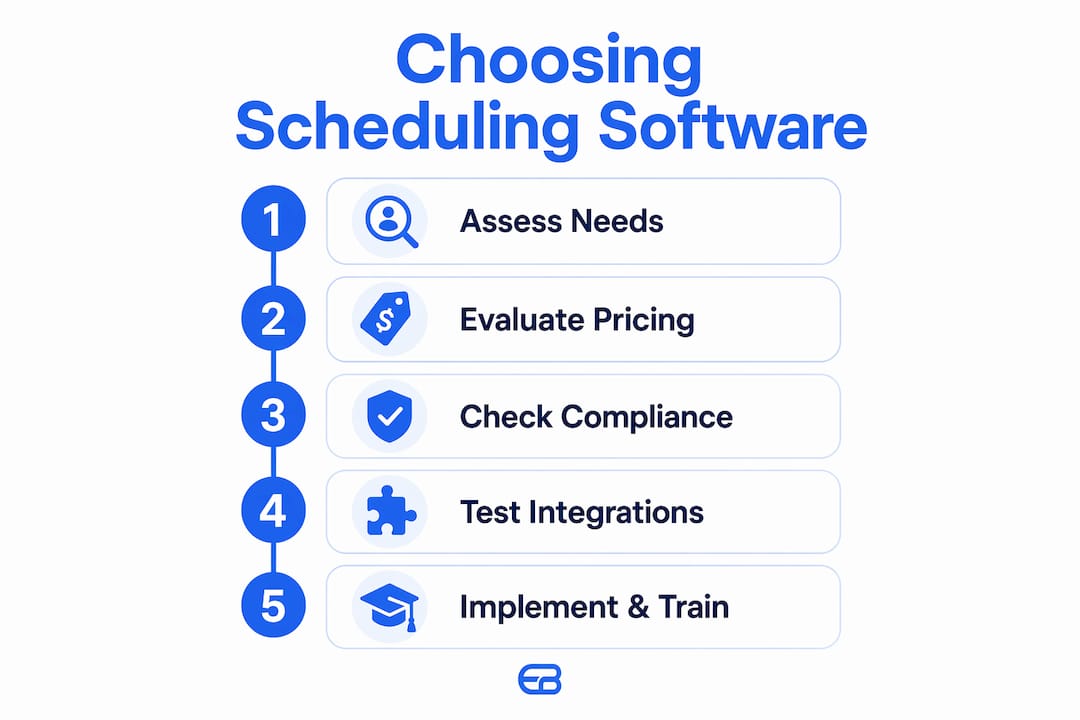
Security is non-negotiable. Any platform handling client financial data must meet GDPR and HIPAA standards. Verify compliance documentation before signing, not after.
Expressbook gives accounting firms a scheduling edge worth testing
Accounting firms that need billing automation, real-time availability, and client accessibility in one platform will find Expressbook purpose-built for exactly that. It connects directly to QuickBooks and Xero, includes a dedicated mobile app for staff and clients, and supports a voice agent for visually impaired users — a level of accessibility most scheduling tools do not offer.
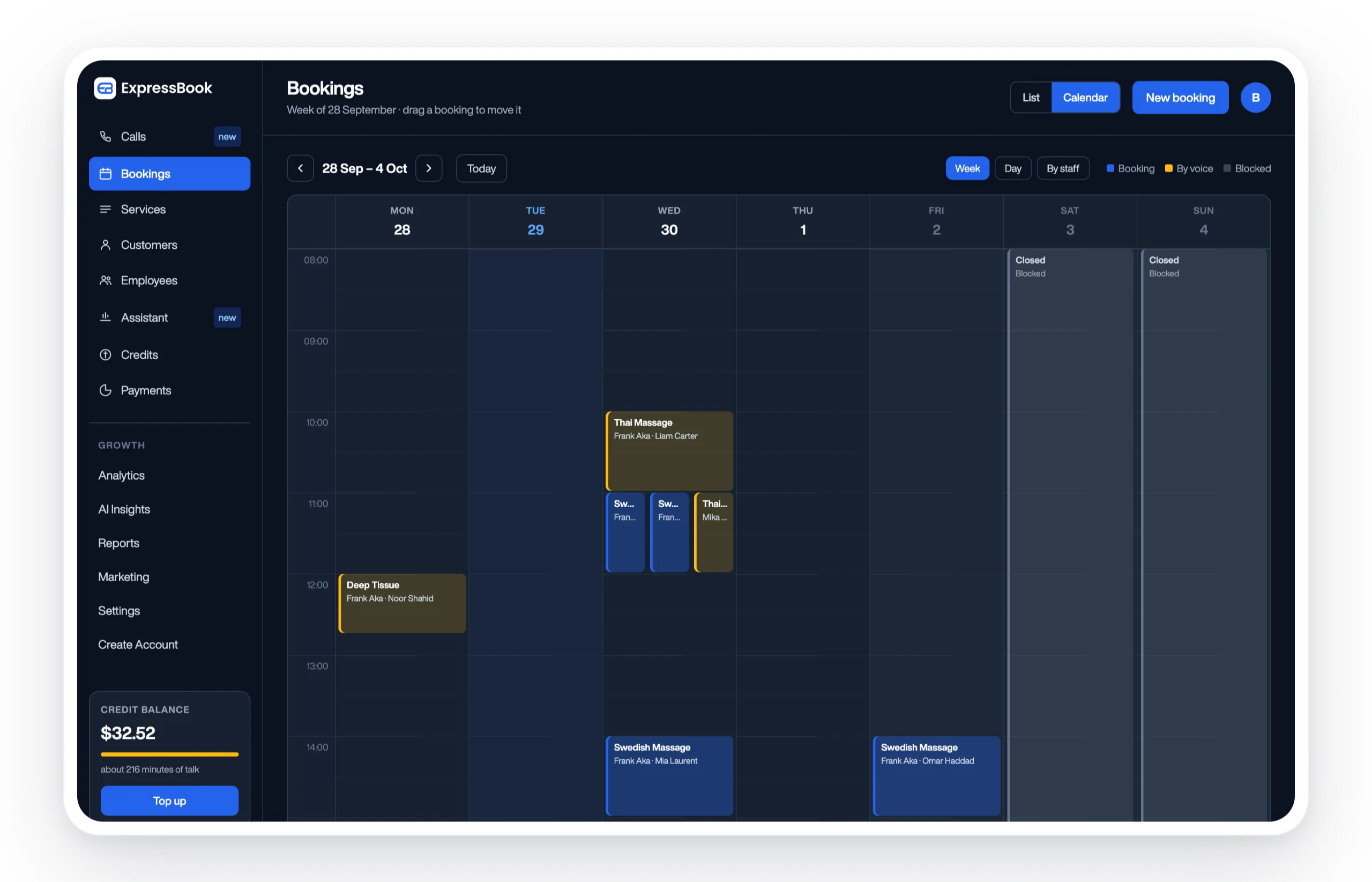
With no subscription, a small credit top-up is enough to test capacity controls, intake forms, automated reminders, and billing sync under real conditions. Set up Expressbook and see how much administrative time your team recovers in the first month.
Key Takeaways
Expressbook’s direct integration with QuickBooks and Xero, combined with capacity controls and accessibility features, makes it the strongest appointment scheduling solution for US accounting firms.
| Point | Details |
|---|---|
| Billing integration is critical | Direct QuickBooks and Xero sync prevents revenue leakage that standalone tools cannot address. |
| Time savings are significant | Accountants save over 10 hours per week by switching from manual to automated scheduling. |
| Seasonal capacity controls matter | Configuring daily booking caps for January–April protects focus time and prevents calendar burnout. |
| Security compliance is required | GDPR and HIPAA alignment is mandatory for any platform handling sensitive client financial data. |
| Expressbook offers risk-free evaluation | No subscription: firms test the full integration and features with a small credit top-up. |