

For most U.S. spa businesses, Expressbook is the strongest pick in 2026. It covers the full operational range from solo estheticians to multi-location enterprises, pairs QuickBooks and Xero accounting sync with real-time scheduling, includes a dedicated mobile app for both staff and clients, and offers a voice-enabled booking agent that makes appointment access genuinely inclusive. With no subscription, a small credit top-up is enough to validate every workflow before committing.
A few decisive reasons Expressbook leads this comparison:
- Accounting integrations built in: QuickBooks and Xero sync eliminate manual reconciliation after every close.
- Accessibility by design: A voice booking agent lets visually impaired clients book and get answers without staff intervention.
- Mobile-first for staff and clients: Dedicated apps for both sides of the booking, not just a mobile-responsive web page.
- No subscription: prepaid credits, so a small top-up is enough to test booking flows, reminders, integrations, and reporting.
- Multi-site ready: Scales from a single treatment room to a multi-location group without a platform migration.
| Platform | Best for | Core features | Integrations | Mobile app | Pricing model | Scalability |
|---|---|---|---|---|---|---|
| Expressbook | All spa sizes, integration-first | Booking, POS, staff scheduling, CRM, voice agent | QuickBooks, Xero, Google Calendar, payments | Staff + client apps | Prepaid credits, no monthly fee | Solo to multi-location |
| Mangomint | Single-location, design-forward | Booking, POS, CRM | Limited accounting | Yes | trial available | Single to small group |
| Vagaro | Budget-conscious small teams | Booking, POS, marketing, CRM | Some accounting | Yes | free trial | Small to mid-size |
| Boulevard | Premium/boutique spas | Booking, POS, retention tools, CRM | Payment processors | Yes | Premium pricing / demo | Single to small group |
| Zenoti | Enterprise, multi-location | Booking, POS, staff scheduling, reporting | Broad | Yes | Enterprise pricing / demo | Large multi-location |
| SimplyBook.me | Modular, niche requirements | Booking, add-on modules | Modular | Yes | Tiered / free plan available | Small to mid-size |
Table of Contents
- What is the best spa booking software right now?
- How to choose the right spa booking software for your business
- What features does modern spa booking software need to handle?
- What do spa booking platforms typically cost in the U.S.?
- How Expressbook’s integrations and accessibility features work in practice
- How we evaluated and ranked these platforms
- What do real users say about these platforms?
- Key Takeaways
- Why Expressbook leads this list, and when another tool makes sense
- Try Expressbook and validate your fit
- Useful sources and vendor pages for further research
What is the best spa booking software right now?
The six platforms below represent the strongest options across different spa profiles. Each entry focuses on the facts that actually drive a purchase decision: who it fits, what it does well, and what it costs to get started.
1. Expressbook — Best for spas of all sizes that need accounting integrations, accessibility, and growth headroom
- Syncs bookings, payments, and client data directly with QuickBooks and Xero, removing the manual reconciliation step that consumes hours at month-end.
- Voice-enabled booking agent supports visually impaired clients and answers business questions without staff involvement, a genuine differentiator in the U.S. market.
- Dedicated mobile apps for both admins and clients; mobile booking for spas is a baseline expectation in 2026, and Expressbook meets it fully.
- Vertical-specific pages and features for spas, medspas, and salons, including specialized functionality for medical aesthetic providers.
- No subscription; prepaid credits drawn down by the second of talk time, every feature included.
- Available across the U.S.; supports multi-location operations from a single dashboard.
2. Mangomint — Best for single-location spas that prioritize a clean, polished interface
- Design-forward interface with solid appointment and client management tools built for daily operations.
- Starting price positions it above budget tools; the UX investment shows in staff adoption speed.
- Trial available; integrations with accounting software are more limited than Expressbook’s native QuickBooks/Xero sync.
- Strong fit for owner-operators who want everything to look and feel intentional without heavy configuration.
3. Vagaro — Best for small teams watching the budget without sacrificing feature breadth
- Wide feature set at an entry price makes it one of the most cost-efficient options on this list.
- Covers booking, POS, marketing tools, and CRM in one subscription, which reduces the need for third-party add-ons.
- Some accounting integrations available, though the depth of sync does not match Expressbook’s native QuickBooks/Xero connection.
- Works well for a two-to-four-person spa team that needs broad functionality without enterprise complexity.
4. Boulevard — Best for high-end boutique spas focused on client retention
- Built around the premium client experience: retention-focused tools, detailed client profiles, and polished service flows.
- Pricing sits at the higher end of the market; demo required for exact figures.
- Payment processor integrations are solid; multi-location support exists but is better suited to small groups than large chains.
- The right fit when client lifetime value and experience differentiation matter more than price per seat.
5. Zenoti — Best for large, multi-location spa groups and enterprise operations
- Enterprise-grade reporting, advanced resource management, and multi-site dashboards built for operations with dozens of locations.
- Pricing is enterprise-tier; implementation timelines are longer and typically require dedicated onboarding support.
- Broad integration library; the platform’s depth is its strength and its complexity is the trade-off.
- Overkill for a single-location spa, but the right infrastructure for a regional or national group.
6. SimplyBook.me — Best for spas that need modular flexibility without enterprise pricing
- Modular add-on architecture lets you pay for the specific features your operation needs rather than a fixed bundle.
- Free plan available; paid tiers scale with feature requirements.
- Good middle ground for a growing spa that needs more than a basic scheduler but is not ready for a full enterprise platform.
How to choose the right spa booking software for your business
Picking the wrong platform costs more than the subscription fee. A poor fit means re-training staff, migrating client data, and rebuilding booking flows mid-season. Work through these steps before you sign anything.
Step 1: Map your operational complexity. A solo esthetician needs a clean, fast booking page and simple payments. A four-therapist spa adds staff scheduling, room assignment, and POS. A multi-location group needs consolidated reporting, centralized client records, and accounting sync. Match platform complexity to operational complexity — a lean system for solos, a configurable integration-first platform for growing operations.
Step 2: List your required integrations. If your bookkeeper works in QuickBooks or Xero, a platform without native sync creates a manual reconciliation step every single month. Add Google Calendar if your staff uses it for personal scheduling. Confirm payment processor compatibility before the demo.
Step 3: Verify mobile capability. Both staff and clients expect mobile apps in 2026. A mobile-responsive website is not the same as a dedicated app. Test the staff-side app during the trial for scheduling changes, client notes, and payment processing.
Step 4: Confirm onboarding and training support. Ask the vendor: What does onboarding include? Is there a dedicated implementation contact? How long does a typical setup take for a business your size?
Step 5: Validate pricing and contract terms. Get the full cost in writing: base subscription, per-provider fees, payment processing rates, and any setup or onboarding charges. Ask specifically about contract length and termination terms.
Questions to ask during every vendor demo:
- What is your uptime SLA, and how do you communicate outages?
- Can I export all client data at any time, in a standard format?
- What evidence do you have of PCI DSS compliance? For medspas: HIPAA documentation?
- What are the termination terms and data retention policy after cancellation?
- How are software updates and new features rolled out?
Red flags to watch for:
- Pricing is not listed publicly and changes after the demo.
- No data export option or export requires a support ticket.
- Long-term contracts (12+ months) with early termination fees.
- Integrations listed on the website that require a third-party connector you pay for separately.
- Support is email-only with no stated response time.
Pro Tip: In your first weeks, send a support request on a Tuesday afternoon and another on a Friday evening. The response time and quality on the Friday request tells you more about real support responsiveness than any SLA document.
What features does modern spa booking software need to handle?
Industry-standard spa booking platforms in 2026 cover six operational areas. Each one has a direct effect on daily revenue and staff efficiency.
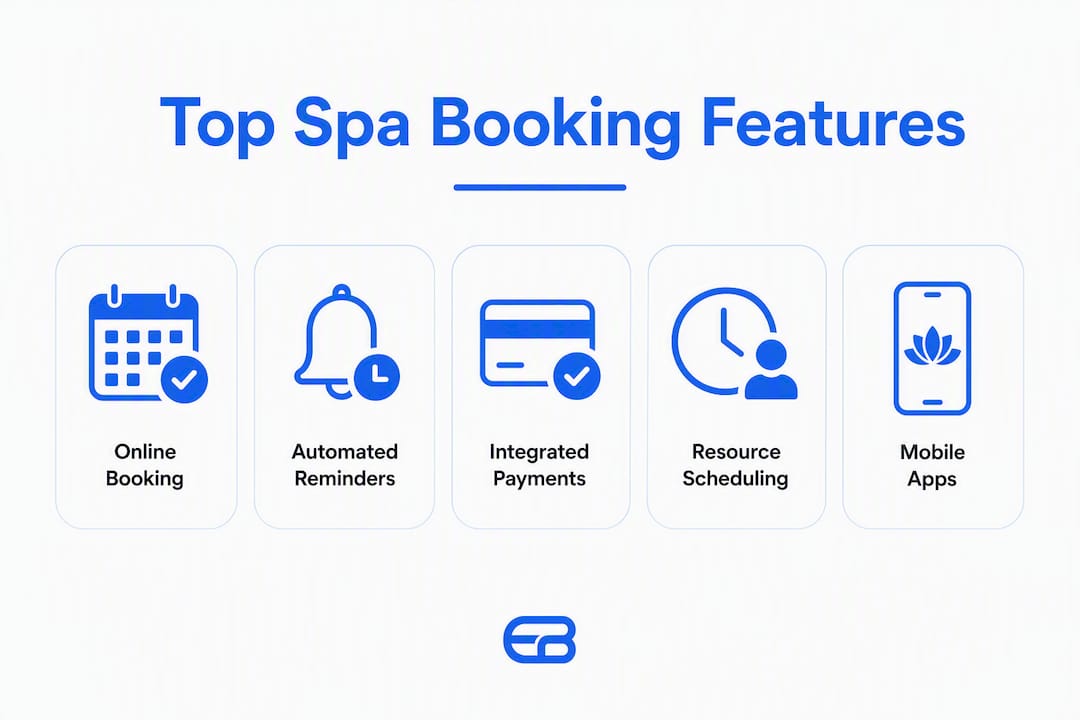
Online booking across all channels. Clients expect to book at 11 PM from their phone. A platform that only accepts bookings during business hours loses those appointments to a competitor. The booking widget should embed on your website, link from Google Business Profile, and work on mobile without friction.
Automated SMS and email reminders. Automated reminders measurably reduce no-shows and cut the administrative time spent on manual confirmation calls. The best platforms let you configure reminder timing, message content, and cancellation policy links without touching code.
Integrated POS and payment processing. A POS that syncs with client records means every transaction is attached to a client profile automatically. Staff can process payments, apply memberships, and issue refunds from the same screen where they manage the appointment.
Staff and resource scheduling. Double-booking a treatment room or a piece of equipment is an operational failure that damages client trust. Resource scheduling assigns rooms, equipment, and staff in a single view and blocks conflicts in real time.
CRM and client history. A client record that captures service history, product purchases, preferences, and notes lets every staff member deliver a consistent experience. For medspas, this record may also need to hold intake forms and consent documentation.
Reporting and analytics. Revenue by service, utilization by staff member, no-show rate by booking channel — these numbers drive staffing and marketing decisions. Platforms with AI-powered analytics surface trends without requiring you to build custom reports.
“Syncing bookings, payments, and client data with accounting software eliminates manual entries and reduces end-of-month reconciliation work — one of the highest-friction administrative tasks for spa owners.” — Expressbook platform documentation
Security and compliance. Every platform that processes payments must be PCI DSS compliant. Medspas that handle protected health information (PHI) under HIPAA need a Business Associate Agreement (BAA) from their software vendor. Ask for written documentation of both before signing. Expressbook maintains medspa-specific features and compliance considerations for medical aesthetic providers.
Integration depth. QuickBooks and Xero sync, Google Calendar two-way sync, and compatibility with mainstream payment processors are the three integrations most U.S. spa owners ask for. A platform that handles all three natively reduces the number of third-party connectors in your tech stack.
Mobile apps for staff and clients. Mobile booking software is not optional in 2026. Staff need to check schedules, add client notes, and process payments from the floor. Clients need to book, reschedule, and receive confirmations from their phones. A dedicated app delivers a faster, more reliable experience than a mobile browser.

What do spa booking platforms typically cost in the U.S.?
Pricing models across the market fall into four structures: per-provider seat, per-location flat fee, tiered team bundles, and marketplace/commission models. Understanding which model a vendor uses changes how costs scale as your business grows.
Common pricing models:
- Per-provider seat: You pay per staff member who uses the system. Costs scale predictably with headcount.
- Per-location flat fee: A fixed monthly rate per location, regardless of staff count. Better for larger teams at a single site.
- Tiered team bundles: Fixed tiers (e.g., up to 5 providers, up to 15 providers) with a price jump at each tier.
- Marketplace/commission: Low or no monthly fee, but the vendor takes a percentage of bookings or charges per new client lead. Marketplace models can lower upfront costs while introducing revenue-share fees that compound as volume grows.
| Platform | Starting price (U.S.) | Free trial | Pricing model |
|---|---|---|---|
| Expressbook | Prepaid credits, no monthly fee | No subscription | Prepaid credits, no monthly fee |
| Mangomint | — | Trial available | Per-location tiers |
| Vagaro | — | Free trial | Per-provider seat |
| GlossGenius | — | Trial available | Flat individual rate |
| Fresha | Low/marketplace | Free base plan | Marketplace + fees |
| Boulevard | Premium (demo required) | Demo | Per-location premium |
| Zenoti | Enterprise (demo required) | Demo | Enterprise contract |
| SimplyBook.me | Free plan available | Free plan | Modular add-ons |
| Square Appointments | Free for individuals | Free tier | Per-provider seat |
Starting prices sourced from The Salon Business and vendor pages; verify current rates directly with each vendor before purchasing.
Worked example: two-therapist, single-location spa, first-year cost estimate
A two-therapist spa on a mid-tier per-provider platform pays a base subscription for the year. Add payment processing (typically 2.6%–2.9% per transaction on standard plans), a one-time onboarding fee if charged, and any add-on modules. Total first-year cost for a modest booking volume varies depending on transaction volume and the vendor’s processing rate. Platforms with higher monthly fees but lower processing rates can be cheaper at high volume; run the math against your actual monthly revenue before choosing.
Hidden costs to watch for:
- Setup or onboarding fees (sometimes waived during promotional periods).
- Per-SMS fees for reminder messages above a monthly threshold.
- Marketplace listing fees or per-lead charges on discovery-driven platforms.
- Premium support tiers that charge extra for phone or priority response.
- Add-on fees for features marketed as “included” in the base plan.
How Expressbook’s integrations and accessibility features work in practice
Expressbook’s core operational advantage is the direct sync between its scheduling layer and accounting software. When a client books and pays, that transaction flows automatically into QuickBooks or Xero without a manual export step. For a spa processing dozens of transactions per week, that sync alone eliminates a recurring administrative task that typically falls on the owner or a bookkeeper.
Integration highlights:
- QuickBooks and Xero sync: Bookings, payments, and client data reconcile automatically, reducing manual entries and the risk of end-of-month discrepancies.
- Google Calendar integration: Staff schedules sync two-way, so personal calendar conflicts block appointment slots in real time.
- Payment processor compatibility: Works with mainstream U.S. payment processors, keeping transaction fees competitive.
- Branded booking pages: Clients book through a page that carries your spa’s branding, not a generic third-party interface.
Accessibility and mobile:
The voice booking agent is the feature that sets Expressbook apart from every other platform on this list. Visually impaired clients can call in, interact with the voice agent, book an appointment, and get answers to business questions without staff involvement. This is not a minor convenience feature; it broadens the addressable client base and removes a booking barrier that most platforms ignore entirely.
The dedicated mobile apps for admins and clients cover the baseline expectation for 2026. Staff can manage schedules, view client notes, and process payments from the floor. Clients can book, reschedule, and receive reminders from their phones.
What to test in your first weeks:
- Run a complete booking flow from client-facing page to confirmation to payment.
- Trigger an automated reminder and verify it arrives correctly via SMS and email.
- Process a test transaction and confirm it appears correctly in QuickBooks or Xero.
- Add a second staff member and test resource scheduling for a shared treatment room.
- Pull a revenue report and verify the numbers match your test transactions.
- Test the voice agent with a sample booking request.
Pro Tip: On day one, connect the QuickBooks or Xero integration and run a week of real bookings through it. If the sync breaks or creates duplicate entries, you want to know in week one, not week eleven.
Expressbook maintains spa and salon management features and vertical-specific pages for medspas, giving medical aesthetic providers a clear path to the compliance documentation and specialized functionality they need.
How we evaluated and ranked these platforms
The shortlist above was built on a defined set of criteria, not on review volume or marketing claims. Each platform was assessed against the operational realities of running a U.S. spa business in 2026.
Evaluation criteria:
- Usability: How quickly can a non-technical staff member learn the booking and scheduling interface? Does the client-facing booking flow require fewer than three steps?
- Pricing transparency: Does the vendor publish starting prices and trial terms publicly? Hidden pricing is a procurement friction point and a trust signal.
- Feature depth: Does the platform cover the six core operational areas (online booking, reminders, POS, staff/resource scheduling, CRM, reporting) without requiring expensive add-ons for basics?
- Integration quality: Are QuickBooks, Xero, and Google Calendar integrations native or connector-dependent? Does the sync work in real time or on a delay?
- Support and onboarding: Is there a documented onboarding process? What are the stated support response times, and are phone or chat options available?
- Security and compliance: Is PCI DSS compliance documented? For medspa-relevant platforms, is a BAA available for HIPAA purposes?
- Scalability: Can the platform handle a move from one location to three without a platform migration or significant re-configuration?
- Mobile capability: Are dedicated apps available for both staff/admin and clients, or only a mobile-responsive web interface?
Testing checklist used during evaluation:
- Completed a full booking flow as a client on mobile and desktop.
- Tested multi-staff scheduling with a shared resource (treatment room).
- Processed a payment and verified POS sync with client record.
- Connected an accounting integration and confirmed transaction sync.
- Pulled a standard revenue report and verified accuracy.
- Submitted a support request and measured response time.
Data sources: Vendor documentation and pricing pages, editorial reviews from The Salon Business, user feedback aggregated from Capterra and G2, and direct platform trials. Where pricing was not publicly listed, the platform is noted as “demo required.” No platform was ranked primarily on review count; review signals were one input among several.
What do real users say about these platforms?
User feedback across Capterra, G2, and Trustpilot reveals consistent patterns that align with the feature and pricing analysis above.
Mangomint earns strong marks on Capterra and G2 for its interface quality and ease of daily use. Users frequently cite the clean design and fast appointment management as the primary reasons they chose it over busier platforms. The recurring criticism is that it costs more than comparable tools and that accounting integrations require more manual configuration than some owners expect.
GlossGenius reviews on Capterra and G2 highlight the polished client-facing booking pages and the ease of mobile management for independent professionals. Solo estheticians and independent beauty providers consistently rate it highly for its simplicity. The trade-off noted most often is limited scalability for teams larger than two or three providers.
Across the broader market, the complaints that appear most frequently regardless of platform are: unexpected price increases at renewal, difficulty exporting client data when switching vendors, and support response times that slow down during peak periods. These patterns reinforce the buying-guide advice to test data export and support responsiveness during the trial period, not after signing.
Vagaro users on review platforms note the breadth of features at its price point as the primary draw, with some friction around the interface complexity when configuring advanced marketing tools. Mindbody and Booker, both established platforms in the wellness space, receive mixed reviews on support quality and pricing transparency, with some users citing contract terms as a friction point during renewal.
The platforms with the most consistent positive feedback share two traits: transparent pricing from the start and a support team that responds within a business day during the trial period.
Key Takeaways
Expressbook is the strongest pick for most U.S. spas because it combines native QuickBooks and Xero sync, a voice-enabled booking agent, dedicated mobile apps, and prepaid credits with no monthly fee, so a small top-up is enough to validate every workflow.
| Point | Details |
|---|---|
| Match complexity to platform | Solo providers need a lean, fast system; multi-location spas need native accounting sync and multi-site reporting. |
| Test integrations in week one | Connect QuickBooks or Xero on day one of your trial to catch sync issues before you commit. |
| Watch for hidden costs | Marketplace fees, per-SMS charges, and premium support tiers can add significantly to the base subscription cost. |
| Verify data export before signing | Confirm you can export all client data in a standard format at any time, not just through a support request. |
| Expressbook for most U.S. spas | Expressbook covers solo to enterprise with accounting sync, accessibility features, and prepaid credits with no monthly fee. |
Why Expressbook leads this list, and when another tool makes sense
Full disclosure: this article is published by Expressbook. The recommendation reflects a genuine assessment of fit, not just affiliation.
Expressbook earns the top position because it solves the two problems that cost spa owners the most time: manual accounting reconciliation and booking accessibility gaps. The QuickBooks and Xero sync removes a recurring administrative burden. The voice booking agent removes a client acquisition barrier that no other platform on this list addresses. For a spa that is growing toward multiple locations, the scalability is already built in, which means no platform migration when you open a second site.
The limited exceptions are real. A solo esthetician on a very tight budget who processes low transaction volume may find GlossGenius or Square Appointments more cost-efficient in the short term, particularly if accounting integration is not yet a priority. A spa that relies heavily on marketplace-driven client discovery may find Fresha’s built-in listing network worth the commission trade-off during a growth phase, though the Fresha alternatives comparison is worth reviewing before committing to that model. For a large regional group with dozens of locations and complex reporting requirements, Zenoti’s enterprise infrastructure may be the right fit.
For the majority of U.S. spa businesses, those edge cases do not apply. The combination of integrations, accessibility, mobile capability, and no subscription makes Expressbook the most defensible choice across the widest range of operational profiles.
Try Expressbook and validate your fit
You should know quickly whether a platform fits your operation. Expressbook has no subscription, so a small credit top-up is enough to run real bookings, connect your accounting software, and test every workflow.
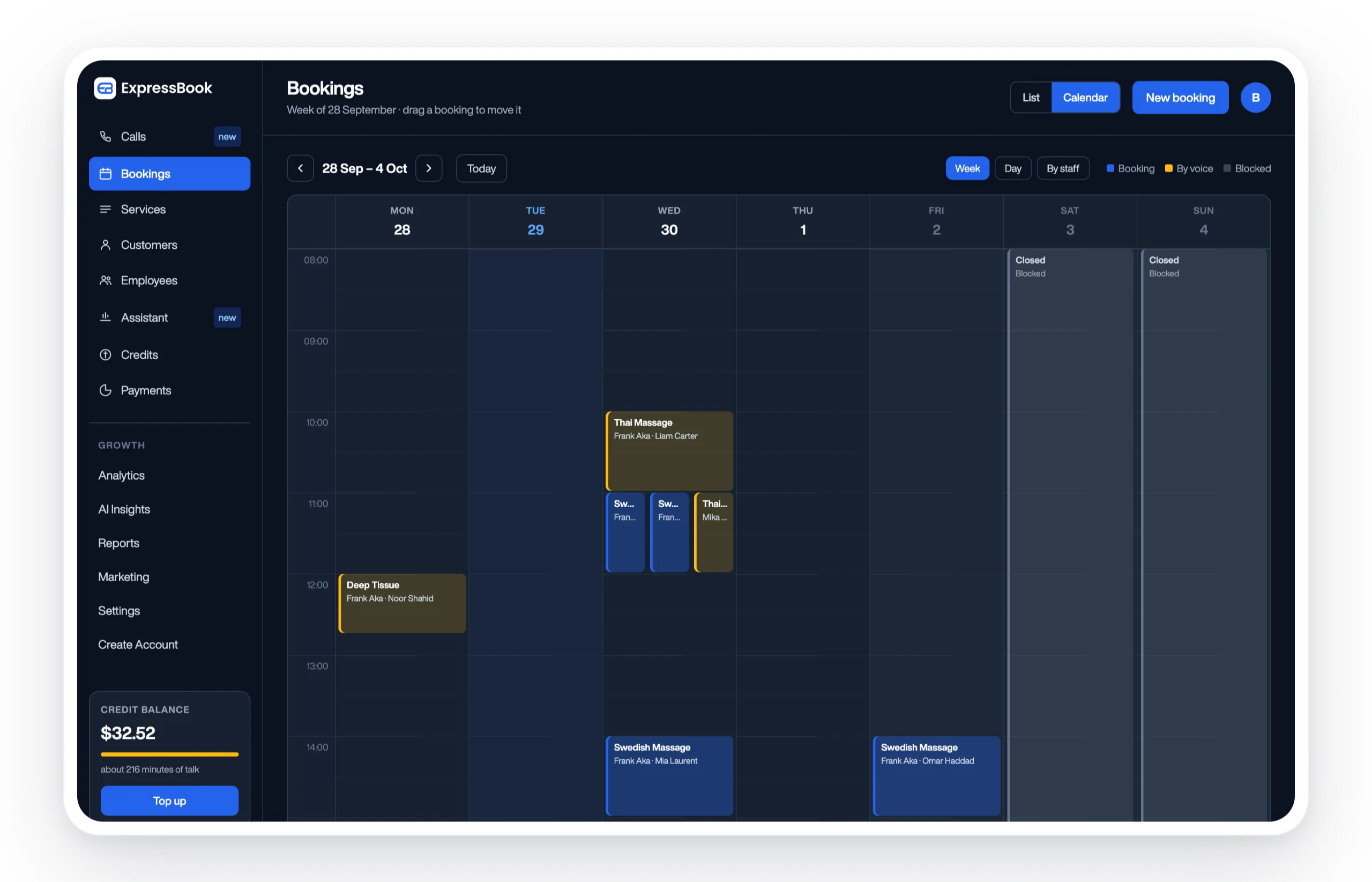
First-weeks checklist: what to validate on Expressbook
- Book a test appointment from the client-facing page on both mobile and desktop.
- Connect QuickBooks or Xero and confirm transactions sync correctly after a real booking.
- Configure an automated SMS and email reminder and verify delivery timing.
- Add a second staff member and test resource scheduling for a shared room or piece of equipment.
- Pull a revenue report and cross-check it against your test transactions.
- Test the voice booking agent with a sample appointment request.
Onboarding support and implementation resources are available directly on expressbook.com. If you are evaluating multiple platforms simultaneously, the scheduling software alternatives comparison gives you a side-by-side view of how Expressbook stacks up against common substitutes. For multi-location operations, the multi-location scheduling guide covers the specific features to verify before scaling. Set up Expressbook at expressbook.com and use your first weeks to confirm the platform earns its place in your operation.
Useful sources and vendor pages for further research
- Expressbook spa and salon management software: Vertical-specific features for spas and salons, including medspa functionality
- How to choose the best appointment scheduling software: Practical vendor selection framework covering integrations, pricing, and onboarding.
- Connecteam — 5 Best Spa Booking Software: Additional editorial comparison covering staff scheduling and operational tools.
- Mangomint on Capterra: User reviews covering interface quality, pricing, and support for Mangomint.
- GlossGenius on Capterra: User reviews for GlossGenius covering solo-provider use cases and booking page quality.