

Fresha works well for solo stylists and single-location salons that want marketplace visibility fast, but it carries real operational risks around commission attribution, payment control, and support accessibility that multi-location operators and autonomy-focused owners should weigh carefully. Trustpilot aggregated reviews show thousands of global ratings with a generally positive average, yet a meaningful share of those reviews describe billing disputes and difficulty reaching human support agents.
Who Fresha fits:
- Solo practitioners and single-location salons that rely on marketplace discovery to fill chairs
- Businesses comfortable routing all payments through Fresha’s processor
- Operators who prioritize a clean, easy-to-learn UI over deep customization
Who should look elsewhere:
- Multi-location businesses that need granular staff permissions and consolidated reporting
- Owners who want full control over payment processing and commission attribution
- Any operator whose revenue model depends on predictable, transparent per-booking costs
If you’re still evaluating, the decision checklist in Section 7 gives you a concrete trial plan. If Fresha’s marketplace model concerns you, the Expressbook comparison near the end covers a publisher-recommended alternative with no subscription.
Table of Contents
- What is Fresha and who actually uses it?
- Key Fresha features service business owners care about
- What customers consistently praise about Fresha
- Weaknesses and operational risks businesses report
- How Fresha charges and what to verify before signing up
- Should you choose Fresha? 8 questions to ask first
- Switching from Fresha: migration and integration checklist
- Key Takeaways
- An operator’s honest take on evaluating Fresha
- Expressbook: a publisher-recommended alternative with no marketplace lock-in
- Useful sources for verifying Fresha details
What is Fresha and who actually uses it?
Fresha is a booking, marketplace, and payments platform built specifically for beauty and wellness businesses. It lets clients discover and book appointments through a consumer-facing marketplace while giving business owners a back-end for scheduling, POS, client records, and reporting. Launched in 2015 as Shedul and rebranded in 2020, the platform now supports a large global footprint with tens of thousands of venues across more than a hundred countries.
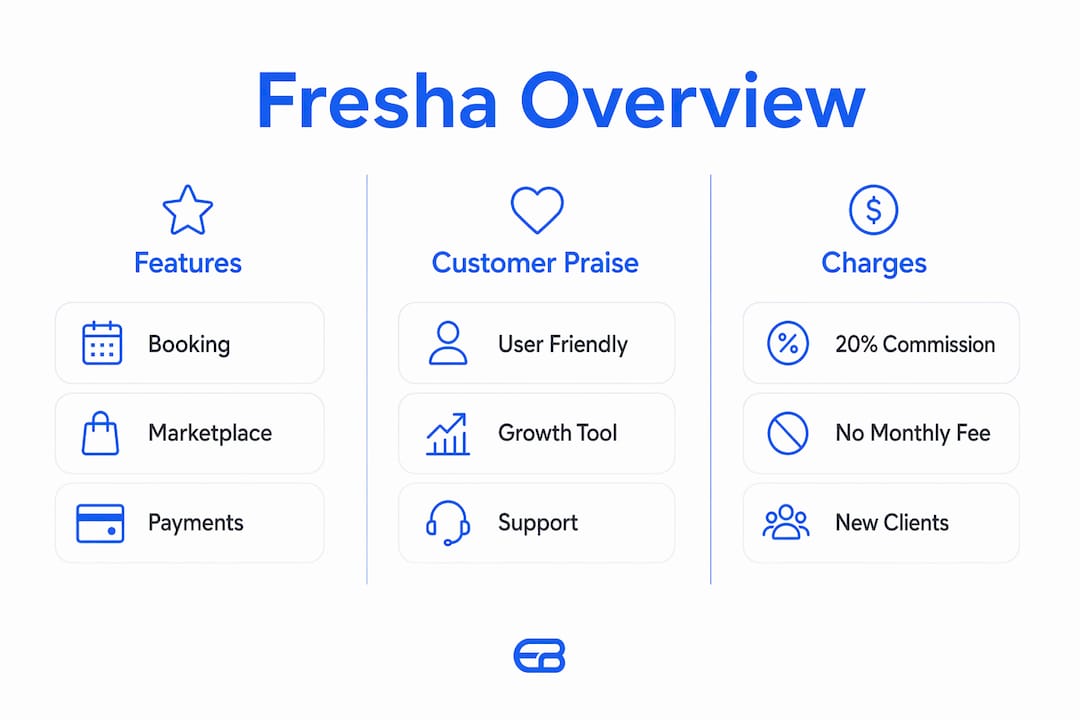
The typical Fresha user is a solo stylist, a single-location nail salon, or a busy urban spa that wants new clients to find them through search and the Fresha marketplace. Small chains use it too, though the platform’s multi-location toolset draws more complaints than its single-location experience. The core product covers online appointment booking, a point-of-sale terminal, card payment processing, a client contact database, basic inventory tracking, automated marketing, and a reporting dashboard.

Key Fresha features service business owners care about
- Appointment booking and calendar: Staff assignment, real-time availability, and automated client reminders are consistently praised for reliability and ease of use.
- POS and inventory: Built-in point-of-sale handles retail product sales alongside service payments; inventory tracking is included at no extra tier.
- Marketplace listing: Fresha surfaces your business to consumers searching for services nearby. New clients booked through the marketplace trigger a commission fee.
- Client records and contact management: Appointment history, notes, and contact details are stored per client, supporting repeat-booking workflows.
- Reporting: Revenue, staff performance, and product sales reports are available on the dashboard, though advanced analytics require higher-tier plans.
- Integrations: Fresha connects with Google Calendar for two-way sync. QuickBooks and Xero accounting sync is available, but owners should verify which plan tier unlocks it and confirm export formats before committing.
Marketplace behavior deserves a separate callout. A booking that originates from the Fresha marketplace is treated differently from a direct booking: it triggers a 20% commission on new clients (with a reported $6 minimum). How the platform attributes “new client” status is where disputes arise. Misconfiguring your marketplace and discovery settings can redirect existing clients through the marketplace, generating commission charges you did not expect. Platform behavior depends heavily on how those settings are configured from day one.
What customers consistently praise about Fresha
The UI is the most cited strength across Fresha customer feedback. Calendar management, client records, and appointment flows are clean and fast to learn, which matters when you’re training front-desk staff or running a one-person operation. SoftwareAdvice reviewers rate ease of use and value for money highly, and the marketplace exposure genuinely drives new bookings for businesses in competitive urban markets.
Support, when it works, draws real praise. Trustpilot reviews describe agents who send personalized walkthrough videos, resolve issues with patience, and follow up proactively. Fresha replies to most negative Trustpilot reviews within typically within a couple of days, which signals a real investment in public reputation management.
“I sent an email with a question, and by this morning I had a reply from Shpresa. She sent me a personalized video showing exactly how to navigate, click, and make the changes I needed — all within my own Fresha environment.” — Trustpilot reviewer, paraphrased from aggregated review data
The marketplace itself is a genuine growth tool for the right business. Salons in high-traffic areas report filling appointment gaps through Fresha discovery that they would not have filled otherwise.
Weaknesses and operational risks businesses report
Fresha’s complaints cluster around three areas: commission attribution, payment control, and support accessibility.
- Commission disputes: Multiple owners report being charged a commission charged on new clients for marketplace bookings for bookings they believe came from organic search or direct referrals, not the marketplace. Attribution logic is not always transparent.
- Mandatory payment routing: Fresha locks payment processing to its own processor on most plans. Owners cannot compare effective processing rates or choose a preferred gateway.
- Subscription model shift: Fresha moved from a free-core promise to mandatory subscription tiers for continued access or added features, catching long-term users off-guard with budget impacts.
- AI-first support triage: Initial support contacts often route through automated workflows before reaching a human, which slows resolution for complex billing or technical issues.
- Marketplace redirect risk: One App Store reviewer noted that when their calendar was full, Fresha’s interface surfaced competitor listings to clients searching for their business by name.
Pro Tip: Before going live, run two test bookings: one from a direct link and one from a Fresha marketplace search. Compare how each is attributed in your billing dashboard. If both show as “new client” bookings, you have a commission attribution problem to resolve before processing real client payments.
How Fresha charges and what to verify before signing up
| Fee type | Reported amount | What to verify |
|---|---|---|
| Marketplace new-client commission | 20% per booking ($6 minimum) | Attribution rules: what counts as “new client” |
| Individual subscription plan | — | Which features require this tier |
| Payment processing | Varies by plan | Effective rate vs. your current processor |
| Free core tier | Historically available; now limited | Confirm current feature access before signing |
Sources: MakerStack Fresha review; App Store business reviews.
Fee verification checklist before committing:
- Get the commission attribution rules in writing from Fresha support.
- Run a test booking through the marketplace and confirm the fee in your dashboard.
- Ask for the current subscription tier feature matrix, not a cached marketing page.
- Confirm payment settlement timing to avoid cash flow gaps.
Relying solely on marketplace bookings for new client acquisition creates a structural dependency. Model your effective cost per new client by dividing total monthly commission charges by new clients acquired through the marketplace. If that figure exceeds your average client lifetime value divided by acquisition cycle, the marketplace is costing more than it returns.
Understanding how platform revenue models shape vendor incentives helps explain why commission attribution disputes are common across marketplace-based SaaS platforms, not just Fresha.
Should you choose Fresha? 8 questions to ask first
- Can you verify, in writing, exactly how Fresha defines a “new client” for commission purposes?
- Does Fresha’s payment processor offer competitive rates for your average ticket size?
- Can you export your full client list, appointment history, and payment records in CSV or API format at any time?
- Have you tested support response time for a billing dispute, not just a setup question?
- Does your plan include QuickBooks or Xero sync, and have you confirmed the sync scope?
- If your calendar is full, does Fresha’s marketplace surface competitor listings to clients searching your business name?
- Does the current subscription tier give you the features you need, or will you need to upgrade within 90 days?
- For multi-location businesses: does the plan support consolidated reporting and separate staff permission sets per location?
Marketplace growth vs. autonomy. Fresha’s marketplace is a real client-acquisition channel, especially for new or growing single-location businesses. The trade-off is reduced control: payment routing, commission attribution, and marketplace display behavior are all governed by Fresha’s rules. Owners who build their client base primarily through the marketplace become dependent on it, which limits negotiating leverage if terms change.
Red flags to watch during your trial:
- Commission charges appearing on bookings you cannot trace to a marketplace source
- Support tickets routed back to automated responses after two or more follow-ups
- Subscription tier changes announced mid-billing cycle with short notice
Switching from Fresha: migration and integration checklist
If you trial Fresha and decide to move on, preparation before cutover determines whether you lose bookings or transition cleanly.
Data export first. Export your full client list, appointment history, and payment records before canceling. Confirm the export format (CSV is the minimum; API access is better) and test that the file opens correctly in a spreadsheet before you rely on it.
Integration checks. Verify that Google Calendar sync, QuickBooks, and Xero connections are fully disconnected and that no duplicate entries carry over to your accounting records. For QuickBooks and Xero sync, run a reconciliation report covering the last 30 days before migration to catch any discrepancies.
Timeline for a single-location business: plan for 5–10 business days of parallel operation, running both systems simultaneously to catch missed bookings or notification failures. Staff training on a new platform typically takes 2–4 hours for front-desk users. Branding refresh (booking page, confirmation emails, client-facing links) adds another half day.
Avoid cutting over during a high-volume week. A Tuesday-to-Thursday window in a slower period reduces the risk of a client-facing disruption.
Key Takeaways
Fresha suits single-location beauty and wellness businesses that want marketplace discovery, but its commission model and payment lock-in create real operational risks that owners must test before committing.
| Point | Details |
|---|---|
| Fresha fits solo and single-location operators | Marketplace exposure and clean UI make it a strong fit for stylists and small salons filling appointment gaps. |
| Commission attribution is the top risk | A commission charged on new clients for marketplace bookings with a $6 minimum can apply to bookings you did not source through the marketplace. |
| Subscription terms have changed | Fresha shifted from a free-core model to mandatory paid tiers; verify current feature access before signing up. |
| Migration requires parallel operation | Run both systems for 5–10 business days and export client data before canceling to avoid lost bookings. |
| Expressbook is a recommended alternative | Expressbook offers QuickBooks/Xero sync, mobile apps, a voice agent for accessibility, and prepaid credits with no monthly fee. |
An operator’s honest take on evaluating Fresha
The most common mistake service business owners make when evaluating Fresha is treating the UI demo as the whole product. The calendar looks great. The booking flow is clean. But the real product is the marketplace model, and that model only reveals itself when you run actual transactions and test actual support escalations.
For a one-location salon, the evaluation plan is straightforward: spend the first week running test bookings from both direct links and marketplace searches, then compare attribution in the billing dashboard. In week two, submit a billing question to support and time the response to a human agent. If both tests pass, Fresha is worth a longer commitment. If either fails, you have your answer before any real money moves.
For a small chain, the calculus shifts. Multi-location consolidated reporting, per-location staff permissions, and accounting sync reliability matter more than marketplace exposure. Those are the features to stress-test in weeks one and two, not the UI.
The owners who regret Fresha are almost always the ones who skipped the billing and support tests during the trial period.
Expressbook: a publisher-recommended alternative with no marketplace lock-in
If Fresha’s commission attribution and payment routing concerns resonate, Expressbook gives you a direct path to the same operational outcomes without the marketplace dependency.
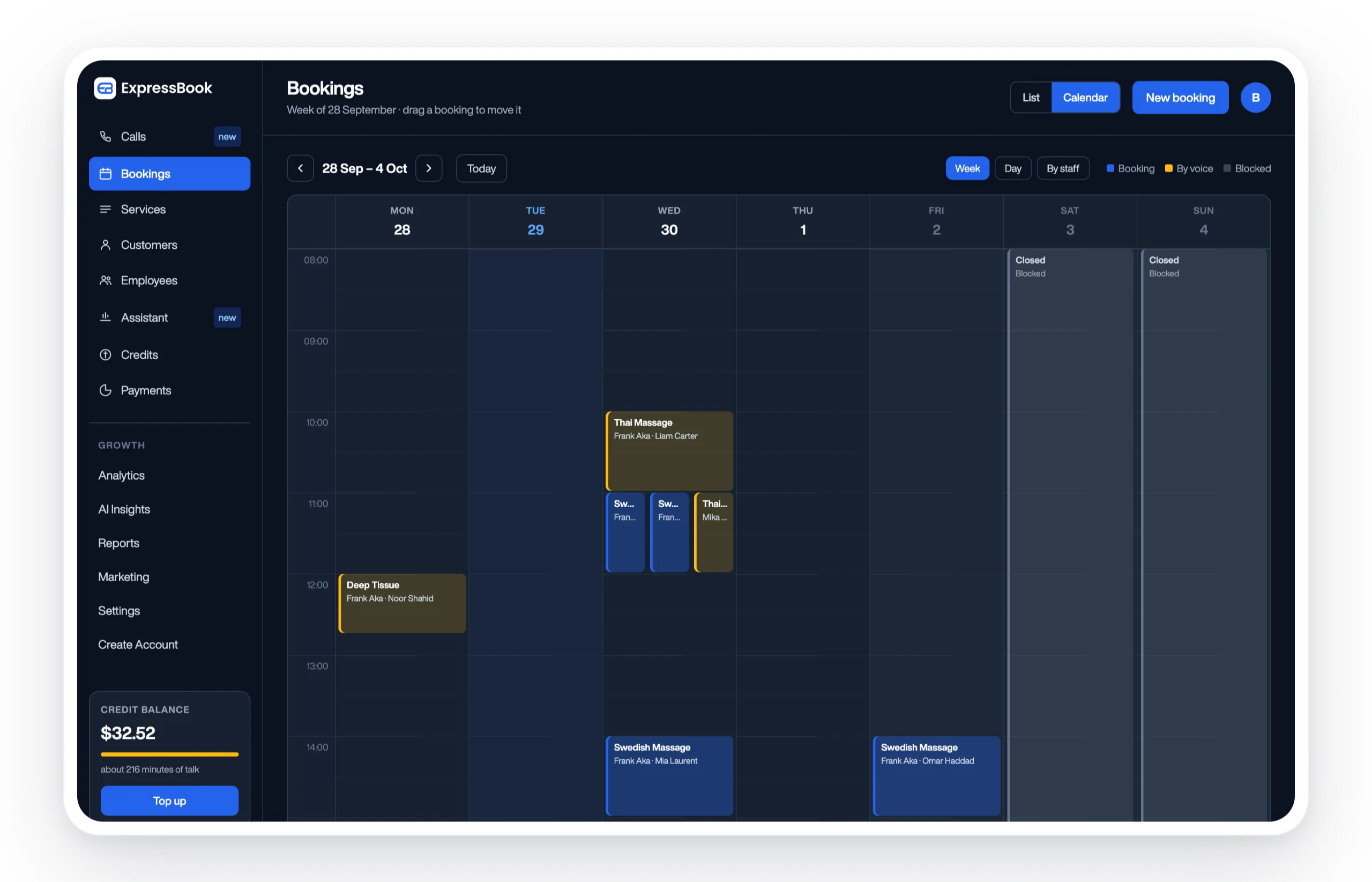
Expressbook automatically syncs bookings, payments, and client data with QuickBooks and Xero, eliminating the manual reconciliation that trips up growing service businesses at month-end. There are no marketplace commissions to dispute: every booking is a direct booking, and your payment processor relationship stays yours. The platform includes dedicated mobile apps for both clients and admins, plus a voice agent that lets visually impaired customers book appointments and get business information without friction.
For owners who want to evaluate without financial risk, Expressbook has no subscription: a small credit top-up is enough to run a real migration, train staff, and confirm that QuickBooks or Xero sync works with your existing chart of accounts. For multi-location operators, the multi-location scheduling comparison page covers how Expressbook handles consolidated reporting and per-location permissions.
Set up Expressbook at expressbook.com and see whether the fee model and integration depth fit your operation before committing.
Disclosure: This article is published by Expressbook. Expressbook is the publisher’s recommended alternative to Fresha.
Useful sources for verifying Fresha details
- Fresha reviews on Trustpilot: aggregated ratings, support response data, and user-submitted feedback
- MakerStack Fresha review: detailed breakdown of the marketplace commission model and subscription tier changes
- Fresha for Business on the App Store: firsthand operator reviews including subscription and commission complaints
- Fresha customer app reviews: client-side experience data and marketplace behavior reports
- SoftwareAdvice Fresha listing: usability ratings and billing dispute examples
- Expressbook accounting sync page: QuickBooks and Xero integration details for migration planning
- Expressbook scheduling software alternatives: side-by-side comparison for small businesses evaluating options
Recommended verification step: run two test bookings (one direct, one via marketplace search) and one test payout before processing any real client transactions. Confirm the fee breakdown in your billing dashboard matches what Fresha’s support team told you in writing.