
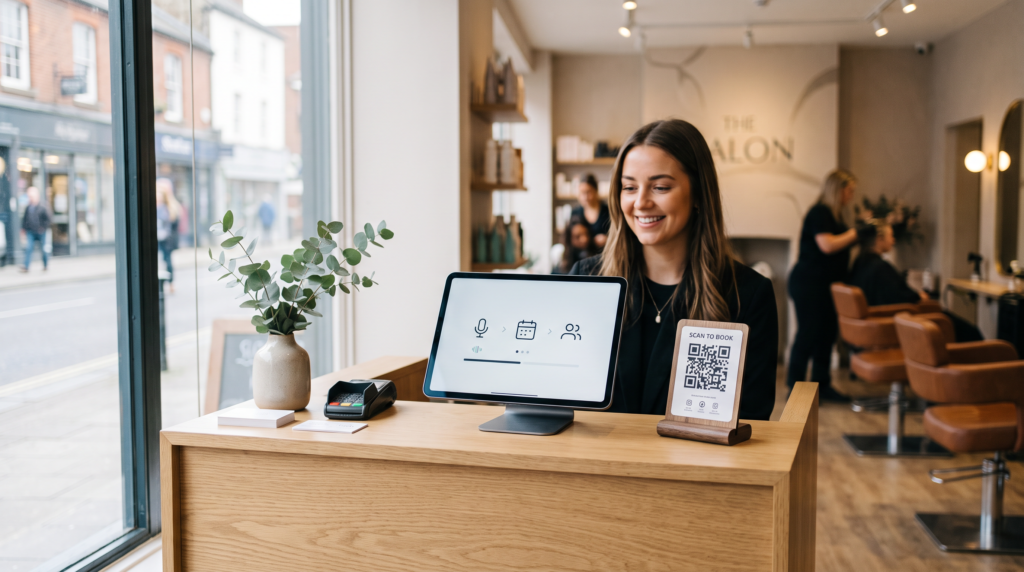
If you run a salon, barbershop, clinic or studio in the UK, you already know the pattern. You are mid-colour, mid-cut or mid-session. Your phone lights up. Someone found you on Google or Instagram and wants a slot this week. If nobody can answer, many simply book elsewhere.
An AI receptionist for small business promises to close that gap. This guide is for UK owners who need every booking enquiry covered without handing their phone line to a third party. It covers browser voice booking, where to put the link, and how ExpressBook fits.
TL;DR:
- UK small service businesses lose bookings when the phone rings during paying work and nobody can pick up.
- An AI receptionist that books in the browser (not by taking over your phone line) can answer on your booking page, site widget or a QR code in the shop.
- Put the booking link on your Google Business Profile and Instagram bio, and print a QR code for the counter or mirror.
- ExpressBook checks real staff and calendar availability, offers two or three times, takes deposits when needed (with Stripe connected), confirms by email, and hands over to a person when you choose, taking a number and promising a call back.
- Billing is credits, not a subscription: you top up, it draws by the second while talking, and email confirmations and reminders do not use credits.
Why UK booking enquiries go unanswered
Most UK salons, barbers, clinics and studios are lean. One person at the chair is often also the person who would answer the phone. Peak hours mean missed calls, voicemails that never get returned, and Instagram DMs left until evening.
Online forms help a little, but UK customers still prefer a quick conversation. They ask things a form cannot answer well: “Can you fit me in after school on Thursday?” or “Do you do a colour and cut with the same stylist?”. If the form feels long, they leave.
That is the job an AI receptionist UK owners should look for: hold a natural conversation, understand the request, and finish with a confirmed booking while you stay with the client in front of you.
What an AI receptionist for small business should do
Reading out opening hours is easy. These are the parts that actually protect your diary.
Understand plain British requests
Customers rarely speak in calendar language. “Anything Thursday after work?” should be enough. A useful assistant copes with everyday phrasing and different accents, then works out the service and time window from there.
Check the real calendar and the right staff
It needs to know who is working, who can do which service, how long each service takes and what is already booked. If it offers a colour with someone who only cuts, you have a problem rather than a booking.
Offer two or three times, take deposits, confirm by email
Offering two or three suitable times keeps the conversation moving. For longer colour services or treatments that block a large chunk of the day, a reservation fee paid at booking protects you from no-shows (deposits need your Stripe account connected). Look for an email confirmation straight away, a reminder before the day, and the ability to move or cancel by talking again.
Hand over to a person when it should
You choose when the assistant hands over: when a customer complains or asks for money back, when a health or allergy question comes up, when it has had to ask the same thing twice, or when a high-value booking comes in above an amount you set. It then takes the customer’s number and promises a call back within the window you choose, from half an hour to four hours, and the request lands at the top of your Calls screen. It does not transfer a live call.
Phone line pain in the UK (and why browser voice avoids it)
Many AI receptionist products work by taking over your phone number. In the UK that often means call forwarding, carrier settings, a new number, or explaining why your familiar shop number suddenly sounds different.
ExpressBook takes a different route. It does not answer your phone line. Customers talk to it in the browser, wherever they found you, so there is nothing to forward and no phone company to call. Three places, one calendar:
Your ExpressBook booking page
The booking page you already have, with the assistant on it. Put the link where UK customers already look for you.
A widget on your own site
One line of script adds a button in the corner of your existing website, in your colours, so visitors can book without being sent elsewhere.
A QR code in the shop
Put it on the counter, mirror, window or receipt. Customers scan, talk and leave booked while you finish with the person in front of you. See also QR code booking.
Customers who only ever phone will still reach your phone. Browser voice booking works best when you put the link and QR code everywhere people already look for you. For a fuller overview (not UK-specific), read AI receptionist for small businesses: voice booking without a phone line.
Where UK owners should put the booking link
Visibility matters as much as the software:
- Google Business Profile. Add your ExpressBook booking page URL so people who find you on Google Maps or Search can talk to the assistant without calling.
- Instagram bio. Many UK clients discover salons and studios on Instagram first. The bio link is the shortest path from interest to a booked slot.
- QR code in the room. Print it for the counter, mirror or waiting area so walk-ins and finishing clients can rebook without waiting for you to free your hands.
One link, one calendar, several doors in.
How ExpressBook fits for UK small businesses
ExpressBook is an AI receptionist for small business built around credits rather than subscriptions. You top up a prepaid balance by card. The assistant draws it down by the second while it talks, never rounded up to the minute. There is no monthly fee, nothing to cancel, and the balance never expires, so a quiet month costs very little. Email confirmations and reminders do not use credits. Pricing details live on the site.
After you sign up, setup is three steps: your business, your services and a credit top-up. Shortly after your first top-up goes through, the assistant starts answering in the browser (tap to talk) on your booking page, once you have added at least one service. It does not answer a phone line. The assistant reads your services live on every call.
On each call it offers two or three suitable times, checks real staff and calendar availability, takes a deposit when needed, and confirms by email. Customers can move or cancel by talking again. Emails, phone numbers and promo codes are easy to mishear, so it puts a box on screen for the caller to type them. The assistant greets callers in your business’s language and switches when a caller asks. Choose from English, German, Italian, Polish, Russian, Spanish, French, Greek, Portuguese, Dutch and Swedish. It logs every voice call with a transcript, summary and outcome.
The rest of the front desk is included from day one: Google Calendar sync, staff shifts, deposits and online payment, a waiting list, intake forms, reviews, packages, promo codes, QuickBooks and Xero sync, and reports.
A short checklist before you switch one on
- Does it only offer genuinely free slots with staff who can do the service?
- Does it answer in the browser (booking page, widget, QR), or does it need your UK phone line forwarded?
- Can you choose when it hands over to a person, and where do those requests appear for you?
- Is every voice call logged with a transcript, summary and outcome?
- How is it billed: monthly subscription, per call, or by usage with credits that do not expire?
- What happens to paid bookings when someone cancels? Refund decisions should stay with you.
Try it with your own services
The best way to judge an AI receptionist is to try to catch it out with the awkward questions your UK customers already ask. Set up ExpressBook, add your services, open your booking page and put the link on your Google Business Profile and Instagram bio. Try the booking system demo, or sign up to ExpressBook. You can also start from the ExpressBook home page.
If it books them properly, you have a front desk that keeps working while you do.