
If you run a salon, clinic, studio or barbershop, you know the moment well. You are halfway through an appointment, your hands are busy, and someone else wants to book. They might be on your website, looking at your Instagram bio, or standing at the counter waiting for you to finish. If nobody answers them quickly, many will simply try somewhere else.
An AI receptionist promises to fix that. This guide explains what a good one should actually do, why ExpressBook answers in the browser rather than on your phone line, and the questions worth asking before you switch one on.
TL;DR:
- An AI receptionist is only useful if it books real, available slots with someone who can actually do the service.
- The best ones offer two or three times, take a deposit when needed, confirm by email and handle moves and cancellations.
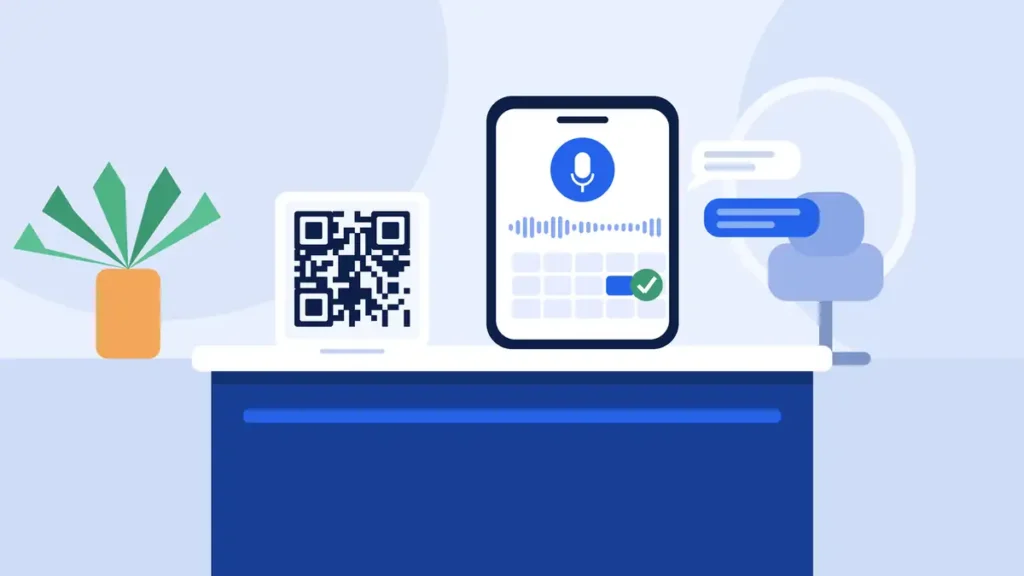
- Browser voice booking lives on your booking page, a website widget or a QR code, so there is no phone line to forward.
- Clear handover rules matter: some conversations should always go to a person.
- Check how it is billed, whether calls are logged with transcripts, and which languages it speaks before you commit.
Why Bookings Slip Through When You Are Busy
Most small service businesses do not lose bookings because of poor marketing. They lose them in the gap between someone deciding to book and someone being free to help. The phone rings during a colour treatment. A message arrives while you are with a patient. A walk-in hovers by the desk, then leaves.
Online forms help, but they have their own problems. People abandon long forms, struggle to pick from a wall of time slots, or have a question the form cannot answer (“Can I bring my son for a cut at the same time?”). A conversation handles that kind of request far better than a drop-down menu.
That is the job an AI receptionist should do: hold a natural conversation, answer the question, and finish with a confirmed booking, without pulling you away from paying work.
What an AI Receptionist Should Actually Do
Reading out opening hours is easy. These are the parts that separate a useful assistant from a gimmick.
Understand plain requests
Customers rarely speak in calendar terms. “Anything Thursday after work?” should be enough. A good assistant copes with everyday phrasing, different accents and different languages, and works out the service and the time window from there.
Check the real calendar
The assistant needs to know who is working, who can perform which service, how long each service takes and what is already booked. If it offers a slot with a team member who does not do that treatment, you have a problem rather than a booking.
Offer a few times, not a list of twelve
Choice overload slows people down. Offering two or three suitable times keeps the conversation moving. If a slot is taken while the customer is thinking, the assistant should simply offer the next one.
Take a deposit when the service needs one
For long or high-value appointments, a reservation fee paid at the moment of booking protects your afternoon from a no-show. Our guide to collecting booking deposits without losing clients covers how to set this up fairly.
Confirm, remind and handle changes
A booking is only half done until the customer has a confirmation. Look for an email confirmation straight away, a reminder before the day, and the ability to move or cancel by talking to the assistant again.
Hand over to a person when it should
Some conversations should never be handled by software alone: complaints, medical questions, large group bookings. You should be able to write those rules yourself, and the assistant should take the customer’s details and promise a call back within a window you set.
Phone Line or Browser: Why It Matters
Many AI receptionist tools work by taking over your phone number, which can mean call forwarding, carrier settings or a new number. ExpressBook takes a different route. It does not answer your phone line. Customers talk to it in the browser, wherever they found you, so there is nothing to forward and no phone company to call.
There are three places it can answer, all connected to one calendar:
Your ExpressBook booking page
The booking page you already have, with the assistant on it. Put the link in your social bio, your Google profile and your email signature. If Instagram brings you a lot of enquiries, see our guide to setting up an Instagram booking link that actually takes appointments.
A widget on your own site
One line of script adds a button in the corner of your existing website, in your colours, so visitors can book without being sent elsewhere. Our post on adding booking to your website walks through the options.
A QR code in the room
Put it on the counter, the mirror, the window or the receipt. Customers scan, talk and leave with their next appointment booked, while you finish with the person in front of you.
The honest trade-off: customers who only ever phone will still reach your phone. Browser voice booking works best when you put the link and QR code everywhere people already look for you.
Where Voice Booking Helps Most
- Salons and barbershops: your hands are busy all day. A QR code on the mirror lets clients rebook before they reach the door.
- Clinics and therapists: handover rules such as “anything medical” send sensitive conversations straight to a person, and intake forms can collect details before the visit.
- Tattoo studios and long treatments: deposits on longer services mean a no-show does not cost you the session.
- Businesses with international clients: the assistant answers in your language by default, switches when a customer asks, and sends confirmations in the language they booked in.
Questions to Ask Before You Choose One
Whichever tool you look at, these questions will tell you a lot:
- Does it only offer genuinely free slots with staff who can do the service?
- Can you set your own handover rules, and where do those requests appear for you?
- Is every conversation logged with a transcript so you can check exactly what was said?
- How does it cope with emails, phone numbers and promo codes? These are easy to mishear. ExpressBook puts a box on screen so the customer can type them instead.
- How is it billed? A monthly subscription, per call, or by usage?
- What happens to paid bookings when someone cancels? Refund decisions should stay with you.
How ExpressBook Approaches It
ExpressBook is built around credits rather than subscriptions. You top up a prepaid balance by card, and the assistant draws it down by the second while it talks, never rounded up to the minute. There is no monthly fee and nothing to cancel, so a quiet month costs very little. Email confirmations and reminders are free, and the balance never expires.
Setup takes three screens: your shop (name, hours, location), your services (duration, price and who can do them) and a credit top-up. The assistant reads your services live on every call and starts answering as soon as the payment clears.
The rest of the front desk is included from day one: Google Calendar sync, staff shifts, deposits and online payment, a waiting list, intake forms, reviews, packages, promo codes, QuickBooks and Xero sync, reports, and a calls log with transcripts.
Try It on Your Own Services
The best way to judge an AI receptionist is to try to catch it out. Set up ExpressBook, add your services, open your booking page and ask it the awkward questions your customers ask. If it books them properly, you have a front desk that keeps working while you do.