
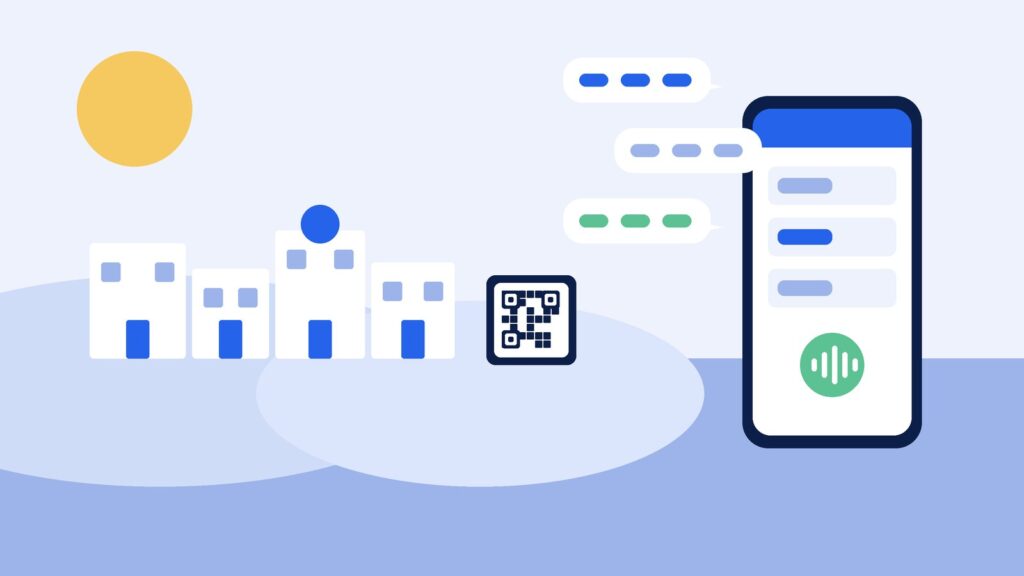
Running a salon, clinic or studio in Cyprus means juggling more than most: clients who book in Greek, English or Russian, a summer that brings visitors on top of your regulars, and a phone that rings while you are with someone. A good online booking system in Cyprus should take those enquiries off your hands, keep the diary accurate and let clients book at midnight without waiting for you to open.
This guide covers what to look for, and how ExpressBook handles each part.
TL;DR:
- Clients should be able to book from your Instagram bio, Google profile or a QR code at reception, with no app to download.
- Booking in plain words, in the client’s own language, matters more in Cyprus than almost anywhere.
- Each service needs its own real duration, and each team member their own working days.
- Deposits on long or high-value appointments protect the busy weeks.
- Compare how you pay: subscription, commission or prepaid credits.
Why booking in Cyprus is its own problem
In Nicosia, Limassol, Larnaca or Paphos, the same morning can bring a regular who messages in Greek, an expat who writes in English and a visitor who would rather speak Russian. Add a busy season from late spring to autumn, and a phone-and-notebook diary starts to cost you bookings: calls go unanswered while you work, messages wait until the evening, and visitors book somewhere else.
An online booking system fixes the basics by letting clients see real availability and book themselves at any hour. The better ones also deal with language, durations and no-shows, which is where the differences show.
Let clients book in their own language
Most booking forms assume the client knows your service names and is happy filling in fields. Many are not. They want to say “a cut and colour on Saturday morning” and be done.
ExpressBook adds an AI assistant to your booking page, website widget and QR code. The client taps to talk and asks in plain words. The assistant checks your real calendar (who is working, who does that service, how long it takes and what is already booked), offers suitable times and books the one the client picks.
The assistant greets callers in your business’s language and switches when a caller asks. Choose from English, German, Italian, Polish, Russian, Spanish, French, Greek, Portuguese, Dutch and Swedish. For a mixed Cyprus clientele, that means Greek, English and Russian on one booking page.
It answers in the browser, not on your phone line, so there is nothing to forward and nothing to arrange with a phone company. For more on how it works, read our guide to the AI receptionist for small businesses.
Real durations, real staff, real opening hours
A quick fringe trim and a full balayage are not the same booking, and neither are a short check-up and a long treatment session. In ExpressBook every service has its own name, duration and price, so the calendar only offers times that actually fit.
If you have a team, you set which people do which services and when they work. The system then only offers a time with someone who is in that day and does that service. Opening hours and closed days are respected too, so nobody is offered a Sunday afternoon you do not work.
You also set your business’s time zone and currency during setup, so your services show prices in euros.
Three ways in, one calendar behind them
- Your booking page. A link for your Instagram bio, Facebook page, Google Business Profile or email signature.
- A widget on your own website. One line of script adds a booking button to the site you already have.
- A QR code at reception. One is generated for every booking page. Put it by the till, on the mirror or on your appointment cards, so clients can book their next visit before they leave. For placement ideas, read our guide to QR code booking.
Visitors who find you on Google or Instagram can book from their phone in a few taps, with no app to install.
Deposits for the long appointments
A missed short appointment is a nuisance. A missed three-hour colour or a long treatment in August is a hole in your best week. Deposits help on exactly those bookings.
In ExpressBook a deposit is optional and set per service, as a fixed amount or a percentage. Clients pay it by card when they book and pay the rest at your business. Deposits need your Stripe account connected. When a client books by voice, they are emailed a payment link and the booking is confirmed once the deposit is paid.
Confirmations, reminders and changes
ExpressBook sends an email confirmation as soon as a booking is made and an email reminder before the appointment. Email confirmations and email reminders do not use credits.
When plans change, clients can move or cancel by talking to the assistant again on your booking page. It finds the booking, offers a new time and updates the calendar, so you are not rearranging the diary between clients.
When a person needs to step in
Some conversations belong with you, especially in a clinic. In ExpressBook you choose when the assistant hands over: when a client complains or asks for money back, when a health or allergy question comes up, when it has had to ask the same thing twice, or when a booking is worth more than an amount you set. It then takes the client’s number and promises a call back within the window you choose, and the request lands at the top of your Calls screen. Refund decisions stay with you.
Every voice call is logged on your Calls screen with a transcript, a short summary and the outcome, and you can listen back to the recording.
What it costs
Booking software is usually paid by monthly subscription (often per staff member), by commission on marketplace bookings, or pay as you go. Work out what each would cost you in a full July and a quiet February, because in Cyprus the gap between the two can be large.
ExpressBook uses prepaid credits, not a subscription. You top up by card, with a minimum top-up of $10, and credits never expire. Each successful booking uses about $0.50 of credit, and voice costs $0.15 per minute, billed by the second while the assistant is talking. There is no monthly fee and nothing to cancel. Credits are in US dollars, so check whether your card charges a fee for paying in another currency.
It also syncs with Google Calendar, and with QuickBooks and Xero if you keep your books there.
Getting set up
After you sign up, setup is three steps: your business, your services and a credit top-up (about four minutes). Staff, deposits and photos come afterwards. Once your first top-up goes through, the assistant is on and answering on your booking page. It reads your services and opening hours live.
A quick test before you choose
- Add your real services with realistic times, including your longest appointment and your shortest.
- Add a team member who only does some services, and mark one person as off for a day.
- Scan your own QR code and ask, in Greek, for an appointment next Saturday.
- Ask the assistant to switch to English or Russian, then book and check the confirmation email.
- Move the booking, then cancel it, without phoning anyone.
For a fuller script, read how to test a booking system demo on your own services. Most of our online booking system checklist applies in Cyprus too.
Try ExpressBook in your business
The best online booking system for a Cyprus business is the one that answers in your clients’ languages, keeps the diary honest and lets you get on with the work. See the pages for beauty salons and health practices, or read our guides in Greek.
Sign up to ExpressBook, or email contact@expressbook.com with questions.