
Resource scheduling for rooms means giving every conference room, studio, or hall a single source of truth for availability, so bookings never overlap and equipment gets attached automatically. The most reliable approach is an integrated scheduling platform, like Expressbook, that enforces overlap rules and syncs directly with Outlook and Google Calendar. Before anything else:
- Inventory your room pool and its capacity and amenities.
- Connect one calendar system as your test case.
- Set one slot rule (say, 30-minute increments) before adding complexity.
Key Takeaways
Reliable room scheduling depends on computed availability, enforced overlap detection, two-way calendar sync, and published allocation rules that make outcomes predictable.
| Point | Details |
|---|---|
| Start with one rule | Fix your slot duration and allocation policy before adding approval layers. |
| Overlap detection is non-optional | Every booking must fail the StartA < EndB and EndA > StartB test to block double-bookings. |
| Pilot before rollout | Test calendar sync, holds, and cancellations on one room pool for two weeks minimum. |
| Publish your allocation rule | Let users know if rooms assign first-available, best-fit, or least-recently-used. |
| Expressbook covers the full stack | Calendar sync, conflict prevention, QuickBooks/Xero sync, mobile app, and voice-agent booking, on prepaid credits with no monthly fee. |
Table of Contents
- How Does Resource Scheduling for Rooms Actually Work?
- Which Features Actually Matter When Evaluating Room Scheduling Tools?
- How Do You Connect Rooms to Outlook or Google Calendar?
- How Do You Stop Double-Bookings for the Same Room?
- Rolling Out Room Scheduling: A Pilot-First Checklist
- What Policies Prevent Room Scheduling Chaos?
- Why ExpressBook Fits This Job
- What I’d Actually Prioritize First
- Give Your Room Bookings a Real Trial Run
- Sources
How Does Resource Scheduling for Rooms Actually Work?
Most modern systems calculate availability instead of storing it. A room’s open slots equal its availability rules minus existing bookings minus active holds. That formula, described in availability engine documentation like @verevoir/bookings, lets a platform handle recurring meetings and irregular blackout dates without pre-generating thousands of empty slots.
The process behind a single booking usually runs in this order:
- A user requests a room and time window.
- The system places a temporary hold with a short time-to-live (TTL), preventing two people from grabbing the same slot mid-checkout.
- Contiguous-slot logic checks whether adjacent time blocks can merge for longer bookings.
- Conflict detection runs the overlap test: a new booking is rejected if its start time falls before the existing booking’s end time AND its end time falls after the existing booking’s start.
- Once confirmed, the booking becomes a calendar event, pushed through iCal feeds, direct API sync, or a service-account connection.
Pro Tip: If your current system stores fixed slots instead of computing them from rules, ask any vendor demo how it handles a room booked every Tuesday for a semester. The answer reveals whether you are getting a real availability engine or a glorified spreadsheet.
Which Features Actually Matter When Evaluating Room Scheduling Tools?
Feature lists get long fast. Analyst reviews on markets like this one show that buyers consistently prioritize a narrower set: space utilization data, booking flows, and occupancy analytics, not every bell and whistle a vendor demos.
Focus your evaluation on:
- Resource catalog depth. Capacity, amenities, and a clear distinction between equipment included by default versus add-ons requested separately.
- Access control and approvals. Role-based permissions, admin override capability, and an audit log showing who booked, changed, or canceled what.
- Two-way calendar integration. Not just a one-directional export, but live sync with iCal feeds, open API access, and SSO compatibility for larger organizations.
- Utilization analytics. Reporting that shows which rooms sit empty and which get double-requested, so you can rebalance your pool instead of guessing.
Configuration details matter more than they seem. Open-source projects like Odoo’s internal booking module expose the actual field names, such as resource category, slot duration, and availability schedule, that most commercial platforms hide behind a simpler interface. Reviewing them once gives you a mental checklist for judging any vendor’s admin panel.
How Do You Connect Rooms to Outlook or Google Calendar?

Three integration patterns cover almost every setup: native room mailboxes in Microsoft 365, room resources in Google Workspace, or a service-account API sync for custom platforms. OnceHub’s documentation on room and resource scheduling walks through the practical steps for aligning bookings with each platform’s native room objects.
After connecting any calendar, run these checks before trusting it in production:
- Confirm attendee invites actually land in every guest’s inbox, not just the organizer’s.
- Verify the room shows as the organizer or a clear resource, not an anonymous attendee.
- Check timezone handling across at least two offices if your organization spans regions.
- Test a cancellation and confirm it clears the room on both platforms within minutes, not hours.
Microsoft 365 and Google Workspace handle recurring series differently under the hood, so a pilot with one recurring meeting on each platform catches problems before they hit your whole staff.
How Do You Stop Double-Bookings for the Same Room?
Every reliable scheduling system runs the same overlap check: a new booking gets rejected if its start time is earlier than an existing booking’s end time and its end time is later than that booking’s start time. That single condition is what actually prevents two departments from claiming the same conference room at 2 p.m.
Allocation policy matters just as much as the conflict check itself:
- First-available assigns the first open room matching the request, simple and fast for small pools.
- Best-fit matches capacity to group size, so a six-person team doesn’t lock a 40-seat hall.
- Least-recently-used rotates bookings across a pool to prevent the same popular room from wearing out while others sit empty.
Facility policies from institutions like the University of Illinois recommend publishing your allocation rule so users can predict outcomes instead of guessing why they got room B instead of room A. Short-lived holds with a TTL, paired with transactional database operations, handle the concurrency problem when dozens of people try to book at once.
Rolling Out Room Scheduling: A Pilot-First Checklist
Skipping straight to a full rollout is how most implementations stall. A staged pilot surfaces problems while the blast radius is small.
- Collect requirements first. Capture capacity needs, AV requirements, preferred rooms, and lead times directly on your request form.
- Configure the rules. Set advance-booking windows, cancellation policies, and slot durations, then limit the pilot to one building or department.
- Test the mechanics. Confirm calendar sync, run through conflict scenarios deliberately, and time how long approvals take.
- Gather feedback and adjust. Coordinators almost always tighten rules after week one, once real booking patterns show where the gaps are.
Comparing multi-location scheduling approaches before committing helps you avoid rebuilding your rule set six months in.
What Policies Prevent Room Scheduling Chaos?
Good software still fails against bad policy. Campus scheduling programs, including University of Manitoba’s classroom services, typically require room requests at least two business days ahead, with three business days for additional AV equipment, and aim to respond to requests within 48 working hours.
Borrow that structure:
- Set buffer times between meetings so back-to-back bookings don’t overlap during setup or teardown.
- Require recurring meeting owners to reconfirm quarterly, which frees rooms hoarded by series nobody attends anymore.
- Limit booking permissions by role, and keep an audit trail so repeated conflicts trace back to a cause, not a mystery.
Why ExpressBook Fits This Job
ExpressBook handles the same core job described above: calendar sync, conflict prevention, utilization reporting, and automatic QuickBooks and Xero syncing for any resource tied to billing.
- Dedicated mobile app for staff and admins managing rooms on the move.
- Voice agent support, so visually impaired users can book and ask questions without a screen.
- No subscription: test real booking volume with a small credit top-up.
What I’d Actually Prioritize First
Full-feature platforms earn their keep once you manage more than a handful of rooms or need audit trails; a shared calendar alone works fine for a single conference room and nothing else. The most common rollout mistake is skipping the pilot and configuring every rule on day one. Start with one room pool, one calendar, and fix the slot rule before touching approvals.
— serge
Give Your Room Bookings a Real Trial Run
Coordinators comparing spreadsheets, shared calendars, or standalone booking widgets eventually hit the same wall: none of them stop a double-booking before it happens, and none of them talk to your accounting system. Expressbook closes that gap in one platform, with two-way Outlook and Google Calendar sync, automatic conflict detection, AV and equipment fields on every booking, and utilization analytics that show which rooms actually earn their square footage.
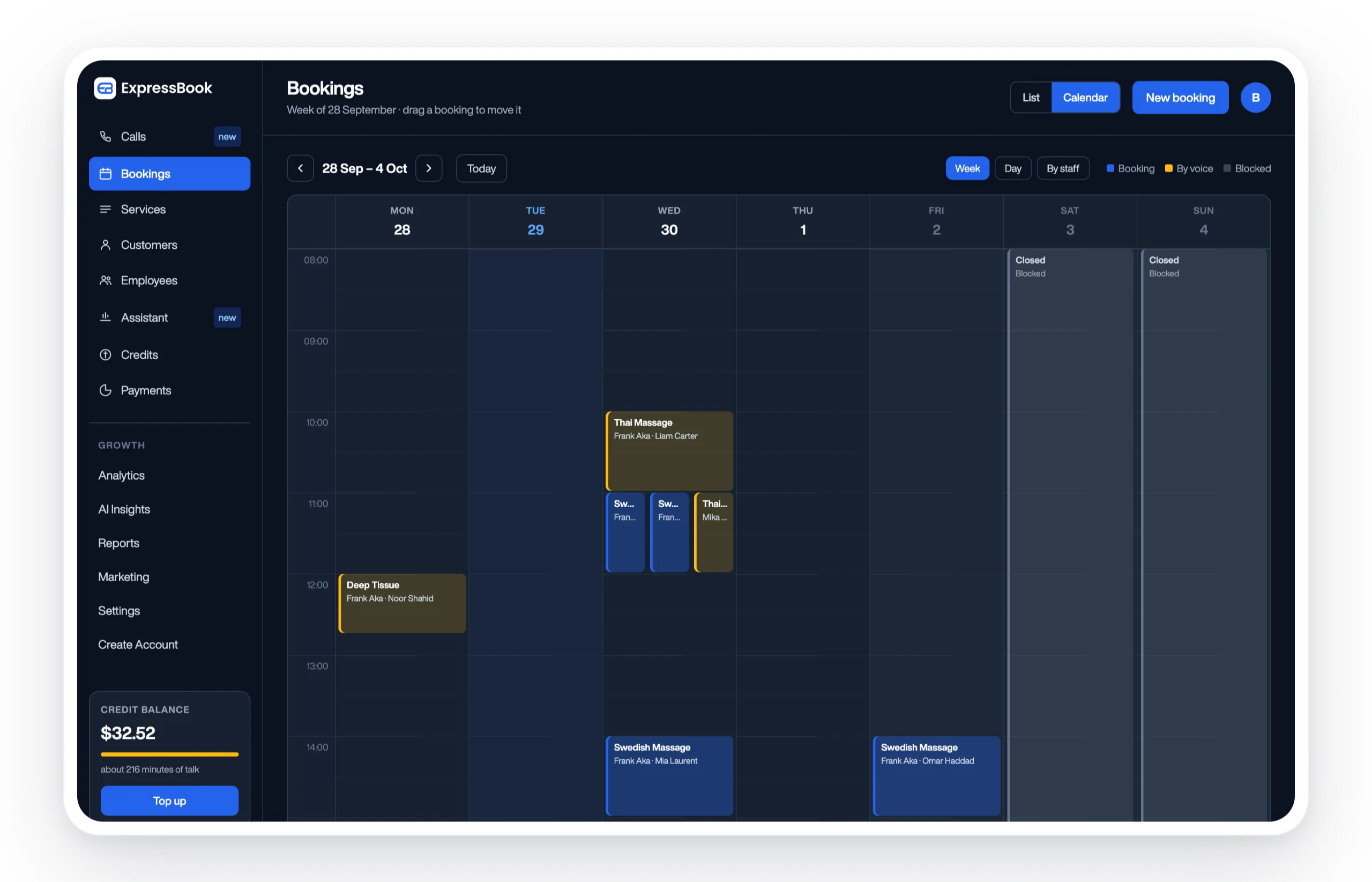
Every account connects directly to QuickBooks or Xero, so room and resource bookings tied to billable services stop needing manual reconciliation at month end. The mobile app lets admins approve requests from a hallway, and the voice agent means booking a room doesn’t require sight or a keyboard. Start with a single room pool on the Expressbook platform, test calendar sync for two weeks, and track utilization before and after. With no subscription, you can measure it properly on a small credit top-up, not guess.
Sources
- Gartner — Resource Scheduling Applications reviews
- OnceHub — Booking calendar room and resource scheduling
- University of Manitoba — AV order form / classroom services
- WOOWTECH — Odoo internal booking (GitHub)
- @verevoir/bookings documentation