What are the best Calendly alternatives right now?
The strongest Calendly alternatives in 2026 are Cal.com, Acuity Scheduling, Sprintful, SavvyCal, and Microsoft Bookings, each pulling ahead of Calendly in at least one dimension that matters: open-source control, service-business depth, branding at entry tiers, or cost for Microsoft 365 teams. The right pick depends on whether you need a simple one-to-one scheduler, a full resource management platform, or something in between.
The table below covers all 27 tools evaluated for this guide, scored across the dimensions that actually drive the decision.
| Tool | Best for | Free plan | Calendar sync | Team scheduling | Payments | Custom branding |
|---|---|---|---|---|---|---|
| Lunacal | Small to medium teams, intuitive UI | Yes | Yes | Yes | No | Limited |
| Cal.com | Open-source, data privacy, developers | Yes (cloud + self-host) | Yes | Yes | Yes | Yes |
| Acuity Scheduling | Service businesses, paid appointments | No (trial only) | Yes | Yes | Yes | Yes |
| Koalendar | Individuals, basic booking | Yes | Yes | Limited | No | Limited |
| TidyCal | Freelancers, budget-conscious users | Yes | Yes | Limited | No | Limited |
| Doodle | Group polling, consensus scheduling | Yes | Yes | Yes (polling) | No | Limited |
| HubSpot Meetings | HubSpot CRM users, sales teams | Yes | Yes | Yes | No | Limited |
| Reclaim.ai | AI calendar optimization | Yes | Yes | Yes | No | No |
| Microsoft Bookings | Microsoft 365 organizations | Included in M365 | Yes (Outlook/Teams) | Yes | No | Yes |
| Setmore | Small businesses, free payments | Yes | Yes | Yes | Yes (free tier) | Limited |
| SimplyBook.me | Wellness, healthcare providers | Yes | Yes | Yes | Yes | Yes |
| Book Like A Boss | Solopreneurs, branded pages | Yes | Yes | Yes | Yes | Yes |
| Trafft | Users needing free scheduling | Yes | Yes | Yes | Yes | Yes |
| Squarespace Scheduling | Squarespace website owners | No (trial only) | Yes | Yes | Yes | Yes |
| Wix Bookings | Wix website owners | Yes (with Wix plan) | Yes | Yes | Yes | Yes |
| TimeSync by Novocall | Sales/support call scheduling | Yes | Yes | Yes | No | Limited |
| Monday.com | Teams, project workflow scheduling | Yes | Yes | Yes | No | Limited |
| YouCanBookMe | Individuals, small teams | Yes | Yes | Limited | No | Limited |
| OnceHub (ScheduleOnce) | Enterprises, complex routing | Yes | Yes | Yes | No | Yes |
| SavvyCal | Power users, recruiters | No (trial only) | Yes | Yes | No | Yes |
| Sprintful | Teams needing early branding controls | Yes | Yes | Yes | No | Yes |
| Zoho Bookings | Zoho ecosystem users | Yes | Yes | Yes | Yes | Yes |
| Chili Piper | Sales teams, lead routing | No | Yes | Yes | No | Limited |
| Appointy | Multi-channel SMBs | Yes | Yes | Yes | Yes | Yes |
| Clockwise | AI schedule optimization | Yes | Yes | Yes | No | No |
| TimeSync | — | — | — | — | — | — |
| OnceHub | See OnceHub (ScheduleOnce) above | — | — | — | — | — |
A few patterns stand out immediately. Payment processing on a free tier is rare: Setmore is one of the few tools that includes it without a paid upgrade. Custom branding at entry level is even rarer, which is why Sprintful and Cal.com draw attention from teams that want a professional client experience without paying enterprise prices. Free tiers are nearly universal, but what they actually include varies enormously.
- Cal.com is MIT-licensed and self-hostable, giving developers full infrastructure control.
- Acuity Scheduling targets resource-heavy service businesses with room and staff allocation built in.
- Sprintful unlocks custom domains and branded emails at entry tiers, unlike most rivals.
- Microsoft Bookings costs nothing extra for existing Microsoft 365 subscribers.
- Chili Piper has no free plan but leads on sales routing and lead qualification workflows.
Pro Tip: Before committing to any free tier, test the specific feature you need most. Many platforms advertise “free scheduling” but gate calendar conflict detection, team admin, or custom notifications behind paid plans.
How do these tools compare on the features that matter most?
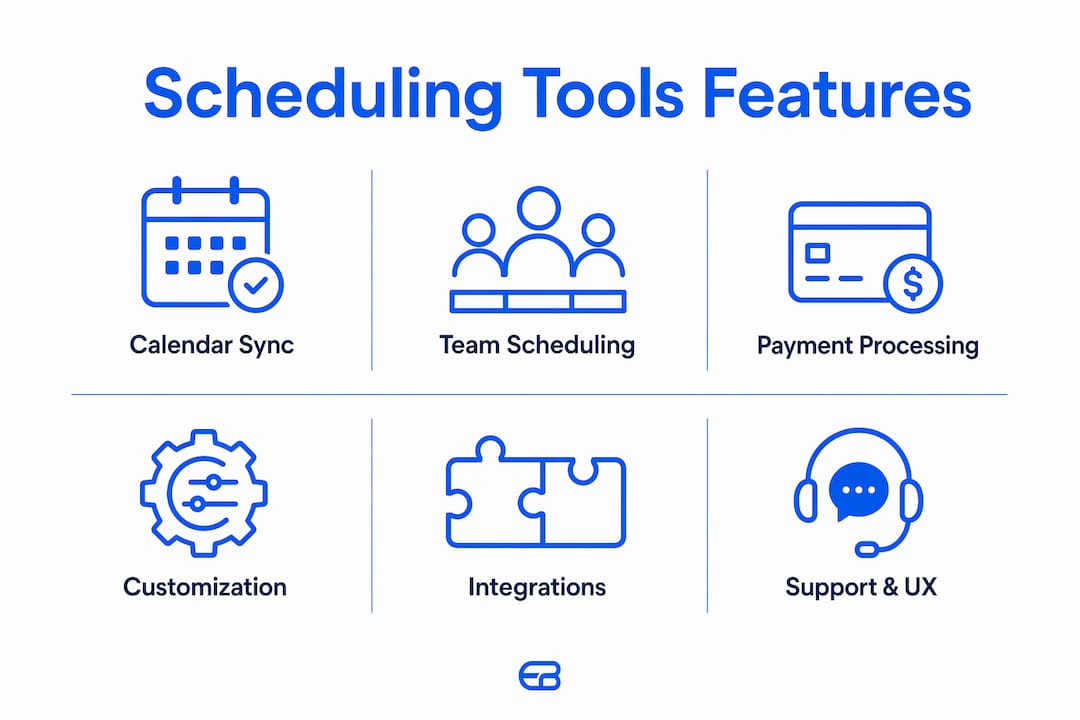
Calendly alternatives diverge most sharply across six dimensions: calendar sync depth, team scheduling models, payment support, branding controls, third-party integrations, and support quality. Surface-level feature lists often look identical. The real differences show up in the details.
Calendar sync and conflict detection
Multi-calendar sync prevents double bookings when a user has both a personal and a work calendar. Sprintful, Cal.com, and SavvyCal support connecting multiple calendars per user even on entry-level tiers, a capability many platforms reserve for higher plans. Koalendar and TidyCal sync with major calendar apps but limit the number of connected calendars on free accounts. Microsoft Bookings syncs natively with Outlook and Microsoft Teams, which is a meaningful advantage for organizations already running on Microsoft 365.
Team scheduling models
Round-robin and collective scheduling are the two dominant team models. Round-robin distributes meetings evenly across available team members, useful for sales or support queues. Collective scheduling requires all listed hosts to be free simultaneously, common for panel interviews or multi-stakeholder demos. OnceHub (ScheduleOnce) handles both with sophisticated routing logic suited to enterprise sales workflows. Doodle takes a different approach entirely: its group polling model finds consensus across participants without requiring calendar access from every attendee.

Payment processing
Payment support splits the field cleanly. Acuity Scheduling, SimplyBook.me, Trafft, Zoho Bookings, Appointy, Book Like A Boss, Squarespace Scheduling, and Wix Bookings all support payment collection. Setmore includes payment processing on its free plan, which is unusual. Cal.com supports payments through Stripe integration. HubSpot Meetings, Reclaim.ai, Clockwise, Chili Piper, and YouCanBookMe do not process payments directly, positioning them as pure scheduling tools rather than commerce platforms.
Customization and branding
Custom domains and branded email notifications are the two branding features teams care about most. Platforms that provide custom domains and branded emails at entry levels reduce long-term operational costs and improve client trust. Sprintful places these controls upfront. Cal.com’s self-hosted deployment gives complete UI control. Book Like A Boss offers highly customizable booking page templates suited to solopreneurs building a personal brand. HubSpot Meetings and Doodle limit branding options to paid or enterprise tiers.
Integrations
The integration story breaks into two camps. CRM-aligned tools like HubSpot Meetings and Zoho Bookings plug directly into their parent CRM ecosystems, making them natural choices for teams already invested in those platforms. General-purpose tools like Cal.com, Acuity Scheduling, and SimplyBook.me connect to Zapier, Salesforce, Google Workspace, and Stripe, covering a wider range of workflows. Reclaim.ai and Clockwise focus on calendar-layer integrations rather than CRM or commerce connections.
User experience and support
Ease of setup varies more than most vendors admit. TidyCal and Koalendar are genuinely fast to configure, often under ten minutes for a basic booking page. OnceHub and Chili Piper require more configuration time because their routing logic is complex. Support quality also differs: SimplyBook.me and Acuity Scheduling offer live chat on paid plans, while Cal.com’s open-source community provides extensive documentation but no dedicated support agent on the free self-hosted tier.
In-depth reviews of the top Calendly alternatives
Cal.com
Cal.com is the most developer-friendly option in this comparison. Its MIT-licensed platform lets teams run scheduling on their own infrastructure, which matters for organizations with strict data residency requirements. The hosted cloud version works like any SaaS tool, but the self-host path gives complete control over data, branding, and feature deployment. Cal.com supports collective and round-robin scheduling, multiple calendar connections per user, and Stripe payments. The trade-off is setup complexity: self-hosting requires technical resources that most small businesses do not have on hand.
Pros:
- Full open-source access under MIT license
- Multiple calendar connections per user on entry tiers
- Strong developer ecosystem and API
Cons:
- Self-hosting requires technical expertise
- Community support only on the free self-hosted tier
- UI less polished than some commercial alternatives
Acuity Scheduling
Acuity Scheduling is built for service businesses that need more than a calendar link. Resource allocation, specifically assigning rooms, equipment, or specific staff members to appointments, is where it separates from simpler tools. Scheduling needs vary between simple one-to-one calendar sync and complex resource management, and Acuity sits firmly in the latter category. It supports intake forms, package sales, subscriptions, and gift certificates alongside standard appointment booking. Pricing starts with a paid plan after a trial period.
Pros:
- Resource and staff allocation built in
- Payment processing with packages and subscriptions
- Intake forms and client management
Cons:
- No permanent free tier
- Overkill for simple one-to-one scheduling
- Interface can feel dense for new users
Sprintful
Sprintful’s clearest advantage is what it gives you at the entry tier. Branding and admin controls are unlocked early, including custom domain, branded email notifications, and team admin, features that most rivals reserve for enterprise plans. For teams that want a professional client-facing experience without committing to a high monthly spend, Sprintful is worth a close look. It supports round-robin and collective scheduling, multiple calendar connections, and a clean booking page builder.
Pros:
- Custom domain and branded emails on entry plans
- Multiple calendar connections per user
- Team admin controls without enterprise pricing
Cons:
- No payment processing
- Smaller user community than Cal.com or Acuity
- Fewer third-party integrations than larger platforms
SavvyCal
SavvyCal’s calendar overlay feature is genuinely different from anything else in this list. Instead of showing an invitee a grid of available slots, it lets them overlay their own calendar on top of the host’s availability, making it immediately obvious which slots work without back-and-forth. Recruiters and power users managing high-volume scheduling report that this single feature cuts scheduling friction noticeably. SavvyCal also supports multiple calendar connections per user at entry tiers.
Pros:
- Unique calendar overlay for invitees
- Multiple calendar connections per user
- Clean, modern interface
Cons:
- No free plan (trial only)
- No payment processing
- Smaller feature set than full-service platforms
HubSpot Meetings
HubSpot Meetings earns its place for teams already running on HubSpot CRM. It is free within the HubSpot ecosystem, and every meeting booked automatically logs to the CRM contact record without any manual entry. The scheduling experience is straightforward: share a link, pick a time, done. The limitation is that it is genuinely designed as a CRM companion, not a standalone scheduling platform. Branding options are limited on free accounts, and payment processing is not available.
Pros:
- Free with HubSpot CRM
- Automatic CRM contact logging
- Group scheduling and round-robin support
Cons:
- Limited value outside the HubSpot ecosystem
- No payment processing
- Branding restricted on free tier
Reclaim.ai and Clockwise
Both tools operate at the calendar layer rather than the booking-page layer. Reclaim.ai uses priority-based logic to automatically block time for tasks, habits, and meetings, adjusting the schedule when conflicts arise. Clockwise does something similar, optimizing meeting placement to protect focus time and reduce fragmentation. Neither tool is a direct Calendly replacement for external booking, but for teams that need AI-driven schedule management internally, they fill a gap the others do not address.
Microsoft Bookings
Microsoft Bookings is covered in depth in its own section below. The short version: if your organization already pays for Microsoft 365, Bookings is included at no additional cost and integrates directly with Outlook and Teams.
Setmore
Setmore’s free plan includes payment processing through Square and Stripe, which is rare. Most platforms gate payment collection behind a paid upgrade. For a small business that needs basic appointment scheduling and wants to collect payment at booking without a monthly fee, Setmore is the most practical starting point. The free plan does limit some features, but the payment capability alone sets it apart from Koalendar, TidyCal, and YouCanBookMe at the same price point.
SimplyBook.me
SimplyBook.me targets wellness studios, clinics, and personal service providers with a feature set that goes well beyond basic scheduling. It supports intake forms, membership management, loyalty programs, and a wide range of payment gateways. The customization options are extensive, and the platform integrates with Facebook, Instagram, and Google for direct booking from social profiles. The free plan exists but limits the number of bookings per month.
Book Like A Boss
Book Like A Boss is built for solopreneurs who want a booking page that doubles as a mini-website. Templates are highly customizable, and the platform supports digital product sales, service packages, and group sessions alongside standard appointments. It is not the right tool for a team with complex routing needs, but for a consultant or coach building a personal brand, the booking page quality is a genuine differentiator.
Doodle
Doodle’s group polling model works differently from every other tool here. Rather than sharing a booking link with fixed slots, the host proposes several time options and invitees vote on their preferences. No calendar access required from participants. This makes Doodle uniquely suited to coordinating meetings across organizations where attendees may not share calendar systems. The trade-off is that it does not replace a standard booking page for client-facing appointment scheduling.
Trafft
Trafft offers a generous free plan with features that most competitors reserve for paid tiers, including payment processing, employee management, and custom booking pages. It targets small service businesses that need a capable free tool without committing to a subscription. The platform is newer than Acuity or SimplyBook.me, so the integration library is smaller, but the core scheduling and payment features are solid.
Zoho Bookings
Zoho Bookings makes the most sense for businesses already using Zoho CRM, Zoho Invoice, or other Zoho apps. The integration is native and tight, meaning booking data flows directly into CRM records and invoicing without middleware. For teams outside the Zoho ecosystem, the value proposition is less clear, since the interface is functional but not as polished as Cal.com or SavvyCal.
Chili Piper
Chili Piper is purpose-built for inbound sales workflows. When a lead fills out a form on a website, Chili Piper can instantly route them to the right sales rep and book a meeting in the same session, eliminating the delay between form submission and first contact. It supports complex routing rules based on territory, account owner, or lead score. There is no free plan, and the pricing reflects its enterprise positioning.
Remaining tools at a glance
- Koalendar and TidyCal: straightforward booking with minimal setup, best for individuals who need a clean scheduling link and nothing more.
- Wix Bookings and Squarespace Scheduling: tightly integrated with their respective website builders, making them the obvious choice for users already on those platforms.
- YouCanBookMe: clean interface, low per-seat cost, good for small teams that need basic scheduling without complexity.
- Monday.com: scheduling features exist within a broader project management platform; useful for teams that want workflow and scheduling in one tool.
- Appointy: multi-channel booking with social media integration and commerce features, suited to SMBs managing appointments across several channels.
- TimeSync by Novocall: combines scheduling with call automation, targeting sales and support teams that need phone and video call booking in one place.
- Lunacal: modern UI with collaborative team scheduling, a solid choice for small to medium teams that prioritize ease of use.
How to choose the right scheduling software for your team
The decision comes down to four questions, and getting them wrong early leads to switching costs later.
What is your team size and scheduling model? A solo consultant needs a booking link and calendar sync. A sales team of twenty needs round-robin routing, team admin controls, and CRM integration. A wellness clinic needs resource allocation, intake forms, and payment processing. Choosing between a simple scheduler and a full business management suite depends on the complexity of resource allocation your business requires, and a mismatch causes scheduling conflicts or operational inefficiencies.
Which integrations are non-negotiable? If your team runs on HubSpot, HubSpot Meetings is the path of least resistance. If you use Zoho CRM, Zoho Bookings connects natively. If you need Stripe payments and Zapier automation, Cal.com, Acuity, and SimplyBook.me all cover that combination. List your required integrations before evaluating any tool, not after.
What does your client-facing experience need to look like? Custom domains and branded email notifications signal professionalism to clients. Platforms that provide these at entry levels reduce long-term costs and improve client trust, yet many teams overlook this when selecting software. If branding matters to your business, check whether the feature is available on the plan you can actually afford, not just on the enterprise tier.
What are the red flags to watch for?
- Calendar sync limited to one calendar per user on the free plan
- Payment processing gated behind a high-cost tier when you need it from day one
- No team admin controls until you reach an enterprise contract
- Support limited to email tickets with multi-day response times
- No trial period or a trial shorter than two weeks
Pro Tip: Prioritize platforms that include team admin controls and custom branding at entry tiers. Upgrading later to unlock these features often costs more than choosing the right tool upfront, and migrating client booking data between platforms is painful.
When evaluating support quality, test it before you buy. Send a pre-sales question and measure response time and depth. A platform with a 48-hour email response window will frustrate you the first time a booking system goes down before a critical client meeting. Live chat on paid plans, as offered by SimplyBook.me and Acuity Scheduling, is worth factoring into the total cost of ownership.
For teams evaluating scheduling software for small businesses, the most common mistake is choosing based on the free plan and discovering that the features needed for growth are locked behind a tier that costs more than expected. Trial periods exist precisely to surface this gap. Use them.
Why Microsoft 365 users should take a closer look at Microsoft Bookings
Microsoft Bookings is one of the most overlooked scheduling tools in the market, primarily because it does not require a separate purchase. Microsoft Bookings is included within business subscriptions of Microsoft 365, eliminating the extra third-party scheduling costs that typically scale with team size. For an organization already paying for Microsoft 365 Business Standard or Business Premium, adding Bookings costs nothing per user.
The feature set covers the core scheduling use cases most teams need:
- One-on-one and group appointment scheduling
- Native Outlook calendar sync with automatic conflict detection
- Microsoft Teams integration for virtual meeting links
- Staff management with individual availability settings
- Customer-facing booking pages with basic branding options
- Automated email reminders to both staff and clients
The reliability argument is straightforward. Bookings runs on Microsoft’s infrastructure, which means uptime and security are governed by the same SLAs that cover the rest of the Microsoft 365 suite. For IT-managed organizations, that matters more than any feature comparison.
The limitations are real too. Microsoft Bookings does not support payment processing, and its customization options are more limited than dedicated platforms like SimplyBook.me or Acuity Scheduling. It also lacks the advanced routing logic of OnceHub or Chili Piper. But for a team that needs reliable, integrated scheduling without adding another vendor to the software stack, it is a practical and cost-effective choice.
Cost context: For organizations already paying Microsoft 365 per-user fees, Bookings represents zero incremental cost per seat, a meaningful advantage when evaluating scheduling tools that charge $8–$16 per user per month at comparable feature levels.
Teams that have outgrown Bookings or need payment processing and advanced branding should look at Acuity Scheduling or SimplyBook.me. But for the Microsoft 365 organization that just needs scheduling to work reliably without a new vendor relationship, Bookings is the most practical starting point.
Expressbook is built for service businesses that need more than a booking link
If your business runs on appointments and you are managing staff schedules, client payments, and accounting in separate tools, Expressbook addresses that directly. The platform automatically syncs bookings, payments, and client data with QuickBooks and Xero, which means end-of-month reconciliation stops being a manual process. For salons, gyms, healthcare providers, and other appointment-based businesses, that integration alone saves meaningful administrative time.
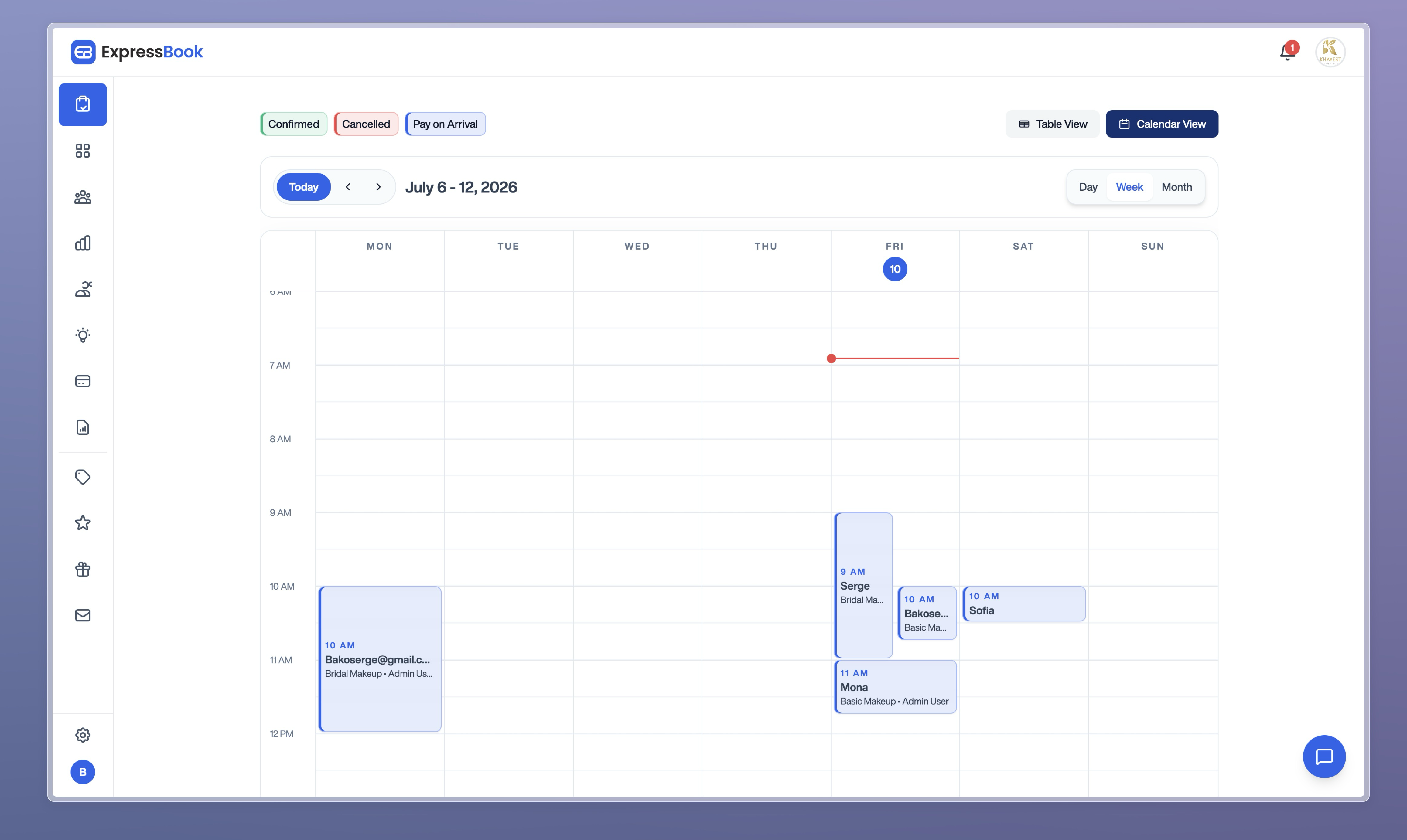
Expressbook’s AI-powered analytics give operators visibility into booking patterns, peak demand periods, and staff utilization, so decisions about staffing and capacity are grounded in real data rather than gut feel. Real-time availability management prevents double bookings across staff and resources, and the branded booking pages give clients a professional experience from the first interaction. The platform also includes a dedicated mobile app for both clients and administrators, so managing the schedule from anywhere is straightforward.
Two features set Expressbook apart from most tools in this comparison. First, a built-in voice agent allows visually impaired clients to book appointments and get answers to business questions without navigating a visual interface, a genuine accessibility capability that few scheduling platforms offer. Second, Expressbook offers a free trial of up to three months, giving service businesses enough time to run the platform through a real operational cycle before committing to a subscription.
For service businesses evaluating appointment scheduling software beyond the standard options, Expressbook’s combination of accounting sync, AI analytics, accessibility features, and a generous trial period positions it as a strong alternative worth testing alongside the tools covered in this guide.
Key Takeaways
The strongest scheduling tool is the one that matches your team size, integration stack, and client-facing requirements, not the one with the longest feature list.
| Point | Details |
|---|---|
| Free tiers vary widely | Most tools offer free plans, but payment processing and custom branding are rarely included without a paid upgrade. |
| Branding at entry level saves money | Platforms like Sprintful and Cal.com unlock custom domains and branded emails early, reducing long-term upgrade costs. |
| Microsoft 365 users have a built-in option | Microsoft Bookings is included in Microsoft 365 business subscriptions at no additional per-user cost. |
| Match complexity to use case | Simple one-to-one scheduling and complex resource management for service businesses require fundamentally different tools. |
| Expressbook for service businesses | Expressbook syncs bookings, payments, and client data with QuickBooks and Xero, and offers a free trial of up to three months. |