Coordinating team schedules, customer bookings, and payments in a single place creates bottlenecks for small business owners. Many dispatch software solutions either require paid add-ons for core features or lack affordable, predictable pricing for small teams. This comparison details features, pricing, and real-world fit for four leading alternatives so small business owners can choose a scheduling tool that suits their needs and budget.
Table of Contents
ExpressBook
At a Glance
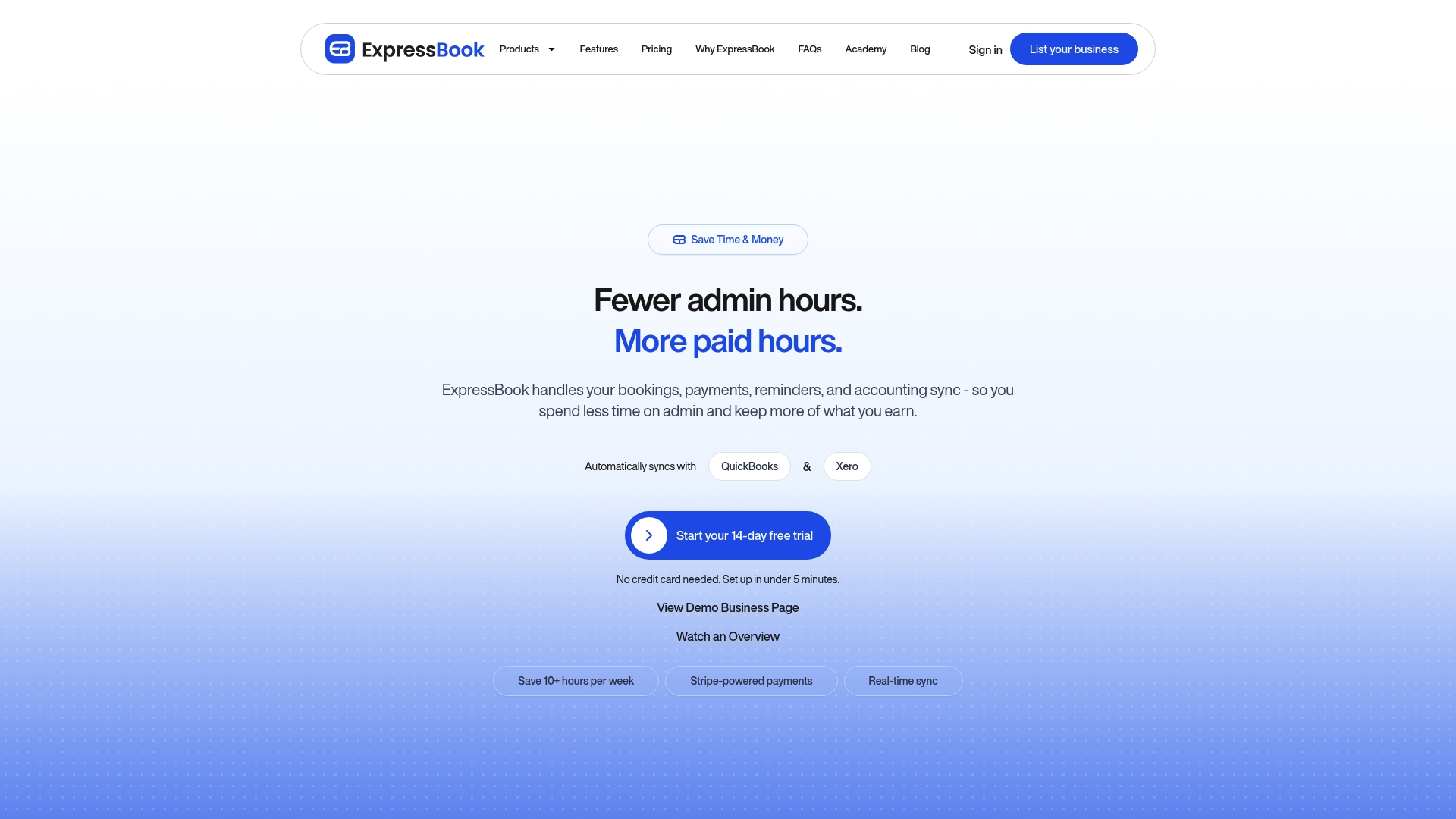
ExpressBook’s marketing materials state it can save users over 10 hours a week. The product targets appointment-driven businesses and groups bookings, payments, and client records in one place. It also offers a dedicated mobile app and a voice agent for accessibility.
Core Features
ExpressBook centralizes online appointment booking, staff and room availability, and service durations while handling payments and deposits. The system sends automated reminders by SMS, email, and WhatsApp and stores client history and preferences for repeat bookings. Reporting and AI-powered analytics aim to surface demand patterns and help with schedule planning.
Key Differentiator
All core capabilities are included without extra charges, which reduces the need to buy add-ons. ExpressBook also supports accounting and calendar sync to avoid manual ledger entries. That combination appeals to businesses that want fewer integrations and predictable billing.
Pros
The setup is user-friendly and requires no technical staff, which helps owners get live bookings quickly. Built-in reminders reduce missed appointments and free staff from manual follow-ups. The platform connects appointment data to accounting and calendars, so bookkeeping and daily schedules update automatically. The mobile app plus the voice agent widen access for customers and staff with different needs. The vendor advertises a free trial period for up to three months to test the system.
Cons
- Limited to appointment-based services, so businesses without scheduled client visits will find the product unsuitable.
Notable Integrations
- Google Calendar for sync with daily schedules.
- Apple Calendar for iOS and macOS users.
- QuickBooks for accounting sync and payment reconciliation.
- Xero for firms that use that accounting platform.
Who It’s For
ExpressBook fits service-based businesses that rely on scheduled visits, such as salons, spas, clinics, medispas, and pet groomers. It also suits multi-staff locations that need room or resource assignment. Solo professionals who accept online deposits will find the booking and payment flow useful, though small solos should review long-term cost.
Unique Value Proposition
Automatic sync of bookings, payments, and client data with QuickBooks and Xero reduces manual month-end work. That integration turns appointment records into bookkeeping entries without repeated exports or copy-paste. For owners who manage both schedules and accounts, that workflow saves time and lowers reconciliation errors.
Real World Use Case
A midsize beauty salon uses ExpressBook to publish branded booking pages and accept deposits. Staff calendars update in real time, and reminders cut no-shows. Account entries flow into the salon’s accounting software, reducing the administrative load on the manager and freeing up time for client service.
Pricing
Plans start at $7/month for solo professionals and scale up to custom enterprise pricing for larger organizations. The vendor advertises up to three months free trial for new customers, which helps test features before committing.
Website: https://expressbook.com
FieldVibe
At a Glance
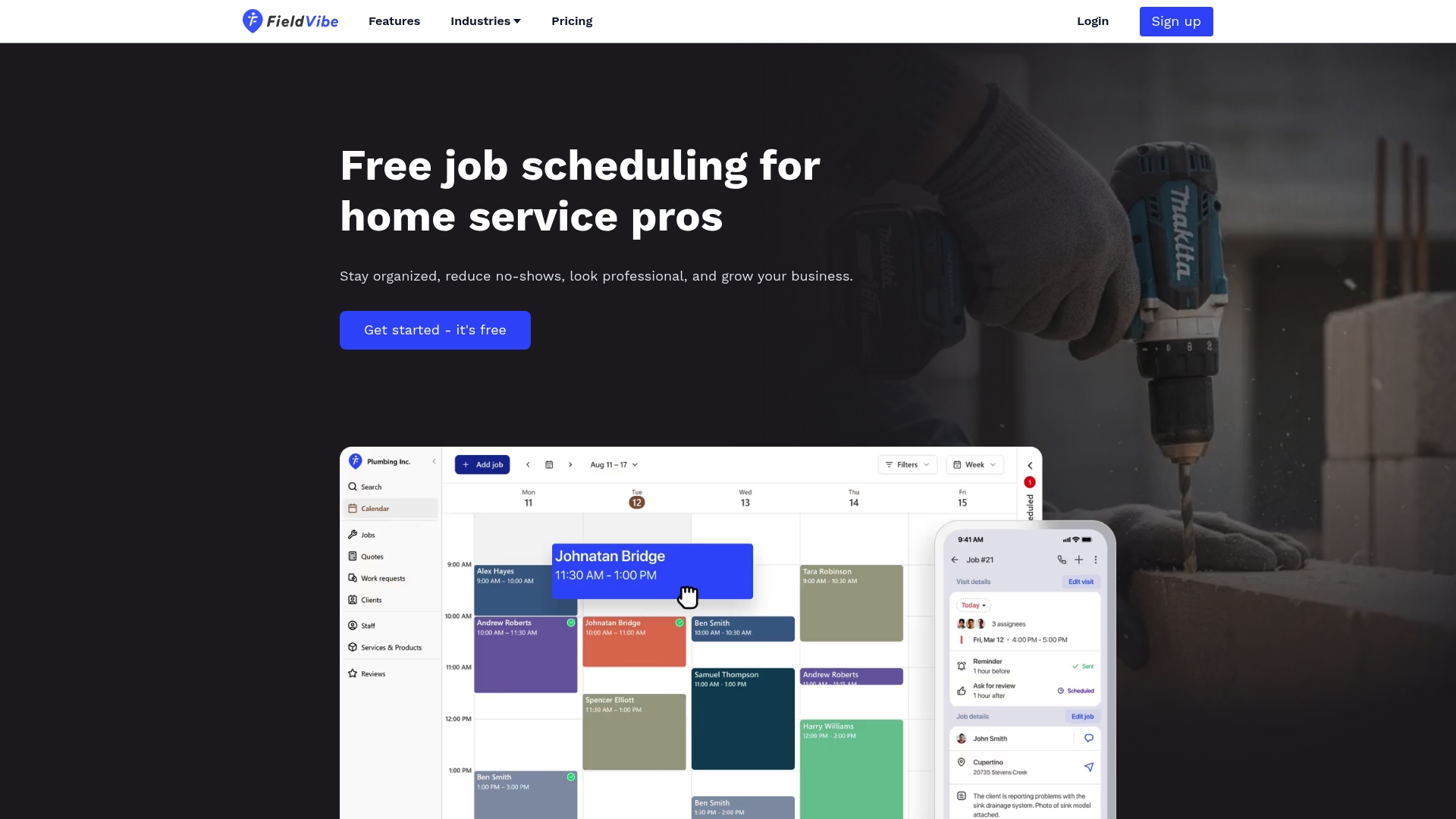
Includes a free business website plus a free plan for solo users. FieldVibe emphasizes a mobile-first workflow so technicians can manage jobs from the field. The product focuses on reducing no-shows with automated reminders and keeping client history in one place.
Core Features
Fast job scheduling supports single visits and recurring appointments, with clear visit status tracking and client history tied to each job. Automated text reminders cut down no-shows and reduce back-and-forth calls. Team scheduling includes individual logins, simple permission controls, and real-time updates for staff in the field.
Key Differentiator
Built specifically for solo service providers, FieldVibe bundles a free business website with straightforward customer interaction tools. That combination targets tradespeople who need an online presence and basic automation without complex setup. The approach trades enterprise complexity for immediate usability.
Pros
The interface is modern and approachable, which helps solo owners get started quickly and avoid onboarding calls. The inclusion of a free website and quick quote tools makes it easy to project a professional image and attract customers. Automated SMS reminders and status updates reduce administrative work and lower the chance of missed appointments.
Cons
- Very limited independent review volume compared with larger competitors, which may make it harder to validate long-term reliability.
- Lacks high-volume industry recognition or awards, so some buyers may prefer vendors with broader market visibility.
- Advanced features for growing teams remain limited unless you move to paid plans, so scaling businesses may hit functional limits.
When It May Not Fit
If you run a mid-size operation with complex routing, advanced reporting, or many third-party integrations, FieldVibe will feel constrained. Companies that require extensive compliance documentation or widely recognized vendor credentials should look elsewhere. Teams that need deep workforce management features will likely need a more feature-rich product.
Who It’s For
Solo entrepreneurs and small home service business owners in trades like HVAC, plumbing, electrical, lawn care, and cleaning. Owners who prioritize quick setup, field usability, and cost control will find it a sensible fit. Businesses wanting a basic online presence without hiring a web vendor will benefit from the included website.
Real World Use Case
A handyman schedules daily appointments, sends automatic SMS reminders, and stores customer notes on each job. He publishes services on the free site to capture inbound leads and accepts bookings without manual follow up. That setup reduces his admin time and keeps his schedule organized on a phone.
Pricing
FieldVibe offers a free plan for solo users. The Solo Pro plan starts at $20/month. The Crews plan starts at $50/month for small teams.
Website: https://fieldvibe.com
Breezy HR
At a Glance
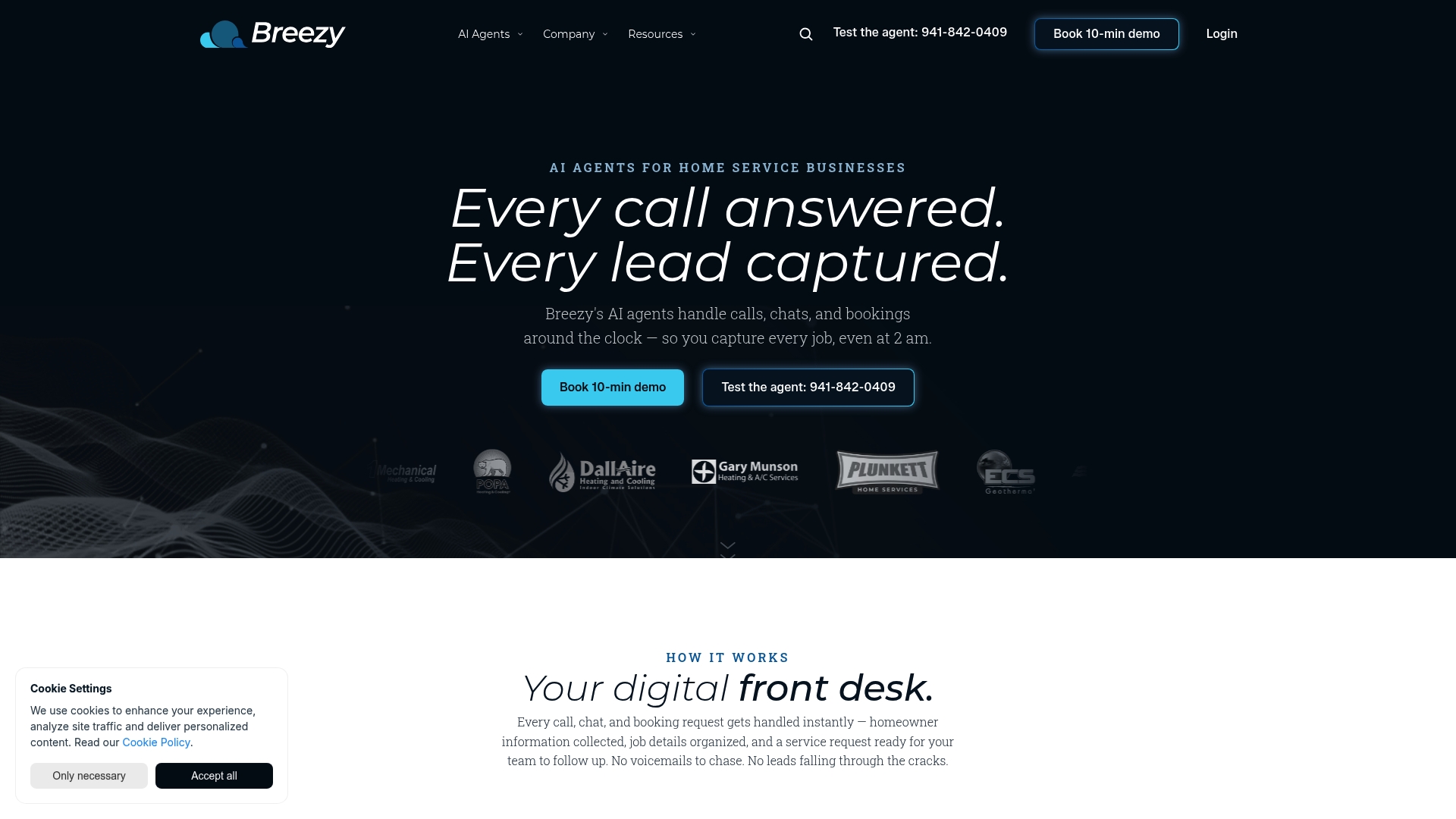
Dedicated AI agents handle after hours calls, website lead capture, and online booking requests aimed specifically at residential contractors. The product pairs those contact tools with applicant tracking and automation to move candidates from application to interview quickly. Pricing follows a volume based model and is presented as affordable for small teams.
Core Features
Breezy HR combines an intuitive recruitment interface with applicant tracking and automation for candidate workflows. The platform includes AI powered lead capture for websites, online booking requests, and call answering that link directly to hiring and customer engagement actions. The flexible pricing structure adjusts by job volume and supports small teams with seasonal hiring needs.
Key Differentiator
The product focuses its automation on residential home service industries. It routes website leads and after hours calls into hiring and booking flows while letting contractors manage applicants in the same dashboard. That industry focus makes the automation and call handling feel tailored rather than generic.
Pros
The interface is notably easy to use, which cuts onboarding time for small HR teams and crew managers. The pricing model is accessible for startups and seasonal contractors, and the applicant tracking tools help keep candidate stages clear and auditable. Integration between lead capture and recruitment means an inbound customer call can be captured and routed without manual handoffs.
Cons
- Customer support is often reported as unresponsive or slow to resolve issues, which can stall setup and fixes.
- Careers page customization is limited, which may constrain brand presentation for firms that need a polished employer site.
- Automation setup can be complex and prone to errors for less experienced users, requiring time or external help to tune.
When It May Not Fit
Teams that need heavily branded careers pages or fine grained page design will find the platform restrictive. Organizations that require guaranteed, fast vendor support during rollouts will likely be frustrated. Larger enterprises expecting deep custom integrations should verify compatibility because the offering targets small to medium residential contractors.
Who It’s For
Small to medium sized residential home service contractors and startups in HVAC, plumbing, or electrical fields will get the most value. The platform fits teams that hire seasonally and want to combine lead capture with recruitment workflows. It also suits owners who prefer a simple interface over a large feature set.
Real World Use Case
A residential HVAC company uses Breezy HR to let AI agents answer after hours calls, capture lead details from the website, and create booking requests automatically. Recruiters use the applicant tracking board to schedule interviews for seasonal technicians. That combination reduces administrative work and increases booked service appointments.
Pricing
Pricing is flexible and based on job volume. Detailed per seat or per job fees are not publicly listed, and small teams praise the model for affordability. Prospective buyers should request a quote for their specific hiring volume.
Website: https://getbreezyapp.com
Zenbooker
At a Glance
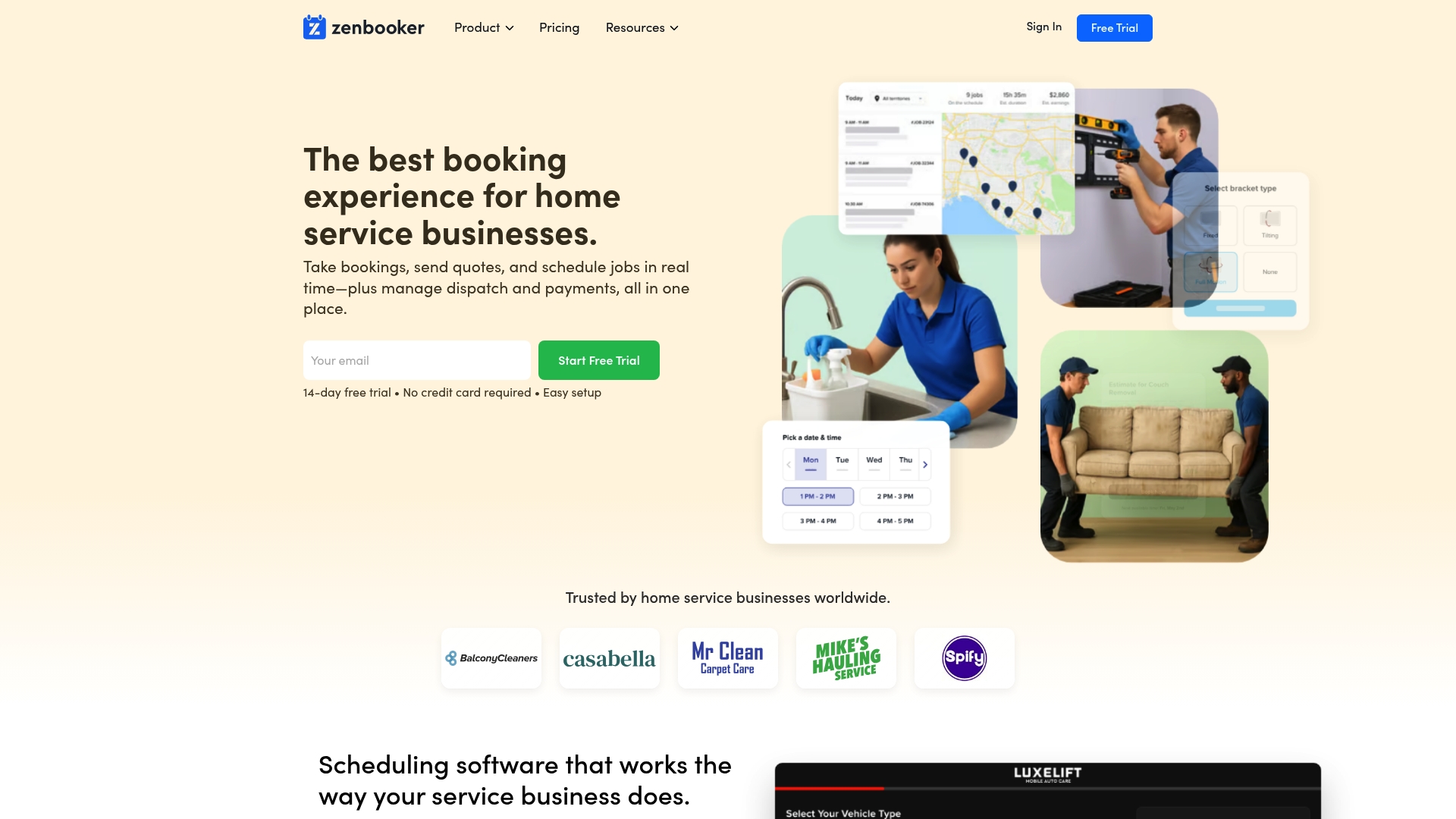
A 14-day trial is available with no credit card required. Zenbooker centralizes booking, dispatch, and payments for home service teams. The product targets cleaning, handyman, HVAC, and repair businesses that want a polished, easy-to-use scheduling system.
Core Features
Zenbooker offers online booking and customizable booking forms, enabling branded customer flows and quote requests. It handles real-time availability, service territories, location specific pricing, and recurring bookings while sending automated notifications and reminders. The platform also includes integrated invoicing and payment processing, a mobile app for field staff, a simple CRM, and basic dispatch automation for team management.
Key Differentiator
Zenbooker stands out for its visually focused interface and fast setup combined with flat-rate pricing. That combination makes it more suitable for small to medium home service operators who prioritize quick adoption and predictable bills. Compared with Expressbook, Zenbooker aims at straightforward deployment for local field teams rather than deep accounting or enterprise-grade reporting.
Pros
The user interface is attractive and easy to navigate, which reduces training time for office staff and field technicians. Setup is quick, and many users report getting live bookings in hours rather than days. Pricing is transparent and flat rate, which helps small owners forecast monthly costs. The vendor appears responsive to feature requests and issues periodic updates, which helps the product stay relevant for smaller operators.
Cons
- Support reliability has been inconsistent. Some customers report periods of slow or abandoned responses.
- Feature depth is limited for complex operations. Large enterprises may find task routing, advanced reporting, or multioffice controls missing.
- Development activity has had quiet spells. Long term users report intervals with few meaningful feature releases.
When It May Not Fit
If your operation needs enterprise dispatch features such as advanced SLA rules, multioffice reporting, or heavy API automation, Zenbooker may not offer enough depth. Businesses that require guaranteed, fast-response support or an enterprise-grade roadmap should look at vendors that advertise dedicated account teams. Companies that need native connections to complex accounting systems should validate integrations before committing.
Who It’s For
Zenbooker fits home service businesses that want a clean booking experience and easy field access. Ideal buyers include small to medium cleaning companies, handyman teams, HVAC technicians, and appliance repair providers. It suits owners who value fast onboarding, branded booking pages, and predictable monthly pricing.
Real World Use Case
A residential cleaning company uses Zenbooker to accept online bookings, assign crews by geographic zone, and send automated reminders to clients. The office team views real-time availability to prevent double bookings, and field staff use the mobile app for job details and customer notes. Branded invoices go out after each job, and the business keeps a simple customer history to track preferences and repeat discounts.
Pricing
Zenbooker offers a 14-day free trial followed by tiered plans. Pricing starts at $29/month for Standard, moves to $79/month for Professional, and reaches $149/month for Enterprise. The vendor markets these as flat-rate plans aimed at small and medium operators.
Website: https://zenbooker.com
Comparison of alternatives
ExpressBook delivers notable proficiency in addressing appointment-driven businesses seeking scheduling and financial synchronization tools. However, competitor solutions such as FieldVibe focus on mobile usability for field operations, while Zenbooker emphasizes user interface aesthetics and flat-rate pricing, presenting valuable alternatives tailored to specific operational styles.
Strengths in Pricing Structure
FieldVibe offers a free website and free plan, making it a clear choice for solo entrepreneurs prioritizing cost-effective setups. In contrast, Zenbooker provides transparent tiered pricing, allowing businesses to predict monthly expenses accurately. ExpressBook, however, includes its integrations and analytics within its initial pricing tiers, bypassing add-on purchases.
Usability for Specialized Workflows
Zenbooker gains an advantage with its visually designed interface that facilitates quick adoption, particularly for small to mid-sized home service teams. Additionally, FieldVibe’s mobile-first workflow caters to tradespeople managing appointments in-field daily. Meanwhile, ExpressBook’s functionalities remain for organizations requiring integrations with accounting software, optimizing their operational workflow.
Best fit
- Businesses needing synchronized scheduling with financial records benefit most by choosing ExpressBook for its integration with QuickBooks and Xero.
- Entrepreneurs who value straightforward setups along with a mobile app for field task management should explore FieldVibe.
- Owners requiring intuitive interfaces and predictable pricing tiers will find Zenbooker meets their needs exceptionally well.
- Residential contractors desiring AI recruitment support and website lead capture should consider Breezy HR.
Our pick
For businesses prioritizing accounting integration along with streamlined scheduling, ExpressBook emerges as the most capable option. Its automation capabilities and integration with financial platforms simplify demanding workflows, which reduces manual reconciliation. However, businesses focusing on field usability or aiming for more affordable setups might find FieldVibe or Zenbooker preferable choices.
Opting for the right booking and scheduling software depends on feature set, target audience, and pricing flexibility. Below is a comparison to simplify your evaluation.
| Product | Best For | Key Differentiator | Pricing | Limitation |
|---|---|---|---|---|
| ExpressBook | Appointment-driven businesses | Integrated accounting and mobile app support | $7/month, three months free trial | Limited to appointment-based services |
| FieldVibe | Solo service providers | Includes a free business website | Free plan; Solo Pro $20/month | Limited features for expanding teams |
| Breezy HR | Seasonal residential contractors | Integrated lead capture and applicant tracking | Price not published | Slow customer support |
| Zenbooker | Small home service teams | Flat-rate pricing with customizable booking forms | Starts at $29/month | Limited features for larger enterprises |
How Can Small Business Dispatch Software Simplify Your Scheduling and Payments?
Businesses managing appointments and field teams need reliable tools for dispatch and payments. Expressbook addresses key challenges by integrating booking, payments, and client data with QuickBooks and Xero. This reduces manual bookkeeping and eliminates double bookings while providing real-time availability and AI-powered insights to increase efficiency.
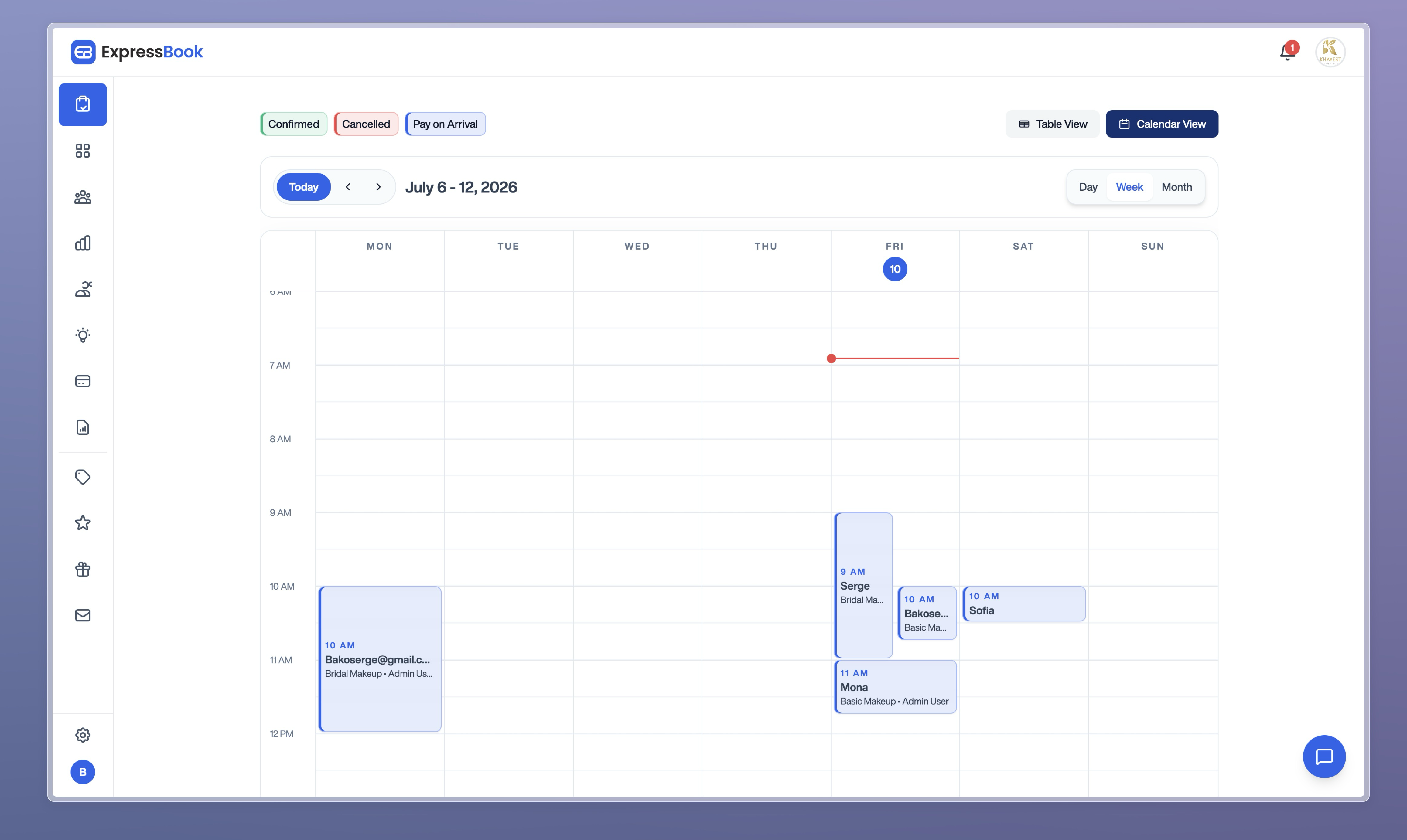
Power up your service business with Expressbook’s dedicated mobile app and voice agent designed for accessibility and ease of use. Visit Booking & Scheduling Software Archives to learn more. Start a free trial at Expressbook and see how automated scheduling combined with accounting sync can save you over 10 hours weekly.
FAQ
How does ExpressBook support appointment management for small businesses?
ExpressBook provides comprehensive features for managing online bookings, staff availability, and service durations. It centralizes appointments and automates client reminders through SMS, email, and WhatsApp, which can enhance operational efficiency for service-driven small businesses.
What is the difference between FieldVibe and ExpressBook?
FieldVibe excels in providing a free business website along with a straightforward mobile-first workflow for technicians. In contrast, ExpressBook is geared more towards appointment-driven businesses, offering features like payment handling and AI-powered analytics for better scheduling management.
Can I use ExpressBook if my business requires multiple integrations?
Yes, ExpressBook can integrate with accounting systems like QuickBooks and Xero, streamlining the billing process. This integration ensures that appointment data automatically updates accounting entries, making it ideal for small businesses looking to reduce manual data entry.
How does the pricing of ExpressBook compare to its competitors?
ExpressBook starts at $7 per month for solo professionals and offers a free trial period of up to three months. This pricing structure allows small business owners to test the platform before committing financially, making it a lower-risk option compared to some competitors.
What specific features make ExpressBook suitable for small appointment-driven businesses?
ExpressBook includes features like automated reminders and a voice agent for accessibility, enhancing client experience and reducing missed appointments. These capabilities directly address the needs of small businesses that depend on scheduled client interactions.