Add Instagram’s Book action now by pasting your booking page URL into Edit profile → Contact options → Add action button. It works only when three things line up: you’re running a business or creator account, that account connects to a Facebook Page, and you have a live booking page URL ready to paste in. Miss any one of the three and the Book option simply won’t appear.
TL;DR:
- The Book action button on Instagram appears only if your account is a business or creator profile, linked to a Facebook Page, and has a live booking URL.
- Ensuring your booking page loads over HTTPS, is mobile-friendly, and fully published prevents most technical issues with the booking link.
- Syncing bookings with Google Calendar and enabling confirmation emails or SMS reminders significantly improves appointment reliability.
- Fallback options like adding the booking URL to your bio or pinning a highlight remain effective when the Book button isn’t available to your account.
- Prioritizing a fast, mobile-optimized booking page and testing the entire booking flow reduces lost appointments more than simply adding the button.
Table of Contents
- Quick Checklist: What to Prepare Before You Add the Book Button
- How to Add a Book Action Button on Instagram
- Alternatives When the Book Action Isn’t Available
- Make Bookings Reliable: Calendar Sync, Confirmations, and Payments
- Troubleshooting: Why the Book Button or Link Might Not Work
- How ExpressBook Handles Instagram Booking End to End
- What Actually Matters Once the Link Is Live
- Get Your Instagram Booking Link Running with ExpressBook
- Sources
Quick Checklist: What to Prepare Before You Add the Book Button
Before you open the Instagram app, get these four items sorted so the setup takes minutes instead of an afternoon of troubleshooting.
- Confirm your account is set to business or creator, and that it’s linked to a Facebook Page. Instagram’s own action button documentation lists this as a baseline requirement, not an option.
- Create or verify your booking page URL. An ExpressBook booking page works well here because it’s built to handle mobile traffic without breaking.
- Confirm you have admin access to both the Instagram account and your scheduling platform. Shared accounts with limited permissions are the most common reason setups stall halfway through.
- Have your phone, calendar login, and payment settings ready. You’ll want to test the whole chain in one sitting rather than piecing it together over several days.
How to Add a Book Action Button on Instagram
The flow itself takes less than five minutes once your booking page URL is ready. Instagram’s Help Center walks through the same sequence, and it hasn’t changed much in recent updates.
- Open the Instagram app and go to your profile.
- Tap Edit profile, then find Contact options.
- Tap Add action button and select Book from the list.
- Paste your booking page URL (your ExpressBook link works directly here) and save your changes.
- If Book doesn’t show up as an option, double check your account type, your Facebook Page connection, and whether you’re actually the account admin.
- Test the button from a second device, or an incognito browser session, to confirm it opens your booking page and not an error screen.
Instagram doesn’t always surface every action button to every account at the same time. Some rollouts are regional or tied to account history, which is why testing from outside your own logged-in session matters more than people assume.
Pro Tip: Test your booking link right after publishing it, and again a week later. Instagram’s in-app browser sometimes caches an old version of your page, so a link that worked on day one can quietly break after you update your booking page.
Once the button is live, it functions as a direct route from your profile to your scheduler, letting customers book without ever leaving Instagram by using the right Instagram Business profile setup. That’s the entire point of the feature: it turns a static profile into something that takes appointments while you sleep.

Alternatives When the Book Action Isn’t Available
Not every account gets instant access to action button integrations, and that’s fine. You have working alternatives that don’t depend on Instagram approving a partner connection.
- Add your booking page URL directly to your bio, paired with a short, specific call to action like “Book your appointment below.”
- Pin a highlight titled something like “How to Book” that walks new visitors through the process in two or three slides.
- Use a link-in-bio landing page to house multiple links, with a dedicated Book button front and center. Tools like Linktree’s booking feature exist specifically for this, since they don’t rely on Instagram’s own partner status the way action buttons do.
- Use Story link stickers on a regular posting cadence, and pin your best-performing booking Story so it’s always visible.
The bio link route is worth taking seriously even if you do get the Book button approved later. It’s a reliable fallback because it never depends on Instagram’s partner rollout, which can pause or change without notice.
Make Bookings Reliable: Calendar Sync, Confirmations, and Payments
A working link is only half the job. What happens after someone taps Book determines whether that appointment actually shows up on your calendar and whether the client shows up at your door.
- Sync your booking page to Google Calendar or another calendar app so new appointments appear on staff schedules the moment they’re booked, not hours later.
- Turn on confirmation emails and SMS reminders, and require a deposit for high-demand or easily-missed appointment types.
- Display service length, staff selection, and real-time availability clearly, so clients know exactly what they’re booking before they commit.
- Run the entire flow yourself, start to finish, from booking through confirmation through calendar appearance, before you point real traffic at the link.
Pro Tip: Book a test appointment using a personal phone number and email you don’t normally check. It’s the fastest way to catch a broken confirmation message before a real customer does.
Troubleshooting: Why the Book Button or Link Might Not Work
Most Book button failures trace back to one of four causes, and each has a fast fix.
- Missing Book action: Recheck your account type, your Facebook Page connection, and whether the feature has rolled out in your region yet.
- Broken or insecure URL: Confirm your booking page loads over HTTPS, renders properly on mobile, and is actually published rather than sitting in draft mode.
- Admin or permission issues: Verify you have full admin status on the Instagram account and in Business Manager, not just editor-level access.
- App or caching glitches: Update the Instagram app, clear its cache, and if the button still won’t save, remove it and re-add it after a few minutes.
Working through these steps in order at Tailwind’s setup walkthrough resolves the vast majority of cases without needing to contact support at all.
How ExpressBook Handles Instagram Booking End to End
Your booking page URL is the piece that makes or breaks every step above, and it’s worth treating that choice with real weight. An ExpressBook booking page is designed to drop directly into Instagram’s Book action or your bio link, and it’s built to hold up under Instagram’s in-app browser rather than breaking on mobile the way some hastily built pages do.
Staff manage availability and bookings from ExpressBook’s dedicated mobile app, so a stylist or trainer can adjust their calendar between clients instead of waiting until they’re back at a desk. On the back end, ExpressBook syncs bookings and payments with QuickBooks and Xero automatically, which is where most service businesses claim to save more than 10 hours a week previously spent on manual entry.
Accessibility is often an afterthought in booking setups, but it shouldn’t be. ExpressBook’s voice agent lets visually impaired customers book appointments and get answers to business questions without needing to navigate a visual interface at all.
That combination, a stable booking link, mobile staff control, accounting sync, and voice accessibility, is what turns an Instagram Book button from a nice feature into a dependable revenue channel.
What Actually Matters Once the Link Is Live
Most advice on this topic stops at “add the button,” as if the hard part is getting Book to show up in Edit profile. It isn’t. The hard part is what happens in the ten minutes after someone taps it: does the page load, does the confirmation fire, does the appointment land on the right calendar. Small business owners lose more bookings to a slow or broken landing page than to a missing action button.
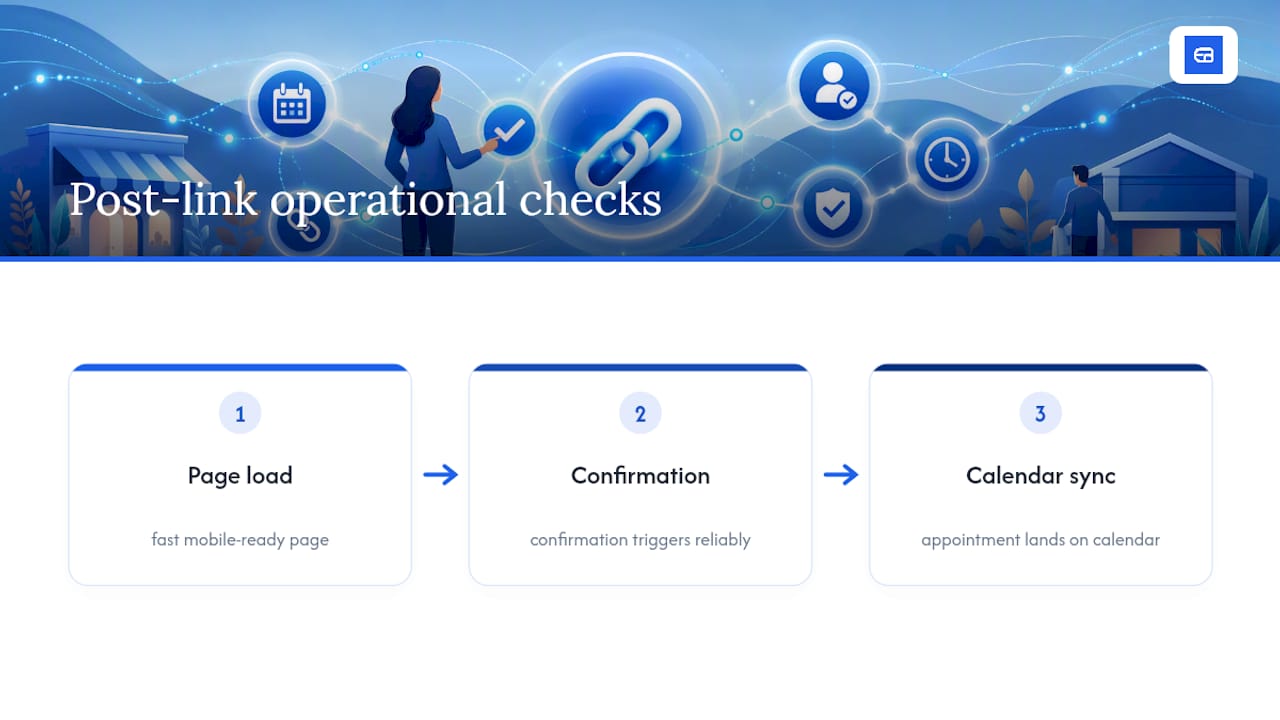
The conventional wisdom also underrates the bio link fallback. Owners treat it as a consolation prize for accounts that haven’t gotten Book approved yet, when in practice it’s more resilient than the native integration, since it never depends on Instagram’s own partner rollout schedule.
If you take one thing from this guide, prioritize the booking page itself before you worry about which Instagram feature points to it. A fast, mobile-ready page with calendar sync and clear confirmations will outperform a perfectly placed Book button pointing at a page that loads slowly or confuses first-time visitors.
— serge
Get Your Instagram Booking Link Running with ExpressBook
ExpressBook gets you from zero to a working Instagram booking link faster than piecing together a scheduler, a calendar sync, and a payment processor separately, and you get up to 3 months free trial to test the whole setup, calendar sync included, before paying anything.
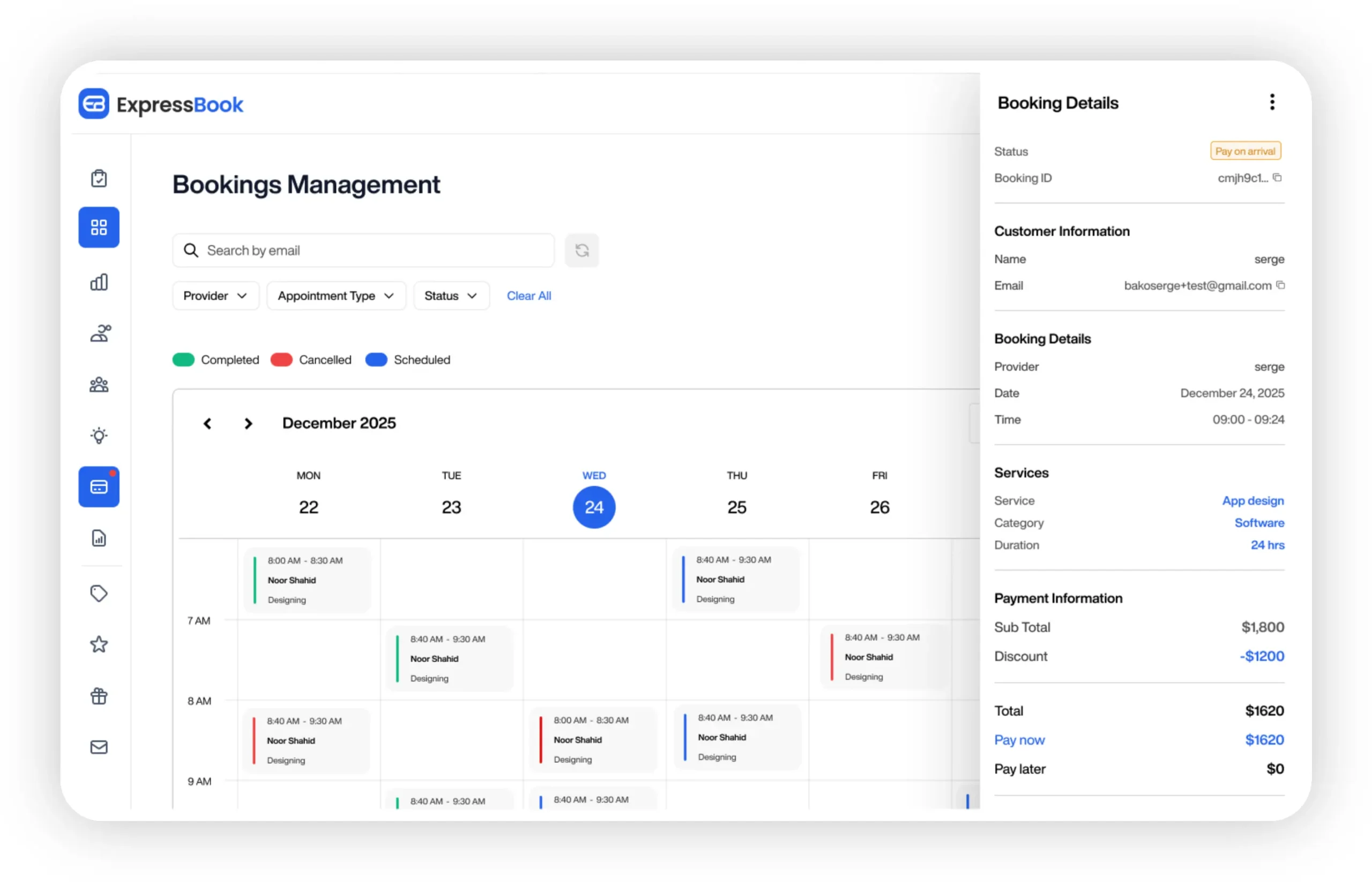
Getting started takes four steps: sign up, build your booking page, copy the URL, and paste it into Instagram through Edit profile → Contact options → Add action button. From there, staff manage everything through the ExpressBook mobile app, and your bookings flow straight into QuickBooks or Xero without anyone touching a spreadsheet. If you’re still comparing platforms, this guide to choosing scheduling software breaks down what to look for beyond the basics. Start your free trial today and get your booking page live before your next Instagram post goes out.
Sources
- About action buttons for Instagram Business profiles
- Offer free and paid bookings, right on Linktree.
- How to Add Book Button on Instagram for Client …