Protecting client booking data comes down to four controls: end-to-end encryption using AES-256 for stored records and TLS 1.3 for data in transit, role-based access control (RBAC) paired with phishing-resistant multi-factor authentication, strict vendor vetting with signed agreements, and collecting only the fields you actually need. Platforms like ExpressBook build several of these in by default. The sections below walk through implementation, plus a 90-day rollout checklist.
TL;DR:
- Ensuring data security requires encrypting stored records with AES-256 and encrypting data in transit using TLS 1.3, with strong key management practices.
- Access controls must be role-based, enforced with multi-factor authentication and logging, while staff training helps prevent exposure through phishing.
- Vendors handling client data should provide clear encryption commitments, breach response timelines, and signed agreements like BAAs or SOC 2 reports.
- Collect only necessary fields, avoid sending sensitive info via SMS or email, and implement strict API, webhook, cookie, and CORS security measures.
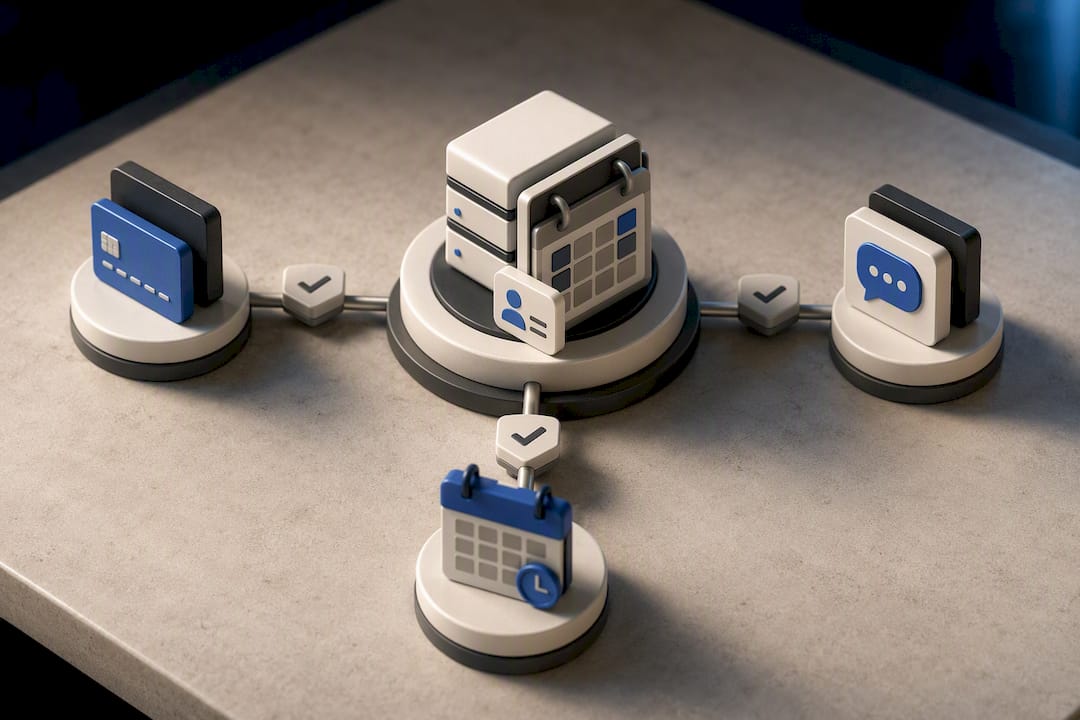
- Consolidating booking, payment, and client management into a single platform reduces points of data handoff, lowering the risk of leaks.
Table of Contents
- What Technical Controls Actually Secure Booking Data?
- How Do Access Controls Prevent Booking Data Leaks?
- What Should You Require From Booking Software Vendors?
- When Does HIPAA or CCPA Apply to Appointment Data?
- How Long Should You Keep Client Booking Records?
- What Should Your Booking Data Breach Response Plan Include?
- How Do You Roll Out Booking Data Security in 90 Days?
- Why Platform Consolidation Reduces Booking Data Risk
- What Small Businesses Get Wrong About Booking Data Security
- A Practical Next Step for Protecting Client Booking Data
- Sources
What Technical Controls Actually Secure Booking Data?
Encryption is the foundation, but the details determine whether it holds up under real attack. Encrypting stored records with AES-256 protects names, contact details, and appointment history if a database is ever exposed. Pair it with envelope encryption, where a master key wraps individual data encryption keys, and keep those keys in a separate store from the data itself. Rotate them on a set schedule rather than only after an incident.
Transit security matters just as much as storage. Requiring TLS 1.3 across every connection, enforcing HTTP Strict Transport Security, and disabling legacy ciphers closes off a common path attackers use to intercept booking confirmations and payment details. Mobile apps handling client data benefit from certificate pinning where the development framework supports it, which stops man-in-the-middle attacks even on compromised networks.
A few less obvious practices separate mature systems from vulnerable ones:
- Tokenize identifiers so raw client data never appears in application logs, error reports, or browser URLs.
- Keep sensitive appointment details out of SMS and email reminders. A short-lived signed link to a secure portal is safer than pasting details into a text message.
- Secure every API endpoint with OAuth 2.0 or signed JWTs, and sign webhooks with HMAC to confirm they came from a trusted source.
- Add nonce checks and rate limits so a stolen token can’t be replayed or used to scrape records in bulk.
- Lock down cookies with HttpOnly and SameSite attributes, apply CSRF tokens on every form submission, and set a strict Content Security Policy alongside narrow CORS rules.
If your booking platform serves multiple businesses on shared infrastructure, ask whether it applies per-tenant encryption keys or row-level encryption. Without that separation, a flaw in one tenant’s access controls can expose another business’s client list entirely.
Pro Tip: Ask any vendor whether encryption keys are stored separately from the encrypted data. If the same system holds both, a single breach compromises everything at once.
Data breaches aren’t rare events reserved for large corporations. Breach tracking from Statista shows major incidents happening across industries every year, which is exactly why appointment platforms handling names, phone numbers, and payment methods need the same rigor as banks and hospitals apply to their own systems.
How Do Access Controls Prevent Booking Data Leaks?
Technology only works if the people using it follow disciplined habits. Most booking data exposures trace back to overly broad access, not sophisticated hacking.
- Map roles to actual job functions. A scheduler needs to see upcoming appointments; a front-desk employee needs contact details; billing staff needs payment history; only an administrator needs the ability to export full client lists. Review these permissions every quarter, not just when someone leaves.
- Require phishing-resistant multi-factor authentication for every staff and admin account, and use single sign-on where your team size justifies it. Automate account provisioning and deprovisioning so a departing employee’s access disappears the same day, not weeks later.
- Log every read, edit, and export of client records, and protect those logs so no single employee can quietly alter them. Set alerts for bulk downloads or access patterns that don’t match a person’s normal role.
- Train staff on recognizing phishing attempts, enforce clean-desk policies for any printed client information, and restrict personal devices from handling health-related or payment data.
Pro Tip: Bulk export alerts catch more real threats than password-strength rules ever will. A staff account that suddenly downloads 400 client records at 11 p.m. is the signal worth acting on immediately.
What Should You Require From Booking Software Vendors?
Every third-party tool touching client appointment data becomes part of your attack surface, whether it’s a payment processor, an SMS reminder service, or a calendar sync app. Vetting vendors properly is not optional paperwork; it’s how you avoid inheriting someone else’s security failure.
At minimum, ask vendors to confirm encryption in transit and at rest, disclose where data is physically stored, and commit in writing to breach notification within a defined window. Push back on any vendor who can’t answer these plainly.
Contracts should include a Data Processing Agreement, and a Business Associate Agreement whenever health-related booking details are involved. Breach notification terms need specific timeframes, not vague language like “promptly.” Scope every agreement narrowly to the purpose the vendor actually serves.
- Request SOC 2 or ISO 27001 reports rather than taking security claims at face value.
- Ask for a recent penetration-test summary and a remediation timeline for any findings.
- Review documented encryption and SOC 2 controls before signing, since vague marketing language rarely reflects actual practice.
- Restrict API token scopes to only what integration requires, and rotate credentials on a fixed schedule.
- Require narrow, signed webhook scopes rather than granting a vendor blanket access to your booking system.
When Does HIPAA or CCPA Apply to Appointment Data?
Appointment data crosses into regulated territory faster than most managers expect, and the rules differ depending on what kind of business you run.
If your booking system captures anything tied to a healthcare service, such as a therapy session, a med spa treatment, or a physical therapy visit, that information typically counts as electronic protected health information. HIPAA requires a signed Business Associate Agreement with any vendor handling that data, access limited to the minimum necessary for someone’s job, encryption, audit logging, and a defined breach-reporting process.
CCPA applies more broadly to consumer data collected by businesses serving California residents, regardless of industry. It grants clients rights to access, delete, and opt out of the sale of their personal information, and it requires clear privacy notices describing what you collect and why.
- Confirm whether any part of your booking flow qualifies as ePHI, and sign a BAA with every vendor that touches it.
- Publish a privacy notice in plain language, not legal boilerplate, describing exactly what booking data you collect.
- Get explicit consent before sending appointment reminders, and make opting out simple.
- Document the lawful basis for every category of data you collect, especially health details or payment information.
- Check primary sources like the U.S. Code rather than relying on secondhand summaries when a specific legal question comes up.
How Long Should You Keep Client Booking Records?
Retention policies need a documented schedule, not an informal “keep everything forever” default. Balance operational needs against legal requirements, and build in exceptions for legal holds when a dispute or audit demands it.
- Encrypt backups with keys separate from your production system, store them in logical isolation, and run restore tests on a regular schedule so backups actually work when you need them.
- Anonymize or pseudonymize older records once you no longer need to tie them to a specific identity.
- Be ready to provide auditable proof of deletion when a client requests it under CCPA or similar rules.
- Limit who can export full client lists, add watermarks to exported files, and set those exports to expire automatically after a short window.
What Should Your Booking Data Breach Response Plan Include?
A breach response plan written after an incident starts is a plan that fails. Build the runbook now, while nothing is on fire.
- Define severity tiers, assign clear ownership for each tier, and specify communication flows so nobody wastes the first hour figuring out who’s in charge. Immediate containment means revoking exposed tokens and rotating keys within minutes, not after a meeting.
- Correlate logs across systems so you can spot bulk downloads, unusual API call patterns, or a spike in failed MFA attempts before they become a full breach. Set escalation paths so frontline staff know exactly who to alert.
- Build decision trees for notification timing. HIPAA and CCPA both impose specific windows for notifying affected individuals and regulators, and missing those deadlines compounds the damage.
- After containment, run a forensic review, validate that the fix actually closed the gap, restore systems from clean backups rather than potentially compromised ones, and communicate clearly with clients about what happened and what you did about it.
Pro Tip: Write your notification templates before you need them. Drafting a breach letter to clients while regulators are asking questions is a bad time to be choosing your words carefully.
How Do You Roll Out Booking Data Security in 90 Days?
Trying to fix everything at once guarantees nothing gets fixed well. A phased approach gets the highest-risk gaps closed first.
- Days 0 to 14: Inventory every place client data flows through your system, remove any field you don’t actually need, enforce TLS across all connections, require MFA on admin accounts, and lock down who can export data.
- Days 15 to 30: Send vendor security questionnaires to every third-party tool in your stack, turn on activity logging and alerting, set default retention periods, and confirm backups are encrypted.
- Days 30 to 90: Roll out full RBAC across every role, run staff security training, sign BAAs with any vendor handling health-related data, commission a penetration test, and put your policies in writing.
Track a small set of numbers to know whether the rollout is actually working: the percentage of admin accounts with MFA enabled, how many bulk-export alerts fire and get investigated, whether restore tests from backups succeed, and what share of staff complete security training. A breach tracking database makes clear that incidents keep rising year over year, which is reason enough to treat these 90 days as a floor, not a finish line.
Why Platform Consolidation Reduces Booking Data Risk
Every manual export, every spreadsheet emailed between systems, and every disconnected tool in your stack is another point where client data can leak. Security professionals increasingly point to consolidating scheduling, payments, and client records into one platform as a direct way to cut that exposure.
ExpressBook automatically syncs bookings, payments, and client data with QuickBooks and Xero, which removes the manual export step that so often becomes a security gap. Fewer handoffs between systems means fewer places for data to be copied, misfiled, or intercepted, and a single audit trail instead of five fragmented ones.
The platform also includes a mobile app for staff and administrators, plus a voice agent that lets visually impaired clients book appointments and get answers to business questions without relying on insecure phone transcription or unsecured email threads.
- Centralized RBAC across scheduling, payments, and client records instead of managing permissions in three separate tools.
- One synced accounting connection instead of manual spreadsheet exports between your booking system and QuickBooks or Xero.
Pro Tip: Count how many tools currently touch a single client’s data from booking to payment to follow-up. Every handoff between those tools is a place where a security control can be forgotten.
What Small Businesses Get Wrong About Booking Data Security
Most small service businesses treat security as a technology purchase instead of an ongoing discipline, and that’s the real gap. Encryption and RBAC matter, but a signed Business Associate Agreement sitting in a drawer, unread, protects nobody. The businesses that get this right treat vendor vetting as seriously as they treat their own client-facing policies.
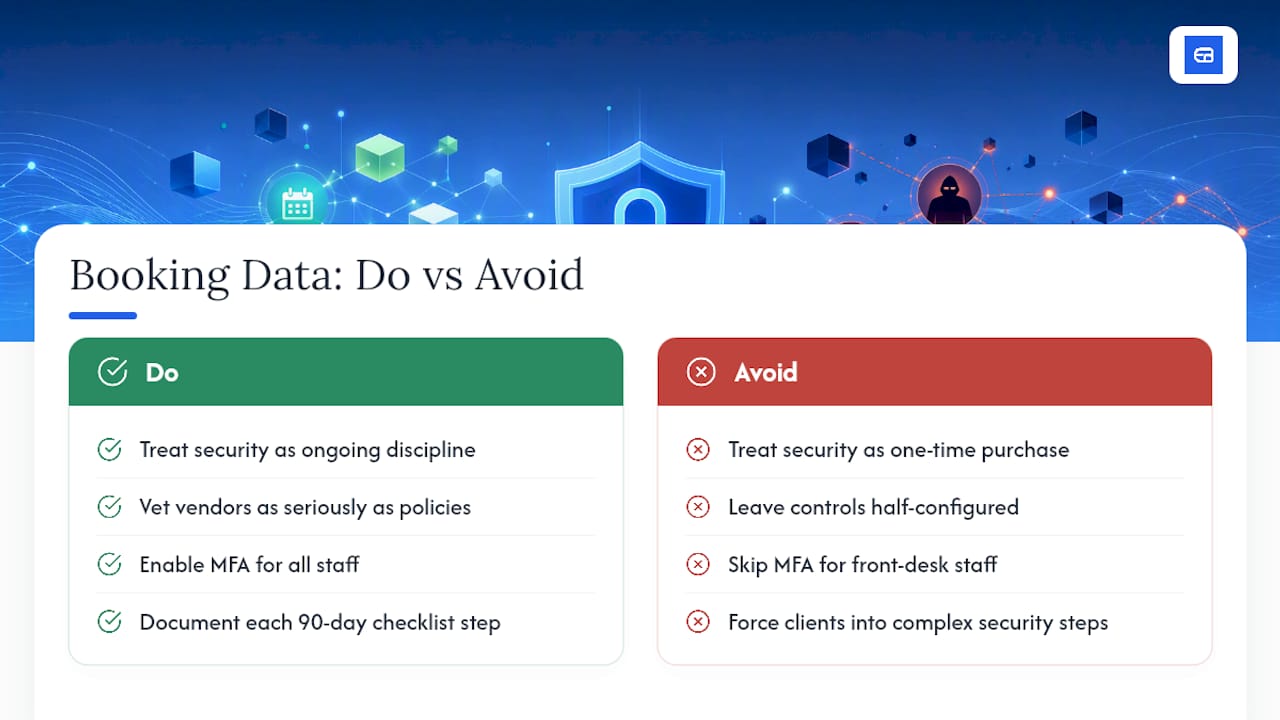
The most common mistake is not the absence of controls. It’s leaving controls half-configured, MFA enabled for owners but skipped for front-desk staff, encryption on the database but not on backups. Start the 90-day checklist, and write down what you did at each step. Documentation is what regulators and clients actually ask for later.
Security and convenience pull against each other constantly. A client shouldn’t need to solve three security questions to book a haircut, but that tension is exactly why the controls belong on your side of the system, invisible to the client and enforced by the platform.
— serge
A Practical Next Step for Protecting Client Booking Data
Executing every control in this article manually, across separate scheduling, payment, and accounting tools, is where most small businesses lose the thread. ExpressBook was built around the opposite approach: one platform where bookings, payments, and client records sync automatically with QuickBooks and Xero, so there’s no manual export step creating a security gap in the first place.
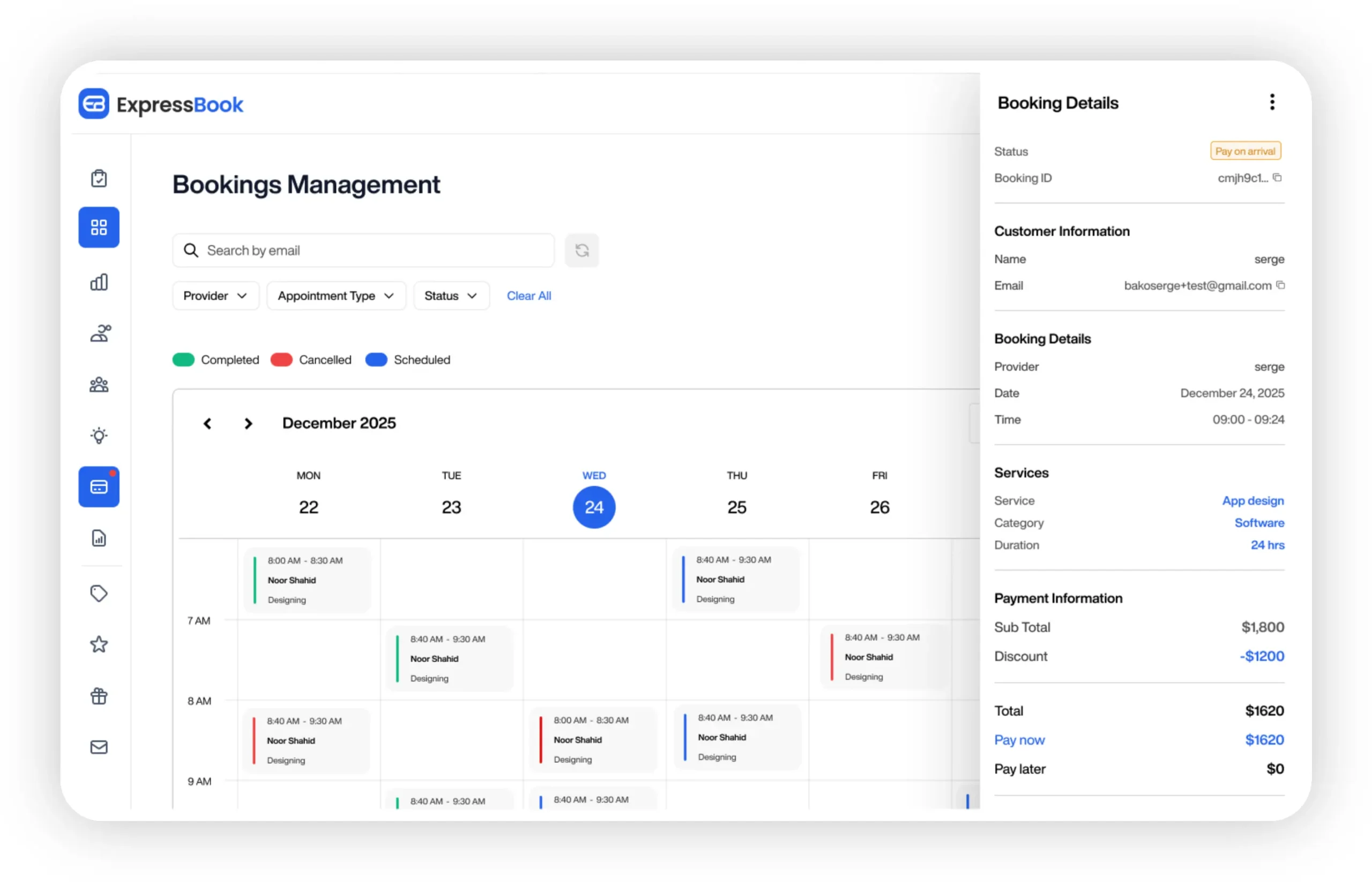
That same consolidation gives you centralized role-based permissions, a single audit trail instead of three fragmented ones, a dedicated mobile app for staff and admins, and a voice agent that lets visually impaired clients book appointments and get answers without relying on unsecured phone calls or email. ExpressBook offers up to 3 months of free trial, giving you room to run the 90-day security checklist while testing the platform against your own operations. If you’re still comparing options, the guide to choosing scheduling software walks through the feature and security tradeoffs worth weighing. Start your free trial on the ExpressBook homepage and see how many manual handoffs disappear in the first week.
Sources
- How to Secure Appointment Scheduling Data: Best Practices and Compliance
- HHS privacy summary (HIPAA guidance)
- Industry insight: integration reduces vulnerability
- Statista: Biggest online data breaches worldwide