Send a short, personalized thank-you with a clear next step within 24 hours of every appointment, then let an automated, segmented cadence carry the relationship forward until the client rebooks, responds, or opts out.
That first message should include:
- A specific thank-you referencing the actual visit (not generic filler)
- A one-sentence recap of what happened or what’s next
- A clear call to action: rebook, complete a form, or read aftercare instructions
If your scheduling platform can trigger this automatically the moment an appointment is marked complete, enroll every client by default and let exceptions opt out.
Key Takeaways
Effective post-appointment follow-up combines fast, personalized first contact with an automated, segmented cadence that pauses on reply and adapts by channel.
| Point | Details |
|---|---|
| Send within 24 hours | A personalized thank-you with a recap and next step performs better than a delayed, generic message. |
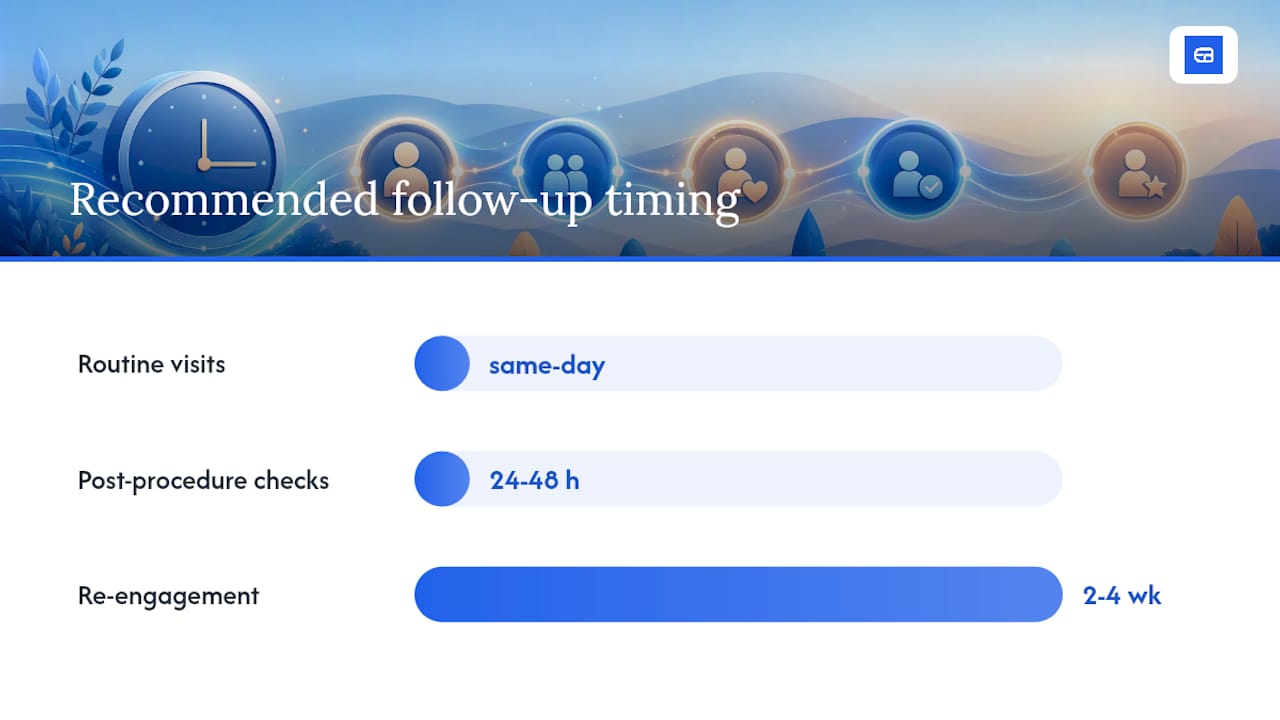
| Match timing to scenario | Use same-day contact for routine visits, 24 to 48 hours for post-procedure checks, and 2 to 4 weeks for re-engagement. |
| Pick the right channel | Reserve SMS for brief logistics, portals for clinical detail, and phone calls for sensitive or urgent cases. |
| Automate with pause-on-reply | Trigger sequences on appointment completion and stop them the moment a client responds or rebooks. |
| Track six core metrics | Monitor open rate, response rate, rebook rate, and no-show reduction to spot a failing sequence early. |
| ExpressBook automates the workflow | ExpressBook syncs multi-channel follow-up sequences, a mobile app, and a voice agent with QuickBooks and Xero. |
Table of Contents
- Why Post Appointment Follow Up Matters for Service Businesses
- When Should You Send the First Follow-Up?
- Which Channel Should You Use for Each Follow-Up?
- What Should a Post Appointment Follow-Up Message Say?
- How Do You Automate and Segment Follow-Ups?
- How Should You Handle No-Shows and Collect Feedback?
- What Metrics Should You Track for Follow-Up Programs?
- What Privacy Rules Apply to Post-Appointment Messages?
- How Does ExpressBook Handle Post Appointment Follow Up?
- Get Started With Automated Follow-Up Today
- Frequently Asked Questions
- Sources
Why Post Appointment Follow Up Matters for Service Businesses
Clients forget instructions within hours of leaving your office. A structured follow-up closes that gap, and the payoff shows up in three places: fewer no-shows at the next visit, higher satisfaction scores, and more rebookings without a staff member picking up the phone. Clinical literature indexed on PubMed shows that reminders and follow-up messages, including SMS, can improve appointment attendance and adherence, though the effect size depends heavily on your setting and population. For a healthcare practice or a client-facing service business, that’s the difference between a full calendar and a string of empty slots you have to backfill manually. Want the full source list? Check the further reading section near the end.
When Should You Send the First Follow-Up?
Timing decides whether your message gets read or deleted. A follow-up sent too late feels like an afterthought; one sent too early can feel robotic.
- Same day: A quick thank-you and recap, ideal for routine visits and consultations.
- 24 to 48 hours: Check-ins after procedures, minor surgeries, or anything requiring aftercare monitoring.
- 3 to 7 days: Feedback requests, review asks, and rebooking nudges for clients without a standing appointment.
- 2 to 4 weeks: Re-engagement messages for clients who haven’t returned and don’t have anything scheduled.
Practical programs tend to favor a same-day or next-morning first touch, then a scheduled 2 to 3 message cadence rather than a single blast. This makes automation and measurement far simpler than sending ad hoc messages whenever staff remember. Timing of follow-up appointments directly affects access and outcomes, so a delayed sequence isn’t just a marketing miss. It can mean a client falls through the cracks entirely. Pause any sequence the moment a client rebooks, replies, or asks not to be contacted again.
Which Channel Should You Use for Each Follow-Up?
Email, SMS, phone, and patient portals each solve a different problem, and picking the wrong one undermines the message before the client even opens it.
- Email handles detail well. Attach aftercare PDFs, links, or itemized recaps that a text message can’t hold.
- SMS gets opened fast and works best for short logistics: “Your appointment went well. Tap here to rebook.”
- Phone calls fit sensitive or complex situations, like a concerning test result or a missed appointment that needs a real conversation.
- Patient portals are the right home for clinical details, lab results, or anything that shouldn’t travel over unencrypted text.
Match the channel to the scenario: a routine reminder can go by SMS, a post-procedure check-in probably needs a portal message or a call, and a no-show recovery often works best as a quick text followed by a call if there’s no response.
Pro Tip: Build in an accessible fallback. A voice agent that lets visually impaired clients book, ask questions, or confirm appointments closes a gap most automated sequences quietly ignore.
What Should a Post Appointment Follow-Up Message Say?
Every message, regardless of channel, needs four things: personalization, a recap of the visit, a clear next step, and a way to reach you. Skip the recap and the client wonders why you’re texting them. Skip the next step and you’ve sent a nice message that does nothing for your calendar.
Four templates cover most scenarios:
-
Thank-you and next steps (routine visit). Subject line: “Great seeing you today, [Name].” Body: “Thanks for coming in for your [service/appointment type] today. Your next recommended visit is in [timeframe] — tap here to grab a spot before it fills up.”
-
Post-procedure check-in. Subject line: “How are you feeling after your visit?” Body: “It’s been [X hours/days] since your [procedure]. If you’re experiencing [specific symptom], call us at [number]. Otherwise, here’s a link to your aftercare instructions.”
-
Missed appointment recovery. Subject line: “We missed you today.” Body: “We noticed you weren’t able to make your [date] appointment. No worries, life happens. Here’s a link to grab a new time that works better.”
-
Review request. Subject line: “Got 60 seconds for us?” Body: “We’d love to hear how your visit went. If you have a moment, a quick review helps other clients find us: [link].”
Keep subject lines short, specific, and free of generic phrases like “Checking in.” Personalization fields (name, service type, provider name) consistently outperform blank templates.
How Do You Automate and Segment Follow-Ups?
Manual follow-up doesn’t scale past a handful of clients a week. Automation does the sending; segmentation makes sure the right message reaches the right person.
Common triggers include appointment completion, the specific service or procedure type, a cancellation or no-show, and a treatment that was recommended but not booked.
Segment recipients by:
- New versus returning clients (a new client’s first follow-up should introduce your practice, not just push a rebooking).
- Risk or urgency level, so higher-priority cases get a phone call instead of an automated text.
- Treatment type, since a dental cleaning and a cosmetic procedure need entirely different aftercare content.
- No-show status, geography, or language preference where relevant.
For the sequence pattern itself, keep it simple: a single touch for low-stakes routine visits, a multi-touch sequence (thank-you, then check-in, then rebooking nudge) for anything higher-value. Every sequence should pause automatically the moment a client replies, and any unanswered high-priority case should escalate to a phone call rather than a fourth automated text. Standardized templates paired with pause-on-reply automation keep the experience consistent without becoming annoying.
How Should You Handle No-Shows and Collect Feedback?
A missed appointment needs a different playbook than a completed one.
- Reach out the same day, acknowledge the miss without guilt-tripping, and ask (briefly) what happened.
- Offer a direct rebooking link in that same message.
- If your practice charges a no-show fee, mention the policy gently, not as a threat.
- Stop after two to three attempts if there’s no response. Continued messaging past that point reads as pestering, not persistence.
For feedback, a three-question survey sent 24 to 48 hours after a visit gets the best response: “How was your experience?”, “Did we address what you came in for?”, and “What’s one thing we could improve?” AHRQ’s follow-up guidance includes practical scripts and safety checklists worth adapting for your own no-show and survey scripts.
What Metrics Should You Track for Follow-Up Programs?
Track open rate, click rate, response rate, rebook rate, no-show reduction, and survey completion rate. These six numbers tell you whether your follow-up program is working or just generating noise.
- Open rates below 20% on email usually point to a subject-line problem or a bad send window.
- Response rates under 5% on SMS suggest your message is too long or lacks a clear ask.
- Rebook rate is the metric that matters most financially. If it’s flat despite decent open rates, your call to action is probably buried or unclear.
Reminder and follow-up literature indexed on PubMed links structured contact with improved attendance, which gives you a reasonable benchmark to aim above rather than a fixed number to hit exactly. When a metric lags, test send timing first, then channel, then segmentation, before rewriting the message itself.
What Privacy Rules Apply to Post-Appointment Messages?
Text messages can fall under HIPAA depending on content and safeguards, so treat every clinical detail as a portal-only conversation.
- Get documented consent before sending appointment texts, even for logistics.
- Keep SMS to brief, non-clinical content: confirmations, rebooking links, and general check-ins.
- Route lab results, diagnoses, and treatment details through a secure patient portal, never plain text.
HHS guidance is explicit that regulation depends on context, not the channel alone, so err on the side of caution.
Pro Tip: Default to the portal for anything clinical, and save SMS for the logistics nobody would mind seeing on a lock screen.
How Does ExpressBook Handle Post Appointment Follow Up?
Scheduling platforms that automate this well share a few traits: multi-channel delivery, pause-on-reply logic, and accessibility built in rather than bolted on. ExpressBook’s automated reminder system covers each piece of the workflow described above.
- Automated sequences trigger the moment an appointment is marked complete, with rules for procedure type and no-show status.
- Messages can go out by email or SMS, with sequences pausing automatically once a client replies.
- A dedicated mobile app lets staff monitor and adjust sequences from the front desk or on the go.
- A voice agent lets visually impaired clients book, ask questions, and get answers without needing a screen.
- Bookings and payments sync automatically with QuickBooks and Xero, so follow-up data doesn’t live in a separate silo from your books.
Businesses using structured, automated follow-up sequences commonly report saving significant admin hours each week that used to go into manual outreach and chasing rebookings by phone.
A practical starting point
If you’re building your first sequence, start with a single automated thank-you and rebooking message triggered right after appointment completion. Everything else, segmentation, multi-touch cadences, survey triggers, can layer on once that one sequence is running reliably.
Get Started With Automated Follow-Up Today
Building these sequences by hand in a spreadsheet works for a week, then falls apart the moment your calendar fills up. ExpressBook automates the entire post-appointment workflow: thank-you messages, review requests, no-show recovery, and rebooking nudges, all triggered directly from your appointment data, with sequences that pause the moment a client responds.
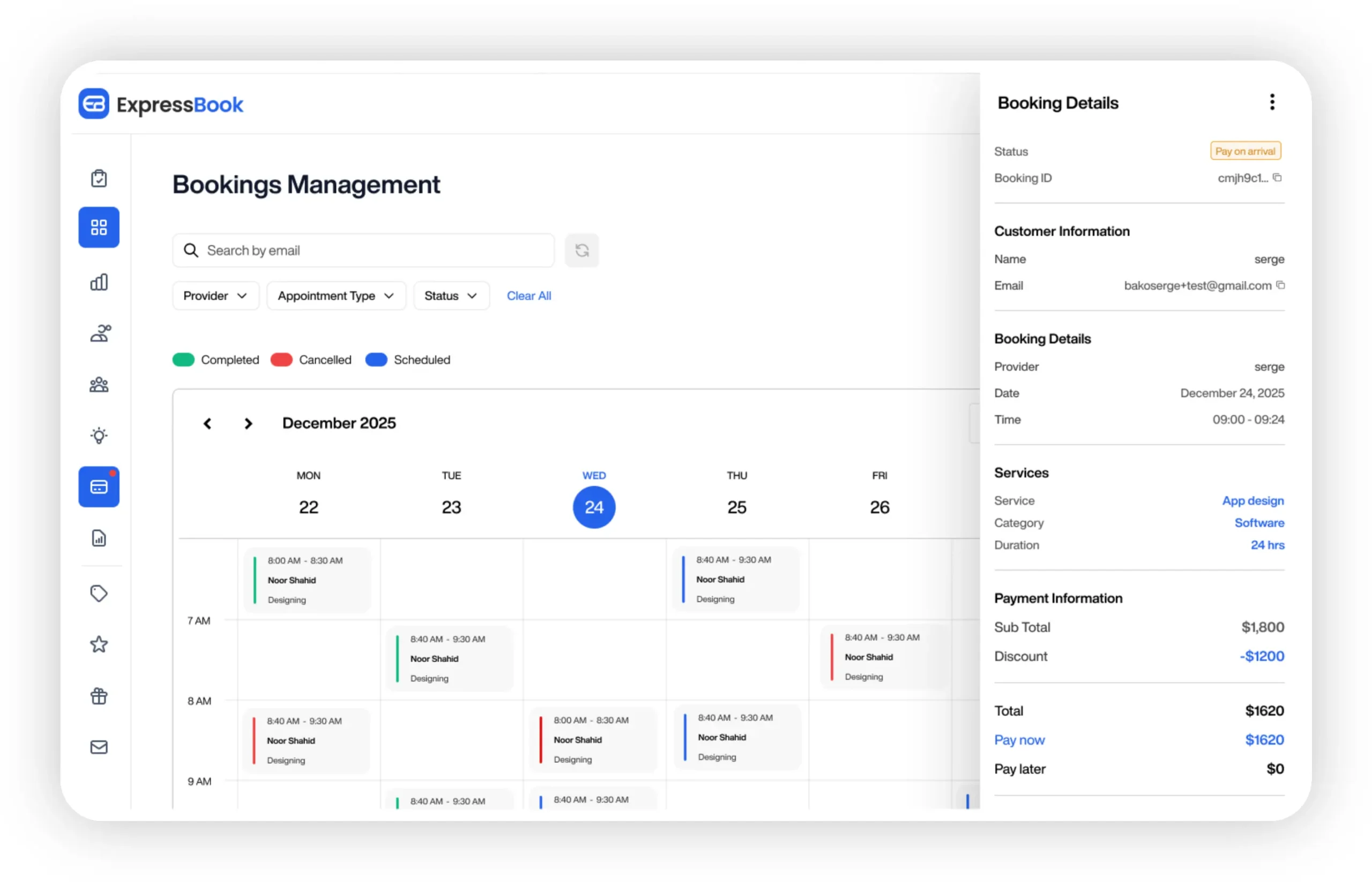
The mobile app keeps your front desk in control from anywhere, the voice agent makes booking and follow-up accessible to visually impaired clients, and every payment syncs automatically with QuickBooks and Xero so your books stay current without extra data entry. ExpressBook offers up to three months free for businesses that want to test the full workflow before committing. Start your trial at Expressbook or browse scheduling software options built for follow-up automation to see which plan fits your practice.
Frequently Asked Questions
What is the best time to send a post appointment follow up message?
Same day or the next morning works best for routine visits. Post-procedure check-ins usually land better at 24 to 48 hours, giving symptoms time to appear.
What should you say after an appointment?
Thank the client by name, recap what happened in one sentence, and give a clear next step, whether that’s rebooking, aftercare instructions, or a review request.
How do you ask for a review without sounding pushy?
Send the request 3 to 7 days after the visit, keep it to one sentence, and make the link the easiest part of the message to find.
Is SMS follow-up HIPAA compliant?
It depends on content and safeguards, not the channel itself. Keep clinical details in a secure portal and use SMS for brief logistics only, after documented consent.
How many follow-up attempts should you make after a no-show?
Two to three is a reasonable ceiling. Beyond that, continued outreach tends to annoy rather than re-engage the client.
Sources
- Follow Up with Patients: Tool 6
- The Relationship Between Follow-up Appointments and Access to Primary Care (PMC)
- PubMed article (ID 34466768) on reminders and follow-up effectiveness