
Use automated recurring billing tied to your class scheduler and accounting system to secure predictable revenue and reduce admin time. That’s the short answer to membership billing for classes: it works best when payment collection, booking access, and bookkeeping run on one connected system instead of three disconnected tools.
Done right, this setup delivers three things fast. Cash flow becomes predictable because renewals happen automatically on a fixed cadence. Admin hours drop because nobody is manually chasing invoices or updating spreadsheets. Access control gets fairer because members who fall behind on payment lose booking rights automatically, not after a staff member notices weeks later.
Before choosing a system, check it against this short list:
- Supports daily, weekly, monthly, and annual billing cadences
- Stores a card on file for automatic renewal without re-entry
- Includes dunning and retry logic for failed charges
- Locks class bookings when a membership lapses or payment fails
- Syncs transactions to accounting software without manual re-entry
Key Takeaways
Automated recurring billing tied to booking gating and accounting sync is the single highest-leverage change a class administrator can make to protect revenue and cut admin hours.
| Point | Details |
|---|---|
| Automate the full loop | Connect billing, booking access, and accounting sync so no step requires manual re-entry. |
| Match plans to usage | Offer drop-in, limited-pass, and unlimited tiers so casual and heavy users both convert. |
| Gate access on payment status | Lock bookings automatically when a charge fails, rather than relying on staff to notice. |
| Give failed payments a grace period | Retry over about a week before suspending access, since most declines resolve on their own. |
| Expressbook connects billing to bookkeeping | ExpressBook syncs payments and bookings with QuickBooks and Xero and offers up to a 3-month free trial to test gating and reconciliation. |
Table of Contents
- Core Features to Require From a Class Membership Billing System
- Which Billing Model Fits Your Class Mix?
- Which Payment Integrations Actually Matter?
- How Do You Set Up or Migrate Membership Billing?
- How Should You Handle Failed Payments and Churn?
- How ExpressBook Puts This Into Practice
- What Actually Matters Most in Membership Billing?
- Get Membership Billing and Booking Working Together
- Frequently Asked Questions
- Sources
Core Features to Require From a Class Membership Billing System
Most billing headaches trace back to a system that was never built for recurring class fees. Before signing a contract, confirm the platform handles these five areas.
- Recurring cadence and prorations. The system should support daily, weekly, monthly, or annual billing, and it should prorate mid-cycle upgrades automatically rather than forcing you to calculate partial charges by hand. Look for native trial periods and introductory pricing, since most processors now build these in as standard subscription features.
- Tiered memberships and payment plans. A studio running beginner, intermediate, and unlimited tiers needs a system that can bill each tier differently and let members split larger fees into installments.
- Access control tied to payment status. This is the feature most administrators underestimate. When a membership lapses, the booking calendar should lock automatically, not rely on a staff member remembering to intervene.
- Payment methods and tokenization. Card-on-file billing requires PCI-compliant tokenization, meaning the platform stores a secure token instead of raw card numbers, which keeps you out of direct PCI DSS scope for storage.
- Dunning, reporting, and audit-ready exports. You need retry logic for failed charges and clean, exportable reports for reconciliation.
Pro Tip: Ask any vendor demo to show you a locked booking screen for a lapsed member in real time. If they can’t show it live, the “access control” feature is probably just a manual flag someone has to check.
Which Billing Model Fits Your Class Mix?
Per-class drop-in pricing works when your audience is irregular: workshop attendees, tourists, or people testing a new studio before committing. Membership pricing wins once someone attends twice a month or more, because a flat recurring fee removes the friction of a purchase decision at every single class.
Limited passes (four or eight classes a month) sit in the middle and suit members who want structure without an unlimited commitment. Unlimited plans work best for your most engaged segment. Studios that offer month-to-month billing alongside the option to switch tiers or cancel with notice tend to see fewer outright cancellations, since members downgrade instead of leaving entirely.
Trials, founding-member rates, and payment plans all reduce the friction of that first commitment:
- Drop-in: classes are typically priced within a moderate range per class, with no commitment
- Limited pass: pricing for limited class passes generally falls within a moderate monthly range for multiple classes
- Unlimited: unlimited membership plans typically have a monthly fee in a medium price range with auto-renewal
- Founding rate: early sign-ups may receive discounted unlimited tier pricing locked in for an introductory period
Aligning plan design to actual usage patterns matters more than most administrators assume. A payments platform with subscription analytics can turn billing from a cost center into a small profit center simply by improving which charges succeed the first time.
Which Payment Integrations Actually Matter?
The integrations you configure on day one determine whether reconciliation takes ten minutes a month or ten hours.
Stored payment methods and tokenization sit at the center of any recurring billing setup. Stripe’s subscription documentation, for example, walks through capturing consent and storing payment details so a system can charge members on schedule without asking them to re-enter a card every cycle. That consent capture also matters for compliance, since silent recurring charges without clear disclosure invite chargebacks and complaints.
Your system also needs to listen for specific payment events, not just process a single charge:
- Charge succeeded — triggers the receipt and confirms continued access
- Invoice payment failed — triggers the dunning sequence and, after a defined grace period, booking suspension
- Subscription canceled — removes future billing and downgrades access on the agreed date
- Card expiring soon — triggers a proactive update request before the renewal date
Booking and accounting integration close the loop by leveraging specialized scheduler tools like those at SquawkFree, which optimize maintenance and training scheduling for class operations. Your scheduler needs to check membership status before confirming a reservation, and every transaction needs to land in QuickBooks or Xero without a staff member re-typing it.
Pro Tip: Test your webhook for “invoice failed” by intentionally using a test card that declines. If the booking calendar doesn’t lock within a few minutes, your gating logic isn’t actually connected to your billing events.
How Do You Set Up or Migrate Membership Billing?
Launching a new system, or migrating off a spreadsheet-and-invoice process, goes smoother with a fixed sequence rather than improvising as issues surface.
- Define your tiers and access rules first. Decide which plans exist, what each includes, and what happens the moment a payment fails.
- Choose your billing cadence and proration rules. Lock in whether renewals happen on a fixed monthly date or on each member’s join-date anniversary, since different subscription models handle this differently and switching later is disruptive.
- Set up your payment processor in sandbox mode. Run test card-on-file transactions before touching a single real member’s data.
- Connect membership status to booking permissions. Test this by simulating a failed payment and confirming the booking screen actually locks.
- Configure dunning messages and grace periods. Write the actual email and text copy now, not during a real billing failure.
- Test your accounting export. Push a handful of test transactions through to QuickBooks or Xero and confirm the fields map correctly.
- Run one parallel billing cycle alongside your old system before fully switching over.
Pro Tip: Migrate one membership tier at a time instead of all tiers at once. If something breaks, you’ll know exactly which pricing structure caused it.
How Should You Handle Failed Payments and Churn?
Most churn isn’t a member deciding to quit. It’s an expired card nobody updated. Retry logic and account-updater tools materially reduce this involuntary churn when paired with clear communication.
A workable retry cadence looks like this: attempt again after 24 hours, then again at day 3, then a final attempt at day 7. Suspend booking rights only after that final attempt fails, giving members a real window to fix a card issue before losing access.
- Day 0: pre-charge reminder sent a few days before renewal
- Day 1 (first failure): friendly failure notice with a one-click update link
- Day 3 (second failure): firmer reminder noting the grace period
- Day 7 (final failure): last-chance notice; access suspends if unresolved
Account-updater services, which quietly refresh expired card details with the issuing bank, recover a meaningful share of these failures without any member action. For members who genuinely can’t pay right now, offer a pause option or a temporary drop-in conversion instead of an outright cancellation. A practical retry playbook can help you build this sequence without starting from scratch.
Pro Tip: Never suspend access on the first failed attempt. Card declines from expired dates or bank fraud flags are common and usually resolve within a week without any real risk to your revenue.

How Should You Record Membership Revenue for Reconciliation?
Membership fees are typically deferred revenue at the moment of charge and earned revenue as classes are delivered across the billing period, not booked entirely on the charge date. Getting this wrong distorts your monthly financials even when cash flow looks fine.
Your export to QuickBooks or Xero should include:
- Member ID and invoice ID for every transaction
- Payment method and processor transaction fee
- Product or service coding by membership tier
- Net revenue after processor fees, tracked separately from gross charges
Loop in an accountant when sales tax applies to memberships in your state, or when nonprofit tagging affects how dues get categorized.
How ExpressBook Puts This Into Practice
ExpressBook was built around the exact workflow this article describes: recurring billing, booking gating, and clean accounting sync in one connected system rather than three separate tools glued together with manual exports.
- Bookings, payments, and client data sync automatically with QuickBooks and Xero, eliminating the manual re-entry that causes most end-of-month reconciliation errors
- Real-time availability management locks class bookings the moment a membership payment fails, so access control isn’t a manual task
- Card-on-file billing, automated retry logic, a dedicated mobile app for admins and members, and a voice agent that lets visually impaired members book classes or ask account questions without navigating a screen
- A free trial of up to three months lets administrators test billing cadence, gating rules, and accounting exports before committing
The gap between a billing system that merely charges cards and one that actually protects revenue comes down to whether it can lock a booking calendar and sync a ledger without a human touching either step.
What Actually Matters Most in Membership Billing?
The conventional advice on this topic spends too much time on pricing psychology, founding rates, tiered discounts, and not enough on the plumbing underneath it. Pricing strategy matters, but it’s the easy part. The hard part, and the part that actually protects revenue, is whether your booking calendar and your billing system agree with each other in real time.
Most studios that lose money on memberships aren’t losing it to bad pricing. They’re losing it to a member who kept booking classes for six weeks after their card expired, because nobody connected access control to payment status. That’s not a pricing failure. It’s an automation failure.
If you take one thing from this article, prioritize the gating logic before you obsess over the perfect tier structure. A mediocre pricing model with airtight automated billing will outperform a brilliant pricing model running on manual invoices and hope, every single time.
Get Membership Billing and Booking Working Together
Expressbook is the alternative to juggling a payment processor, a separate booking calendar, and a spreadsheet at month end. Instead of reconciling three systems by hand, you get one platform where a member’s payment status directly controls whether they can book a class, and every transaction lands in QuickBooks or Xero automatically.
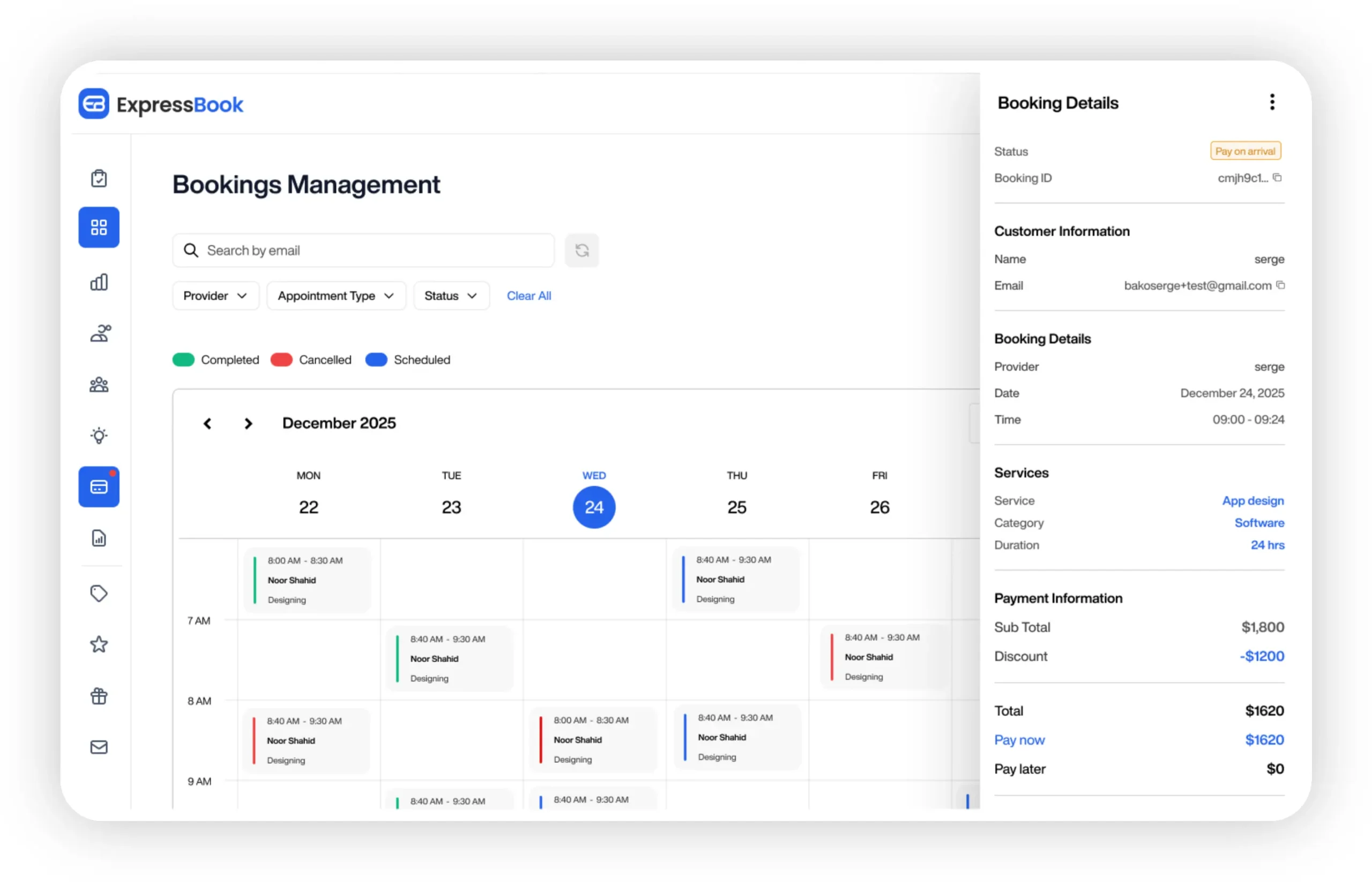
That matters most for administrators who’ve been burned by a member attending classes for weeks on an expired card, or by an end-of-month reconciliation that takes an entire afternoon. ExpressBook’s real-time availability management, card-on-file billing, and automated accounting sync close that gap directly, and its voice agent and dedicated mobile app extend booking access to members who need it. You can test the full workflow, gating rules included, with ExpressBook’s free trial of up to three months before touching a single real billing cycle.
Frequently Asked Questions
What is the best way to set up recurring billing for a class membership?
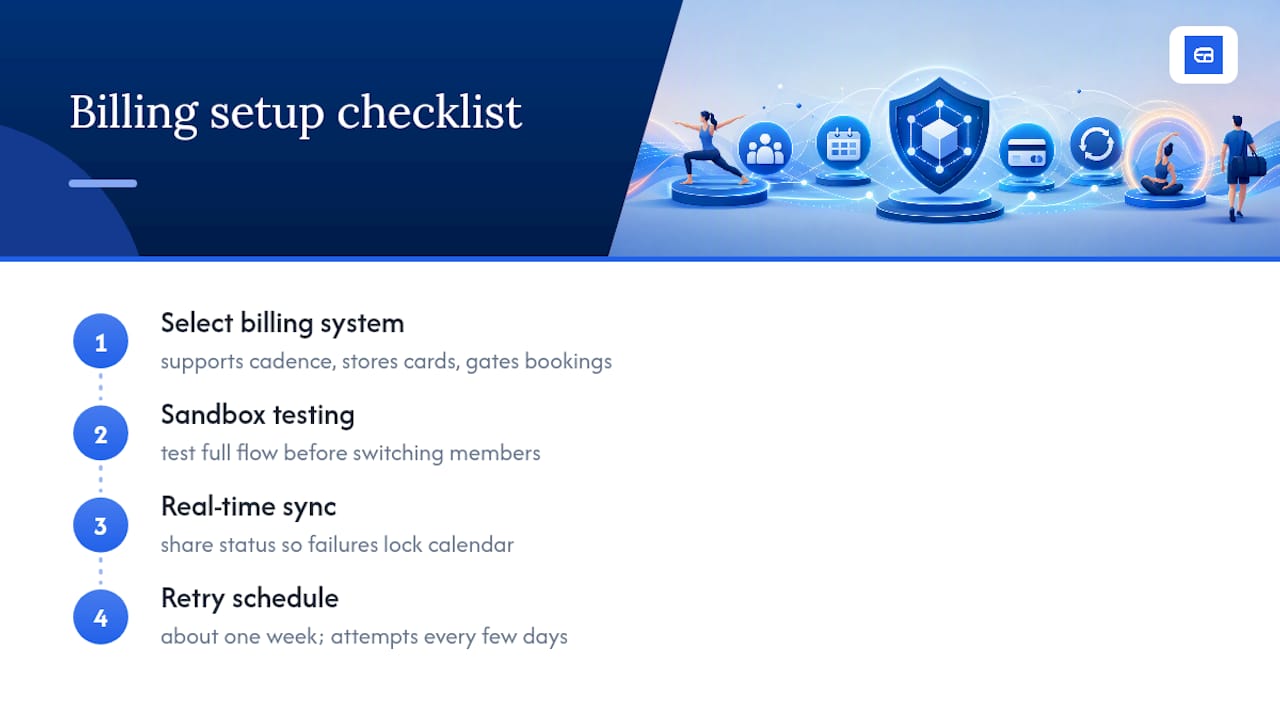
Choose a system that supports your billing cadence, whether monthly or annual, stores payment methods securely, and gates class bookings automatically when a payment fails. Test the entire flow in a sandbox before switching real members over.
How do I stop members from booking classes after a payment fails?
Your booking system and billing system need to share status in real time, so a failed charge event immediately locks the calendar for that member rather than waiting for staff to notice.
Should I offer both limited passes and unlimited memberships?
Yes. Casual attendees convert better on limited passes, while your most engaged members are usually better served, and more profitable, on unlimited plans.
How long should I retry a failed payment before cutting off access?
A retry window of about a week, with attempts spaced a few days apart, recovers most declines caused by expired cards or temporary bank issues without triggering unnecessary cancellations.
Sources
- Recurring Payments | Offer Subscriptions | PayPal US
- Build a subscriptions integration | Stripe Docs
- Checkout