
A prioritized, auditable month end close checklist paired with an editable Excel template lets finance teams close their books accurately and finish faster, month after month. Five tasks decide whether a close finishes on time: lock all transaction inputs, reconcile bank and credit card accounts, post every recurring accrual, finalize subledgers into a clean trial balance, and secure sign-offs before the packet ships.
Here is the one-page version you can act on today, before you read another word:
- Lock inputs — cut off AP/AR entry and confirm all subledger feeds by end of workday 0.
- Reconcile cash — bank and credit card accounts reconciled by Day 1, 10:00 AM, owner: staff accountant.
- Post accruals — recurring and one-off accruals booked by Day 1 end of day, owner: senior accountant.
- Finalize subledgers — AR, AP, payroll, and fixed assets closed and tied to the GL by Day 2.
- Sign off and package — controller review and CFO approval by Day 5, with evidence attached to every line.
The full breakdown below covers the phase-by-phase checklist, reconciliation order, journal entry templates, a workday 0 to 5 close calendar, role assignments, and a downloadable Excel structure you can adapt this month. The AICPA’s month-end best practices make the same point in more formal language: standardized checklists, clear ownership, and reviewer sign-offs are what separate a controlled close from a scramble.
Key Takeaways
An accurate, faster month-end close depends on locking inputs early, reconciling cash first, templating recurring entries, and requiring evidence before any task counts as done.
| Point | Details |
|---|---|
| Lock inputs before reconciling | Confirm subledger feeds and enforce a hard transaction cutoff on workday 0. |
| Reconcile cash accounts first | Bank and credit card reconciliations should finish before AR, AP, or intercompany work. |
| Template recurring journal entries | Standardize depreciation, accruals, and reversals so posting takes minutes, not hours. |
| Require evidence for every task | No reconciliation or entry counts as complete without an attached supporting document. |
| Sync scheduling data automatically | ExpressBook syncs bookings and payments into QuickBooks and Xero to cut manual month-end entry for service businesses. |
Where to read more on close best practices
The AICPA’s month-end best practices cover checklist standardization and ownership in more depth than fits here. The IRS recordkeeping guidance explains exactly what documentation to retain for audit readiness. Keiter’s timeline breakdown offers a fuller workday-by-workday template, and Farseer’s guide to accelerating the close digs deeper into continuous accounting practices. Use these alongside your internal close binder as the reference set when drafting or revising your own close policy documentation.
Table of Contents
- Month End Close Checklist: Step-by-Step by Phase
- Which Accounts Need Reconciliation First?
- What Recurring Journal Entries Should You Template in Advance?
- Building a Close Calendar: Workday 0 Through 5
- Who Owns What During the Close?
- How to Build Your Excel Month-End Close Template
- How Does Automation Speed Up the Close?
- How Can Service Businesses Reduce Month-End Friction?
- Common Month-End Mistakes and How to Avoid Them
- Cut Month-End Work With ExpressBook’s Accounting Sync
- Frequently Asked Questions
- Sources
Month End Close Checklist: Step-by-Step by Phase
A financial closing checklist only works if it is organized by when work actually happens, not by account type. Break the month-end accounting tasks into four phases: pre-close, workday 0, reconciliation and posting, and final review. This mirrors the phase-based structure that Arvexi recommends for controllers managing multi-entity organizations, and it scales down cleanly for a single-entity service business.
Pre-close (3 to 5 days before month-end)
Most of the close should happen before the month even ends. Confirm subledger feeds are syncing correctly, chase down outstanding vendor invoices, review the fixed asset and prepaid schedules for anticipated additions, and pre-populate recurring journal entries with placeholder amounts. Run a pre-close trial balance to catch anomalies while there is still time to fix them, not after the books are locked.
Workday 0 (month-end day)
Communicate the hard cutoff to every department that feeds the close: sales, operations, and AP. Confirm that time-sensitive transactions (last invoices, last vendor bills, last payroll runs) are captured. Lock the period for new entries so nobody posts a stray transaction on day 3 that throws off a reconciliation you already finished.
Workday 1 to 3 (reconciliations and postings)
This is where the bulk of the month-end reconciliation steps happen: bank and credit card statements matched, AR aging reviewed for stale invoices, AP subledger tied to vendor statements, payroll liabilities reconciled to the payroll register, and intercompany balances matched between entities. Post accruals and recurring entries, then run an updated trial balance.
Workday 4 to 5 (review, approval, reporting)
The controller reviews every reconciliation and journal entry for completeness, checks materiality thresholds against variance explanations, and signs off. Once approved, the finance team builds the management reporting packet and distributes it.
| Task | Owner | Deadline | Evidence required |
|---|---|---|---|
| Confirm subledger feeds | Staff accountant | Day minus 3 | Feed status log |
| Lock transaction cutoff | Close lead | Workday 0 | Cutoff confirmation email |
| Bank and credit card reconciliation | Staff accountant | Workday 1, 10:00 AM | Bank statement match report |
| Post recurring and accrual JEs | Senior accountant | Workday 1, EOD | Accrual support schedule |
| AR/AP subledger tie-out | Staff accountant | Workday 2 | Aging report vs. GL |
| Intercompany matching | Senior accountant | Workday 2 to 3 | Intercompany matrix |
| Trial balance review | Controller | Workday 4 | Variance explanations |
| Final sign-off | Controller/CFO | Workday 5 | Signed close checklist |
Every task on this list needs a defined “done” state, not just a checked box. A reconciliation isn’t finished when the numbers happen to match; it’s finished when there’s a document attached explaining why they match. That evidence requirement is what Xenett’s checklist framework is built around, and it’s the difference between a checklist that prevents false closes and one that just creates the illusion of control.
Which Accounts Need Reconciliation First?
Not every account carries the same risk, so reconciliation order matters as much as reconciliation itself. Bank accounts come first, every time, because cash errors cascade into every other number on the balance sheet. From there, prioritize by materiality and transaction volume: credit cards, accounts receivable, accounts payable, payroll liabilities, intercompany balances, then inventory and fixed assets if those are material to the business. Deferred revenue and clearing accounts round out the list, and they deserve attention because they’re where errors tend to hide undetected for months.
For each account, the reconciliation process follows the same basic logic: pull the source document (bank statement, vendor statement, payroll register), match it line by line against the general ledger, flag anything unexplained, and attach the supporting document to the reconciliation file. That paper trail matters more than most teams realize. The IRS’s recordkeeping guidance is explicit that source documents supporting entries need to be retained and organized, not just filed away somewhere they can’t be found six months later during an audit.
Common reconciliation problems repeat themselves month after month if nobody fixes the root cause:
- Stale suspense items sitting unresolved for multiple periods because nobody owns clearing that account.
- Late vendor statements that arrive after the close, forcing a restatement or a rushed adjustment.
- Unapplied cash sitting in a holding account instead of matched to the invoice it actually paid.
- Intercompany mismatches caused by timing differences between entities posting in different periods.
BDO’s reconciliation guidance notes that some accounts, like certain low-value inventory categories, can be reconciled less frequently when the balances are immaterial. That’s a useful distinction: not every account needs the same intensity every month, but bank, AR, and payroll always do.
Pro Tip: Move your highest-risk reconciliations to a weekly cadence instead of a monthly one. When bank and intercompany accounts get checked every week, month-end becomes validation of numbers you already trust, not a scramble to reconstruct three weeks of activity in three days.
What Recurring Journal Entries Should You Template in Advance?
Most month-end journal entries are predictable, which means most of them can be templated and pre-populated before the close even starts. Depreciation, prepaid expense amortization, payroll accruals, rent, utility accruals, interest and loan accruals, and revenue deferrals or reversals all follow the same pattern month after month. Building a standard template for each one turns a repetitive task into a five-minute review instead of a from-scratch calculation.
A usable journal entry template includes the account, the amount, the calculation basis (a straight-line schedule, a percentage, a fixed monthly rate), the supporting file it links to, who prepared it, and who approved it. Every recurring entry should also carry its reversal logic clearly labeled, so nobody forgets to reverse a prior accrual and accidentally doubles an expense.
Before the entries post, run a quick check: does the amount tie back to its supporting schedule? Does the reversal from last month actually clear? Standardizing this process is one of the highest-leverage changes a close team can make, since templating recurring entries in advance is one of the most reliable ways to compress close time.
- Depreciation and amortization schedules updated and tied to fixed asset register.
- Payroll accrual calculated from timesheets or payroll run dates that straddle month-end.
- Rent and recurring vendor accruals matched to lease or contract terms.
- Revenue deferral and recognition entries checked against the service delivery schedule.
Building a Close Calendar: Workday 0 Through 5
A close calendar turns the checklist into a schedule with hard deadlines and escalation paths, and it’s the single easiest way to stop a close from drifting past its target date. Keiter’s workday model is a solid structure to build from: map each task to a specific workday, assign an owner, and set a time, not just a date.
| Workday | Primary goal | Key activities |
|---|---|---|
| Workday 0 | Cut off transactions | Communicate hard cutoff, confirm last invoices and payroll runs, lock the period |
| Workday 1 | Reconcile cash | Bank and credit card reconciliations, begin AR/AP tie-outs, post first-wave accruals |
| Workday 2 | Close subledgers | AR, AP, payroll subledgers finalized; intercompany matching begins |
| Workday 3 | Post remaining accruals | Complete accrual postings, run updated trial balance, resolve exceptions |
| Workday 4 | Review | Controller review of all reconciliations, variance analysis against materiality thresholds |
| Workday 5 | Sign off and report | Final approvals, management reporting packet prepared and distributed |
Turning this table into an actual close calendar means putting real dates on a shared calendar tool, not just a spreadsheet nobody opens. Each task needs a hard cutoff time, an automated reminder before it’s due, and a named escalation contact if the owner misses the deadline. Post-close, schedule a short retrospective: what took longer than planned, and what caused it?
Who Owns What During the Close?
A checklist without named owners is just a wish list. The most functional close teams use a simple role matrix: a close lead who owns the calendar and escalations, preparers who reconcile and post entries, reviewers who check the preparer’s work, a controller who approves the trial balance, and FP&A or the CFO who signs off on the final packet.

Approval rules should scale with size and risk. A $200 accrual doesn’t need CFO sign-off; a six-figure intercompany adjustment does. Setting tiered thresholds in advance stops small items from bottlenecking behind executive calendars while still keeping real oversight on the entries that matter.
Documentation and retention tie the whole process together. Every reconciliation and journal entry needs its supporting evidence attached, a change log if anything gets restated, and a period lock once the close is final so nobody can post into a closed period without an explicit reopening approval.
- Close lead: owns the calendar, tracks status, escalates late items.
- Preparer: completes reconciliations and drafts journal entries with support attached.
- Reviewer: checks preparer work against evidence before it moves to the controller.
- Controller: approves the trial balance and signs the close checklist.
- CFO/FP&A: final sign-off on material adjustments and the reporting packet.
How to Build Your Excel Month-End Close Template
An Excel or Google Sheets close template works best with eight columns: task, owner, due date and time, evidence link, status, reviewer, definition of done, and escalation path. That structure forces every task to answer the same question a reviewer will ask anyway: how do I know this is actually finished?
Set up status as a dropdown (Not Started, In Progress, Pending Review, Complete) rather than free text, so it’s easy to filter and easy to build a conditional formatting rule around. A simple formula comparing today’s date against the due date column can flag overdue tasks in red without needing an actual macro, though a basic macro works if your team wants automated alerts. Add a column for the evidence file path or link so nothing gets marked complete without something attached to back it up.
For audit purposes, export the completed template to PDF each month and file it in a dedicated close folder alongside the supporting documents it references. Copy the blank template into a new folder at the start of each period so this month’s close doesn’t overwrite last month’s evidence trail.
- Columns: task, owner, due date/time, evidence link, status, reviewer, definition of done, escalation path.
- Use dropdown validation for status fields instead of free-text entry.
- Apply conditional formatting to flag overdue tasks automatically.
- Export to PDF monthly and archive in a dated close folder for audit readiness.
How Does Automation Speed Up the Close?
Automation pays off fastest in the tasks that are repetitive, rule-based, and currently done by hand. Bank feed imports, automated reconciliations, recurring journal entry templates, intercompany matching, and approval workflows are the five places most teams see the biggest time savings first. Dashboarding that pulls close status in real time also cuts down the “where are we” meetings that eat into actual close work.
Start with a pilot on a single module rather than automating everything at once. Pick the reconciliation that causes the most pain (usually bank or intercompany), automate it, and measure the actual impact on close duration and first-pass approval rate before expanding further. Keep control owners involved in the pilot; automation that removes human review entirely tends to create new problems even as it solves old ones.
Tool categories worth researching include close management platforms like FloQast, HR and payroll platforms with financial automation features like Rippling, and enterprise-grade reconciliation and cash application engines like HighRadius. Each targets a different point in the close: FloQast focuses on checklist and reconciliation workflow, Rippling connects payroll data into broader financial operations, and HighRadius specializes in receivables and cash automation for larger organizations. Evaluate any of these against your actual close bottleneck, not against a generic feature list.
Pro Tip: Before evaluating any automation tool, benchmark your current close duration and your percentage of pre-close reconciliations. Without a baseline, you won’t be able to prove the tool actually helped.
- Automate bank feeds and reconciliation matching first; the ROI is usually immediate.
- Template and automate recurring JEs before tackling more complex workflow automation.
- Pilot one module, measure close duration and first-pass approval rate, then expand.
- Build an integration checklist covering GL, payroll, and payment systems before selecting a tool.
How Can Service Businesses Reduce Month-End Friction?
Appointment-driven businesses face a specific version of the month-end problem: payment data scattered across booking systems, cash registers, and card processors that don’t talk to the general ledger. Manual cash posting, mismatched client records, and missed syncs to accounting software turn what should be a routine reconciliation into hours of matching individual transactions by hand.

Scheduling platforms that sync directly with QuickBooks and Xero eliminate most of that manual work by pushing booking and payment data into the accounting system as transactions happen, not in a batch at month-end. That’s the specific gap ExpressBook’s accounting integrations are built to close for salons, gyms, wellness clinics, and similar service businesses juggling appointment volume alongside their books.
A few setup habits make the biggest difference: sync payment data daily rather than weekly, tag revenue by service type so the P&L reflects what’s actually driving income, and export shift-level reports for payroll accruals instead of reconstructing hours from memory. Businesses evaluating scheduling platforms for exactly this reason can compare options in ExpressBook’s guide for accountants and finance teams.
Pro Tip: Real-time availability and automated appointment reminders don’t just reduce no-shows. They cut down the last-minute rebooking and refund adjustments that otherwise show up as messy reconciling items in your cash account at month-end.
- Sync booking and payment data daily instead of batching it at period end.
- Tag revenue by service type for cleaner reporting and faster variance review.
- Export shift-level data for payroll accruals rather than reconstructing hours manually.
- Use automated reminders to cut last-minute cancellations that create reconciliation noise.
Common Month-End Mistakes and How to Avoid Them
The mistakes that derail a close are rarely exotic; they’re the same handful of errors repeating every month because nobody fixed the process. Relying on memory instead of documented evidence is the most common one: someone “just knows” an account balance is right, but there’s no attached support if a reviewer or auditor asks why.
Late cutoffs are the second recurring problem. If sales or AP can keep posting into a period after it’s supposed to be locked, every reconciliation done before that point becomes unreliable. Missing recurring accruals is a close cousin: without a standardized template and a checklist forcing a review of last month’s list, it’s easy to forget a quarterly accrual that only comes up occasionally.
Unclear approval chains cause the last major bottleneck. When nobody knows who’s supposed to sign off on what, entries either sit unapproved for days or get rubber-stamped without real review.
- Require evidence attached to every reconciliation before it can be marked complete.
- Enforce a hard transaction cutoff with a period lock, not just a verbal reminder.
- Maintain a master list of recurring accruals and check it against this month’s postings.
- Define approval thresholds in advance so items don’t stall waiting for the wrong signature.
What I’ve learned improving close processes
Prioritizing reconciliations earlier in the month, rather than treating them as a Day 1 sprint, is the single change that consistently shortens a close. Teams that move bank and intercompany reconciliations to a weekly cadence turn month-end into confirmation work instead of detective work.
A realistic improvement roadmap runs 30 to 90 days: the first month usually just gets evidence requirements and ownership assigned, the second month tightens the calendar and automates the easiest recurring entries, and by the third month, teams typically see close duration drop meaningfully as continuous accounting practices take hold. Track close duration, the percentage of reconciliations completed before month-end, and the number of post-close adjustments. Those three numbers tell you more about your close’s health than any single checklist ever will.
Cut Month-End Work With ExpressBook’s Accounting Sync
For appointment-driven businesses, the fastest fix for a messy close isn’t a bigger checklist. It’s removing the manual data entry that made the checklist necessary in the first place. ExpressBook syncs bookings, payments, and client data directly into QuickBooks and Xero as transactions happen, so reconciling revenue against the schedule stops being a multi-hour hunt through separate systems.
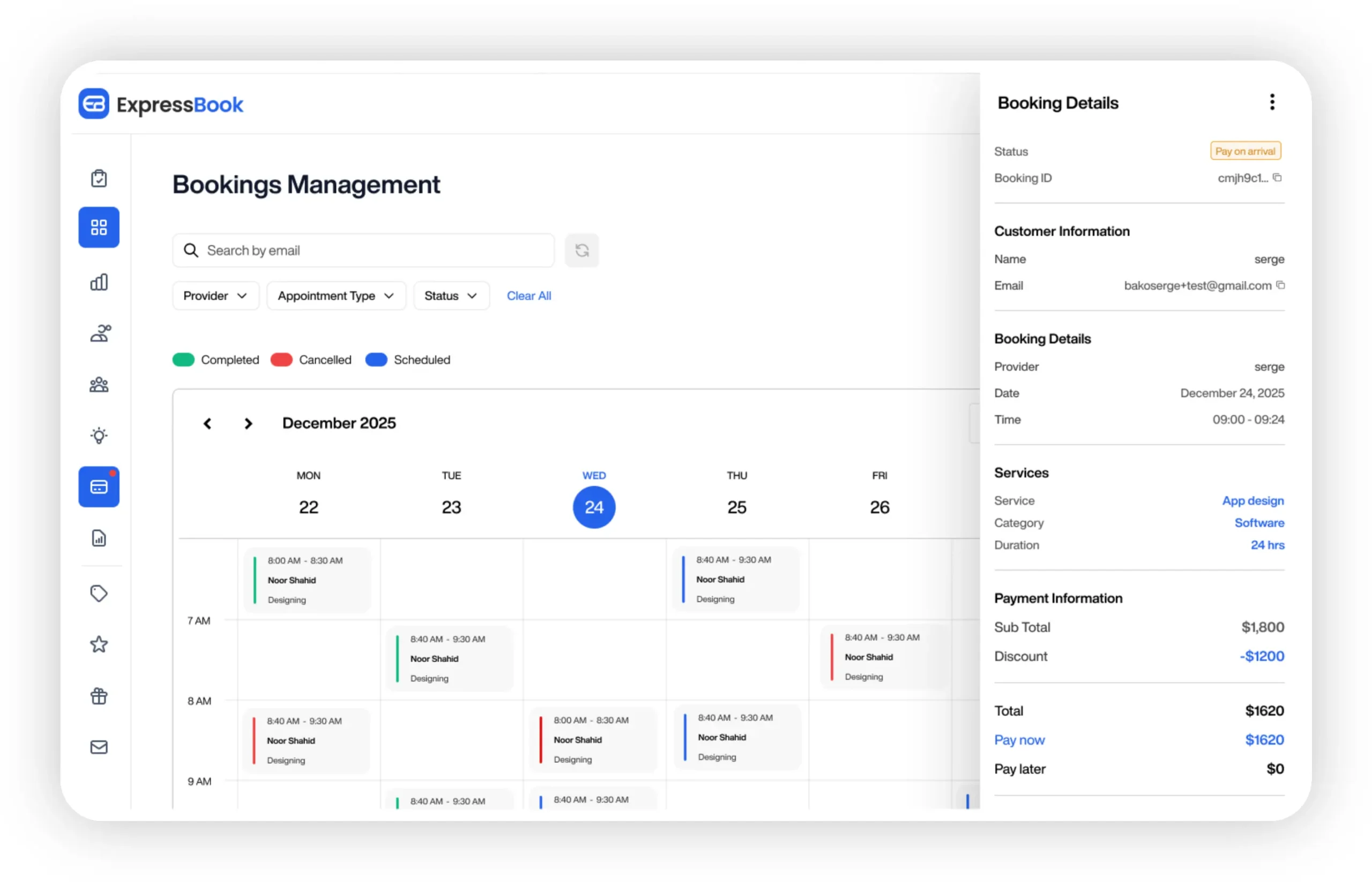
Three things specifically shrink month-end work: automatic payment syncing to your accounting platform, consolidated booking and payment reports that replace manual exports, and real-time availability that cuts down the cancellation and refund adjustments that clutter your cash reconciliation. ExpressBook also includes a mobile app for both staff and admins, plus a voice agent that lets visually impaired clients book appointments and get answers to business questions without needing a phone call your front desk has to log by hand.
New customers get up to three months free to test the full platform against their own close process before committing. If your team is tired of chasing down payment records across three different tools every month, start a free trial at ExpressBook and see what a synced close actually looks like.
Frequently Asked Questions
What is month-end close, exactly?
Month-end close is the process of reviewing, reconciling, and finalizing all financial transactions from the prior month so the company’s books accurately reflect its financial position before reporting to management, investors, or regulators.
How long should a month-end close take?
Mid-market companies commonly take six to eight business days to close, though teams that adopt continuous accounting and automation often compress that closer to one to two days over time.
What’s the difference between a month-end close checklist and a close calendar?
The checklist lists every task that needs to happen; the close calendar assigns each of those tasks to a specific workday, owner, and deadline, turning the list into an enforceable schedule.
Which accounts should I reconcile first during month-end close?
Bank and credit card accounts come first, followed by accounts receivable, accounts payable, payroll liabilities, and intercompany balances, with inventory and fixed assets prioritized based on materiality.
Can I build a month-end close checklist in Excel?
Yes. A functional template needs columns for task, owner, due date, evidence link, status, reviewer, and definition of done, with conditional formatting to flag overdue items automatically.
This article is general information, not a substitute for advice from a qualified financial advisor. Consult a qualified financial professional about your own circumstances before acting on anything here.
Sources
- Best practices for month-end close (AICPA)
- Recordkeeping (IRS)
- Month-End Close Process: Timeline & Checklist (Keiter CPA)
- Month End Close Checklist (Xenett)