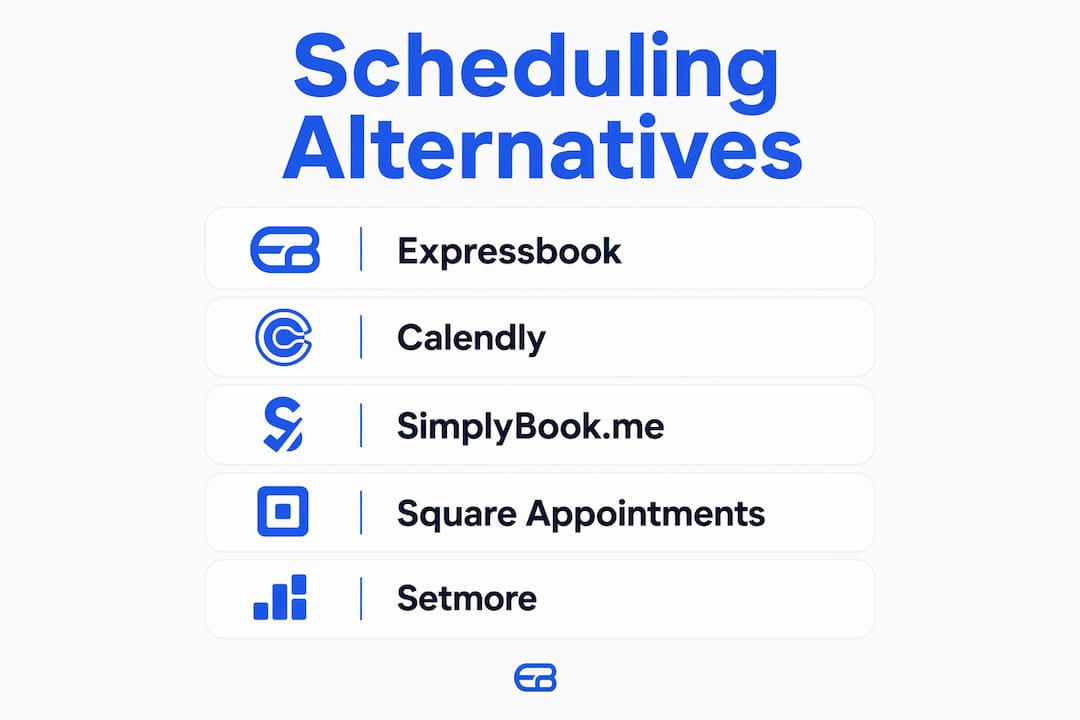
The strongest acuity scheduling alternatives for US service businesses in 2026 are Calendly, Setmore, SimplyBook.me, Square Appointments, YouCanBookMe, and Expressbook. Each platform targets a different operational need, so the right pick depends on your team size, payment workflow, and how much customization your booking page requires.
Here is a quick-reference breakdown of the top contenders:
- Calendly — Best for team-based scheduling and broad third-party integrations, including CRM and video conferencing tools.
- Setmore — Best for businesses that want a highly branded, customizable booking page with built-in video call support.
- SimplyBook.me — Best for service-based industries needing deep feature customization, from intake forms to membership management.
- Square Appointments — Best for retail-adjacent service businesses that need integrated point-of-sale and scheduling in one tool.
- YouCanBookMe — Best for businesses that want granular control over every element of the booking experience.
- Expressbook — Best for service businesses that need automatic accounting sync with QuickBooks or Xero, AI-powered analytics, and a voice accessibility agent. Expressbook saves users over 10 hours weekly by eliminating manual admin tasks, and offers up to three months free trial before any commitment.
Among all platforms listed, Expressbook’s three-month free trial gives you the longest period to run real client bookings before deciding.
Table of Contents
- How do the top Acuity scheduling alternatives compare on features and pricing?
- How to choose the best appointment scheduling software for your service business
- Expressbook: a feature-rich alternative built for SMB service businesses
- Expressbook is the scheduling platform built for how service businesses actually operate
- Key Takeaways
How do the top Acuity scheduling alternatives compare on features and pricing?
Choosing between platforms gets much clearer when you evaluate them as bundles of capabilities rather than a single feature list. The most useful framework treats each tool across calendar sync, booking customization, payments, team management, automated reminders, and compliance.

| Platform | Starting Price | Free Plan | Team Scheduling | Booking Page Customization | Key Integrations | Ease of Use | Customer Support | Calendar Sync |
|---|---|---|---|---|---|---|---|---|
| Calendly | ~$10/mo per user | Yes (limited) | Strong | Moderate | Extensive (CRM, video, email) | Very easy | Email, help center | Google, Outlook, iCal |
| Setmore | Free tier available | Yes | Yes | High | Zoom, Square, Stripe | Easy | 24/7 live chat | |
| SimplyBook.me | — | Yes (limited) | Yes | Very high | 60+ integrations | Moderate | Email, chat | Google, iCal |
| Square Appointments | Free for individuals | Yes | Yes | Moderate | Square POS, Google | Easy | Phone, email | |
| YouCanBookMe | — | Yes | Yes | Very high | Google, Zoom, Zapier | Easy | Email, knowledge base | Google, iCal, Outlook |
| Expressbook | Contact for pricing | Yes (3-month trial) | Yes | High | QuickBooks, Xero, Google | Very easy | Chat, email, voice agent | Google Calendar |
Pricing reflects publicly available base tiers as of 2026. Always verify current rates directly with each vendor.
Calendly
Calendly is the go-to platform for businesses managing multi-person scheduling across departments. Its team-based scheduling capabilities let you set round-robin or collective meeting types, which works well for service businesses with multiple staff members handling different appointment types. The integration library covers Salesforce, HubSpot, Zoom, Microsoft Teams, and dozens of other tools. The free plan is functional for solo users but limits you to one event type, so growing teams will need a paid tier quickly.
Pros:
- Intuitive setup with minimal learning curve
- Extensive third-party integrations
- Strong team coordination features
Cons:
- Booking page customization is less flexible than competitors
- Costs scale quickly for larger teams
- No native accounting sync
Setmore
Setmore’s free tier is genuinely usable, not a stripped-down teaser. It supports unlimited appointments, up to four staff calendars, and includes a branded booking page with a custom URL. The platform integrates directly with Zoom and Square, so video-based service businesses and those taking payments at checkout can get both done in one place. The 24/7 live chat support is a real differentiator for small business owners who cannot afford downtime.
Pros:
- Generous free plan with multiple staff calendars
- High booking page customization
- 24/7 live support
Cons:
- Payment processing requires third-party tools (Square or Stripe)
- Reporting features are basic compared to enterprise options
- Mobile app experience is less polished than desktop
SimplyBook.me
SimplyBook.me is built specifically for service industries, and it shows. The platform offers more than 60 custom features, called “Custom Features” in its interface, covering everything from intake forms and membership management to gift cards and waitlists. That depth makes it a strong fit for spas, fitness studios, and healthcare-adjacent businesses. The tradeoff is a steeper setup process. Getting the most out of SimplyBook.me takes more configuration time than Calendly or Setmore.
Pros:
- Extensive service-industry-specific features
- Supports memberships, packages, and gift cards
- Wide integration library
Cons:
- Setup complexity is higher than most alternatives
- Interface can feel cluttered for simpler use cases
- Free plan is quite limited in feature access
Square Appointments
Square Appointments is the natural choice when your service business already runs on Square’s payment ecosystem. The POS integration means a client can book, show up, and pay without you touching two separate systems. The free plan covers individual users with no monthly fee, which is rare among scheduling platforms. For multi-staff businesses, paid plans unlock team calendars and more advanced reporting. Healthcare providers should note that Square is HIPAA compliant under specific conditions, but configuration is required.
Pros:
- Free plan for individual service providers
- Native POS and payment processing
- Clean, simple interface
Cons:
- Limited booking page customization
- Best value only for existing Square users
- Advanced analytics require higher-tier plans
YouCanBookMe
YouCanBookMe gives businesses more control over the booking experience than almost any other platform at its price point. You can customize confirmation emails, reminder timing, buffer times, and the visual layout of your booking page down to individual fields. The free plan supports one calendar, which is enough for solo practitioners to test the full feature set. Businesses managing cross-timezone appointments will find the time zone scheduling tools especially useful when paired with YouCanBookMe’s calendar sync.
Pros:
- Extremely granular booking page customization
- Flexible reminder and notification settings
- Strong calendar sync across Google, iCal, and Outlook
Cons:
- Free plan limited to one connected calendar
- No native payment processing (relies on integrations)
- Interface design feels dated compared to newer platforms
Expressbook
Expressbook is the only platform on this list built with native QuickBooks and Xero sync as a core feature, not an add-on. Every booking, payment, and client record flows automatically into your accounting software, which eliminates the manual reconciliation that costs service businesses hours every month. The platform also includes AI-powered analytics to surface booking trends, a voice agent that lets visually impaired clients book appointments and ask business questions by voice, and a dedicated mobile app for both admins and clients. For healthcare providers or any business handling sensitive client data, Expressbook’s compliance architecture is worth a direct conversation with their team.
Pros:
- Automatic sync with QuickBooks and Xero
- Voice agent for accessibility
- AI-powered analytics and real-time availability management
- Up to three months free trial
- Dedicated mobile app for admins and clients
Cons:
- Pricing is not publicly listed; requires a direct inquiry
- Newer platform with a smaller third-party integration library than Calendly
How to choose the best appointment scheduling software for your service business
The right scheduling platform is the one that fits your existing workflow, not the one with the longest feature list. Most SMBs that switch from Acuity Scheduling do so for one of three reasons: pricing flexibility, a missing integration, or a booking experience that does not match their brand. Identifying which of those applies to your business narrows the field immediately.
Start with these factors:
- Budget and pricing model. Determine whether you need a free plan to start or can commit to a monthly subscription. Platforms with per-user pricing scale differently than flat-rate plans, so calculate your actual cost at your current team size.
- Integration fit. Identify the tools you already use daily, whether that is QuickBooks, Google Calendar, a CRM, or a payment processor. A scheduling platform that does not connect to your existing stack creates more work, not less. Many SMBs prioritize integration with existing tools over having the widest feature set.
- Team size and scheduling complexity. Solo practitioners have different needs than a 10-person clinic. Round-robin assignment, staff-specific calendars, and resource management matter at scale but add unnecessary complexity for a one-person operation.
- Booking page customization. Your booking page is often the first branded touchpoint a new client sees. If brand consistency matters to your business, prioritize platforms that let you control colors, fonts, fields, and confirmation messaging.
- Customer experience during booking. Branding, payment flow continuity, and reminder accuracy frequently determine the final choice more than pricing or feature checklists. A client who hits friction at checkout or misses a confirmation email is a lost booking.
- Trial period and contract terms. Avoid platforms that lock you into annual contracts without a meaningful trial period. Extended free trials and flexible monthly plans are the clearest signal that a vendor is confident in their product.
- Compliance requirements. Healthcare businesses must verify HIPAA compliance before sharing any patient data with a scheduling tool. HIPAA compliance for scheduling software requires specific account configurations and, in some cases, signed Business Associate Agreements with every connected integration.
Pro Tip: Before committing to any platform, run a complete end-to-end test as if you were a real client. Book an appointment, process a test payment, check that the confirmation email arrives with your branding, and verify the reminder fires at the right time. Feature lists tell you what a platform can do; a live test tells you how it actually performs.
Balancing ease of use with feature depth
Platforms with more features are not always better for SMBs. A tool that takes three weeks to configure properly and requires ongoing maintenance pulls your attention away from serving clients. If your team is not technical, prioritize platforms with guided onboarding, responsive support, and a clean interface. You can always add complexity later; you cannot easily recover time lost to a poorly chosen tool.
Scalability and customization
Think about where your business will be in 18 months. A platform that fits today’s two-person operation may not handle a five-location expansion. Look for tiered plans that grow with you, multi-location support, and the ability to add staff calendars without rebuilding your setup from scratch. Expressbook’s multi-location scheduling capabilities make it a practical option for businesses planning geographic expansion.
Expressbook: a feature-rich alternative built for SMB service businesses

Expressbook was designed specifically for the operational reality of service businesses, where scheduling, payments, and accounting are not three separate problems but one connected workflow. The platform’s native sync with QuickBooks and Xero means that every appointment booked and every payment collected flows directly into your accounting records without manual entry. For a business owner spending hours each month reconciling bookings against invoices, that alone changes the math on which platform is worth paying for.
The platform’s core capabilities include:
- Real-time availability management that prevents double-bookings across staff and locations
- AI-powered analytics that surface booking trends, peak hours, and client retention patterns
- Automated reminders via email and SMS to reduce no-shows
- Branded booking pages with customization options for colors, fields, and confirmation messaging
- Payment and refund handling built directly into the booking flow
- Google Calendar integration for two-way sync with existing calendar setups
- A dedicated mobile app for both admins managing the schedule and clients booking appointments
- A voice agent that allows visually impaired clients to book appointments and ask business-related questions entirely by voice, a feature no other platform on this list offers natively
Expressbook saves users over 10 hours weekly by removing the manual tasks that accumulate around scheduling: data entry, payment reconciliation, reminder follow-ups, and report generation. For a small business owner, that is time returned to client work or growth.
The three-month free trial is the longest available among the alternatives reviewed here. It gives your team enough runway to run real bookings, test the accounting sync, and evaluate the analytics before making a financial commitment.
Pro Tip: Use Expressbook’s trial period to connect your QuickBooks or Xero account from day one. Running the accounting sync through a full billing cycle during the trial gives you a realistic picture of how much manual work it actually eliminates before you commit.
Expressbook is the scheduling platform built for how service businesses actually operate
If you have been managing bookings, payments, and accounting as three separate tasks, Expressbook closes that gap. It is the only scheduling platform reviewed here that natively syncs with both QuickBooks and Xero, includes a voice accessibility agent, and offers a three-month free trial with no credit card pressure.
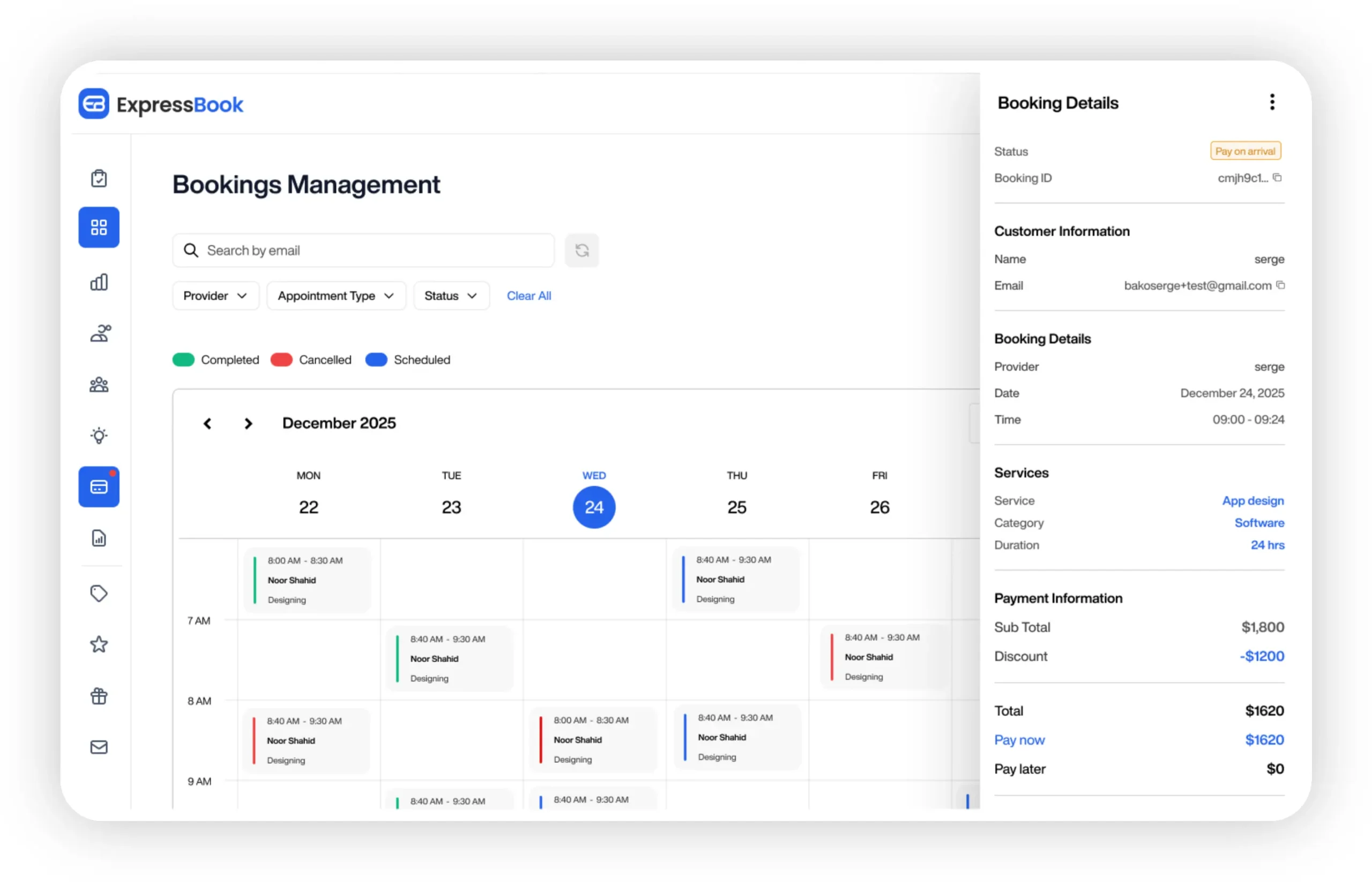
Service businesses from salons to healthcare providers use Expressbook to eliminate double-bookings, automate client reminders, and get their month-end accounting done without a spreadsheet in sight. The AI-powered analytics give you a clear view of which services drive the most revenue and when your peak booking windows actually fall. The dedicated mobile app keeps admins and clients connected whether they are at the front desk or on the go.
The best appointment scheduling software for your business is the one that fits your workflow today and scales with you tomorrow. Start your free trial at Expressbook and see how much time you get back in the first month.
Key Takeaways
The strongest acuity scheduling alternatives each serve a distinct SMB need, and the right choice depends on your integration requirements, team size, and how much your booking experience needs to reflect your brand.
| Point | Details |
|---|---|
| Integration fit matters most | Most SMBs prioritize connecting scheduling to their existing tools over having the widest feature set. |
| End-to-end testing is the fastest way to decide | Running a live booking test with real branding and payments reveals usability beyond any feature list. |
| HIPAA compliance requires configuration | Healthcare businesses must configure their scheduling tool and sign Business Associate Agreements before sharing patient data. |
| Trial length signals vendor confidence | Expressbook offers a three-month free trial, which is longer than those offered by any other alternatives reviewed here. |
| Expressbook closes the accounting gap | Expressbook automatically syncs bookings, payments, and client data with QuickBooks and Xero, saving users over 10 hours weekly. |